2.10 Windows Security Measures
2-35
2
2.10.3 Restoring Hard Disk Drive
When restoring the hard disk drive, the software installed on MS9740B is
also restored to early state. Download the latest version of the software
from the Anritsu website, and install it. For details on how to install the
software, refer to 6.3 “Updating Software”.
Perform the following steps to restore the hard disk drive.
When the OS is WES7
1. Disconnect the MS9740B from the network if connected.
2. Connect the keyboard and mouse to the mainframe, and then turn
the MS9740B power On.
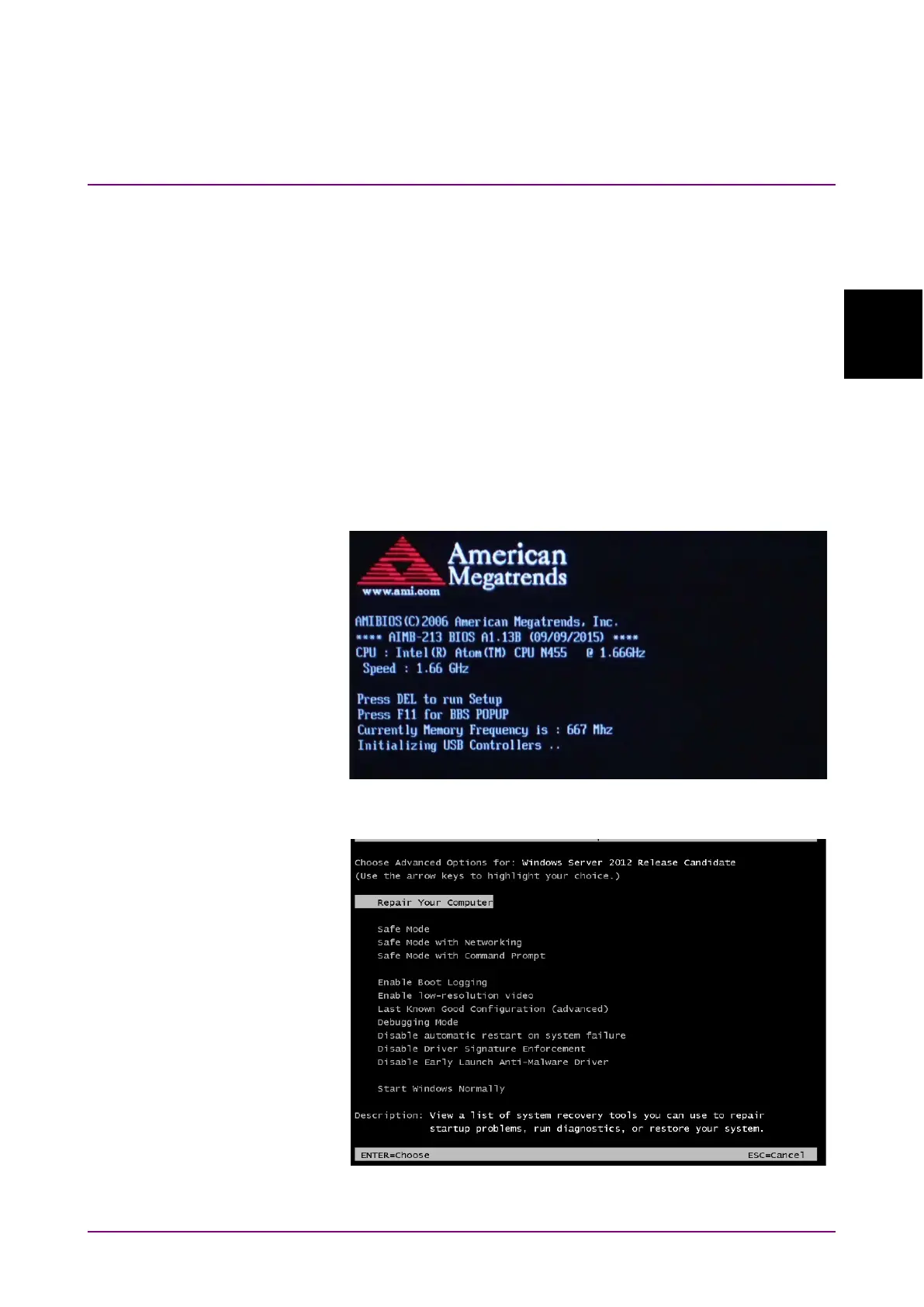
3. When the following screen is displayed, press the
F8
key on the
keyboard several times at intervals of about one second.
4. Use the keyboard cursor keys to select
Repair Your Computer, and
then press
Enter
.














 To Next Page