4.4 Displaying Level Peaks and Dips
4-11
4
Changing Measurement Conditions
4.4 Displaying Level Peaks and Dips
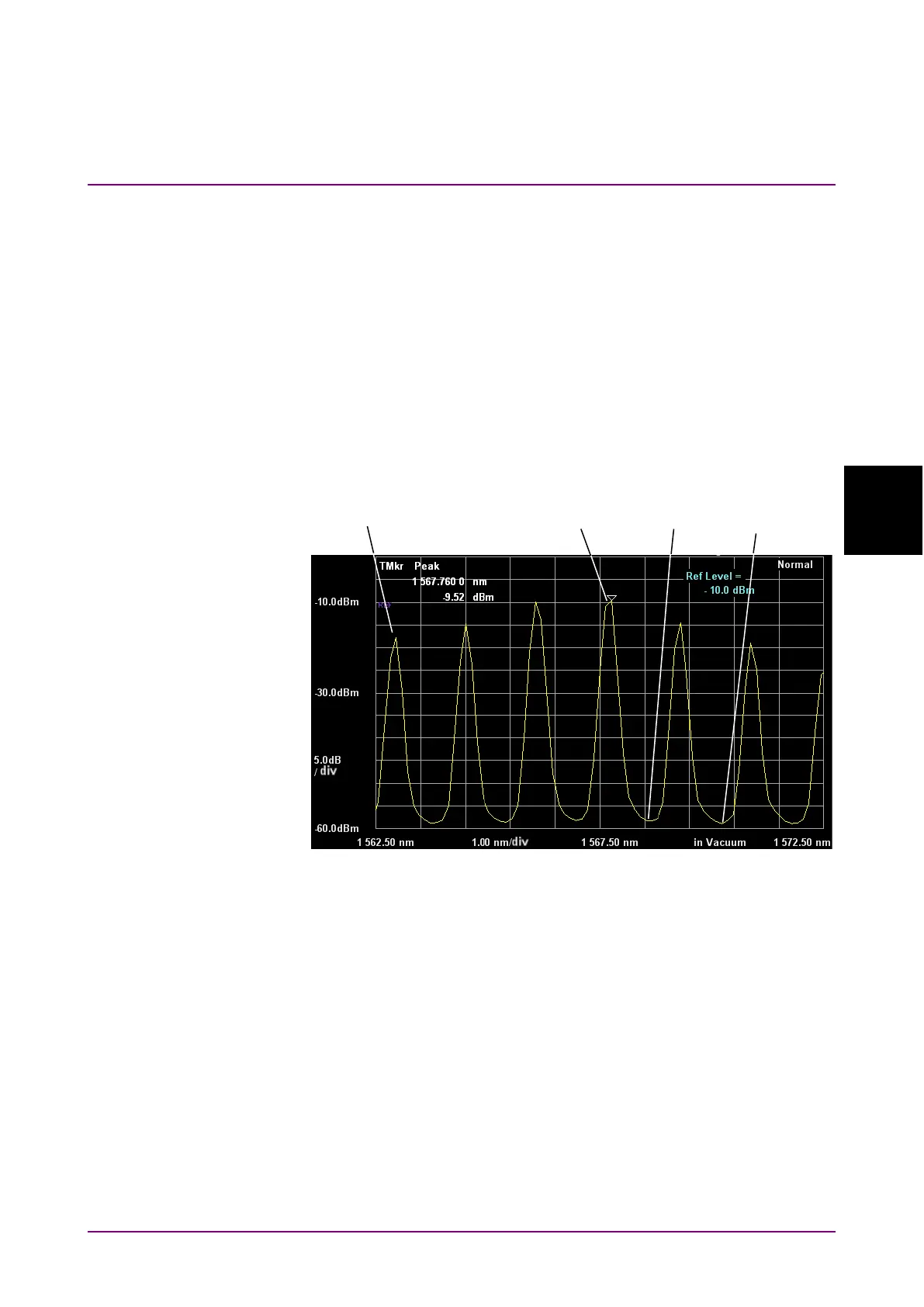
The MS9740B has search functions for finding the maximum and
minimum waveform levels and peak and dip points. These functions are
executed at the Active Trace.
Additionally, if the zone markers are displayed, the data between the zone
markers is the target data for searching position. The target of analysis is
data displayed on the screen. Changing Span may sometimes mean some
data is not displayed and peak and dip points in this non-displayed data
will not be searched.
Press
F4 Peak/Dip Search
key to use this function.
Figure 4.4-1 Waveform Peaks and Dips
To display peak point:
Press
f1 Peak Search
.
The position on the waveform with the maximum level is indicated by the
trace marker.
To display dip point
Press
f2 Dip Search
.
The position on the waveform with the minimum level is indicated by the
trace marker.














 To Next Page