5.7 Measuring Optical Amplifier
5-53
5
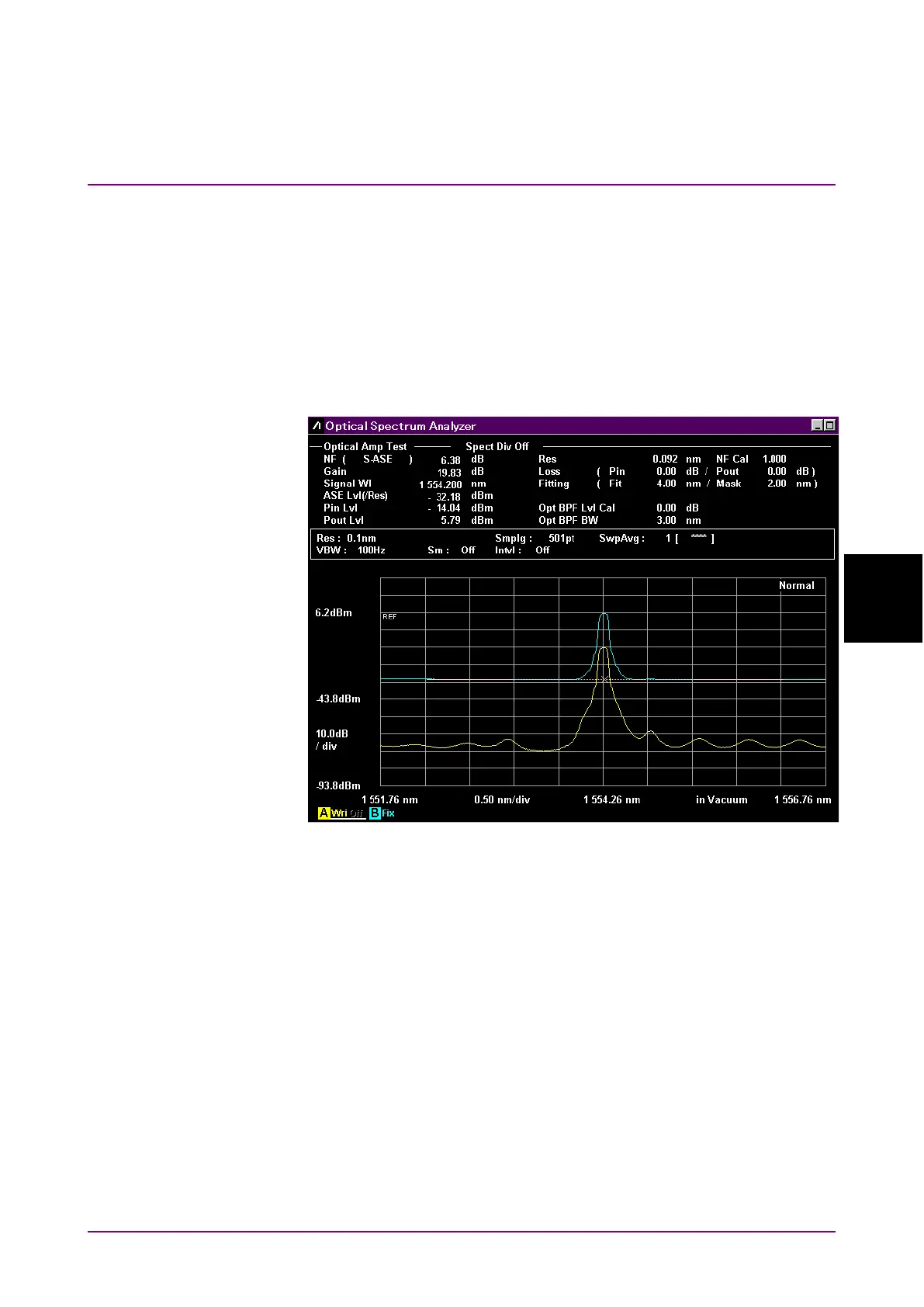
5.7.2 Optical Amplifier Measurement Screen Display
To display the optical amplifier measurement functions,
1. When the name of the
F7
horizontal key is not
Application
, press
F8
,
and then press
F7
.
2. Press
f7 More 1/2
.
3. Press
f1 Opt.AmpTest
to display the measurement result display
field.
4. Press
f6 Off
to finish the optical amplifier measurement.
Figure 5.7.2-1 Sample Opt.Amp-Test
Note:
The optical signal power (Pin), power of the signal output from
optical amplifier (Pout), and level of the ASE (Pase) are measured
at the same wavelength range. When measurement is executed or
this function is started, some traces are forcibly deleted if those
wavelength ranges are different from the ones displayed by
f3 Write
to
.














 To Next Page