Chapter 2 Before Use
2-26
Notes:
●
Turning the MS9740B power on with an external display not
connected to the VGA connector only initializes the main
display.
●
When using an external display, keep the external monitor
connected.
●
Do not change the resolution, refresh rate and power
management settings for the main screen.
●
The supported monitor resolutions are 800 × 600.
When the OS is Win10
1. Connect the display to the monitor output on the rear panel of the
MS9740B.
2. When the MS9740B is powered off, turn on the power to display on
the external display.
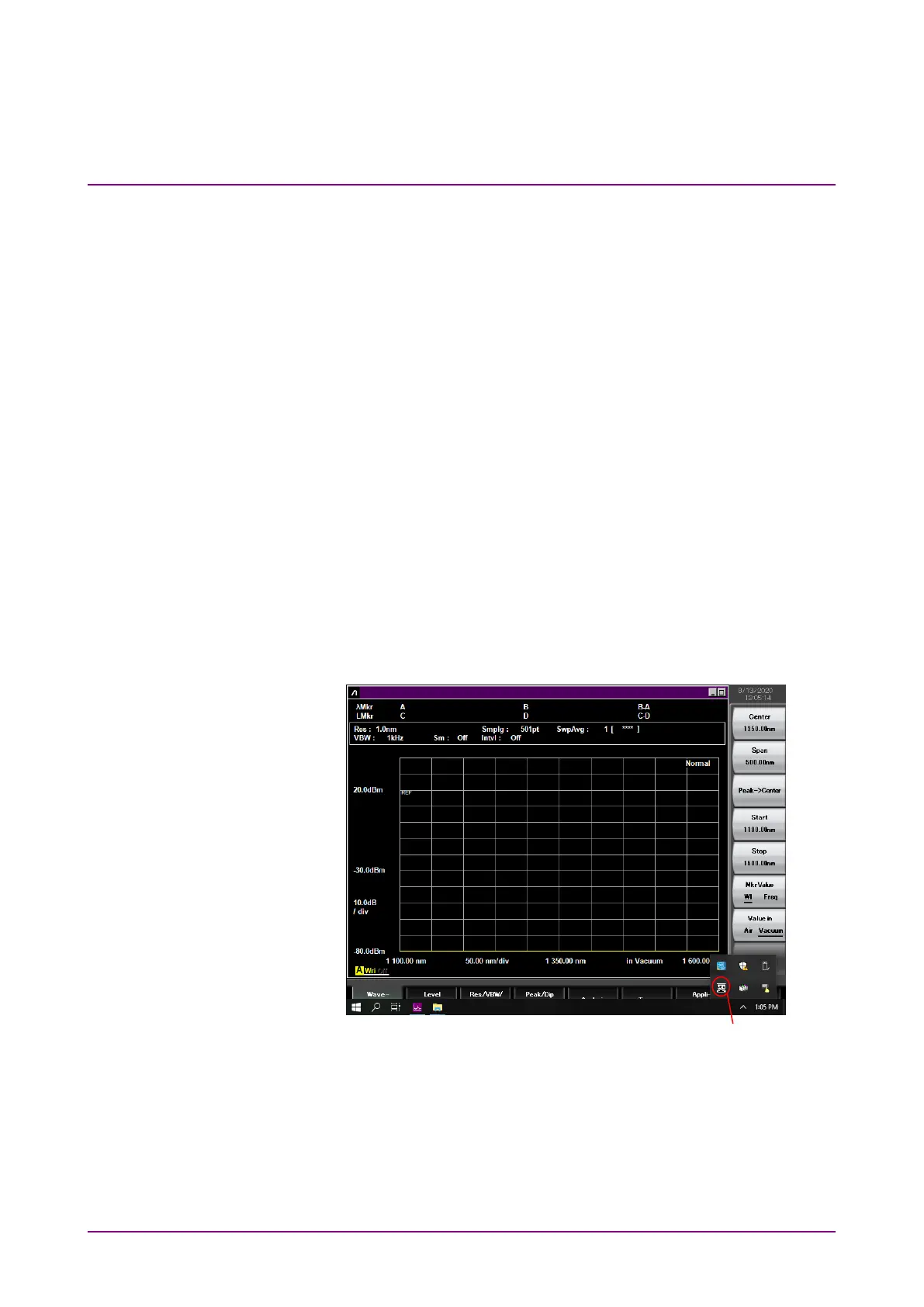
When the MS9740B is powered on, right-click the VGA icon in the
task tray at the bottom right of the screen, select
Enable VGA, and
you can display on the external display.
Figure 2.9.4-2 VGA Icon in Task Tray
Note:
If the image displayed on the external screen is skewed, right-click
the VGA icon again, and select
Enable VGA.














 To Next Page