2.9 Setting Control Panel
2-27
2
3. Right-click an empty area of the desktop, and click Intel® Graphics
Settings.
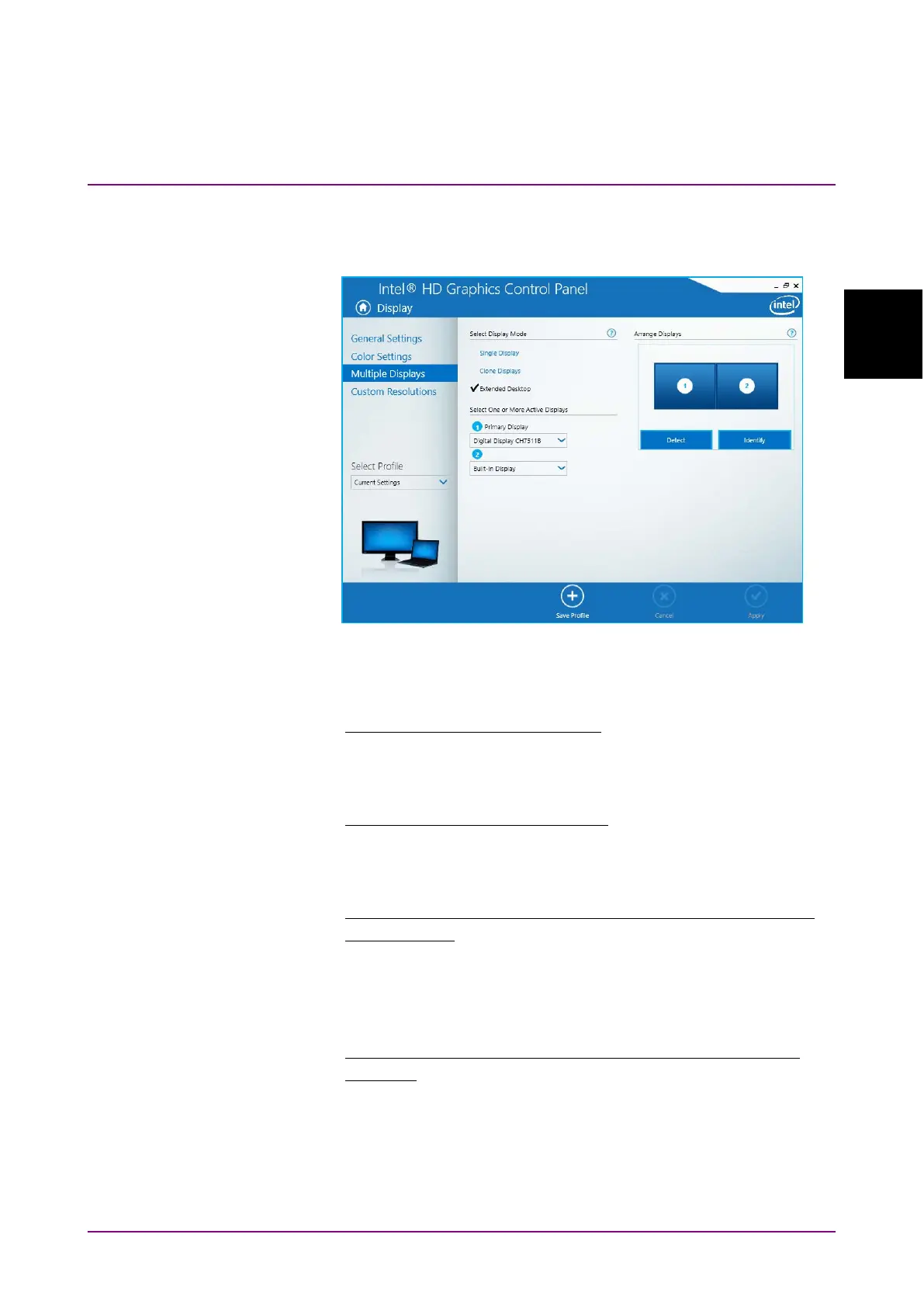
The Intel® HD Graphics Control Panel is displayed.
Figure 2.9.4-3 Intel
HD Graphics Control Panel
4. Click
Display > Multiple Displays, and change the settings.
When not using an external display
Select Display Mode Single Display
Select One or More Active Displays
Built-in Display
When using an external display only
Select Display Mode Single Display
Select One or More Active Displays
(Connected external display)
When displaying the same content on the external display as the
built-in display
Select Display Mode Clone Displays
Select One or More Active Displays
- Built-in Display
- (Connected external display)
When displaying with the built-in display and external display
connected
Select Display Mode Extended Desktop
Select One or More Active Displays
1. Primary Display Built-in Display
2. (Connected external display)














 To Next Page