Chapter 19 Creating Books 359
III
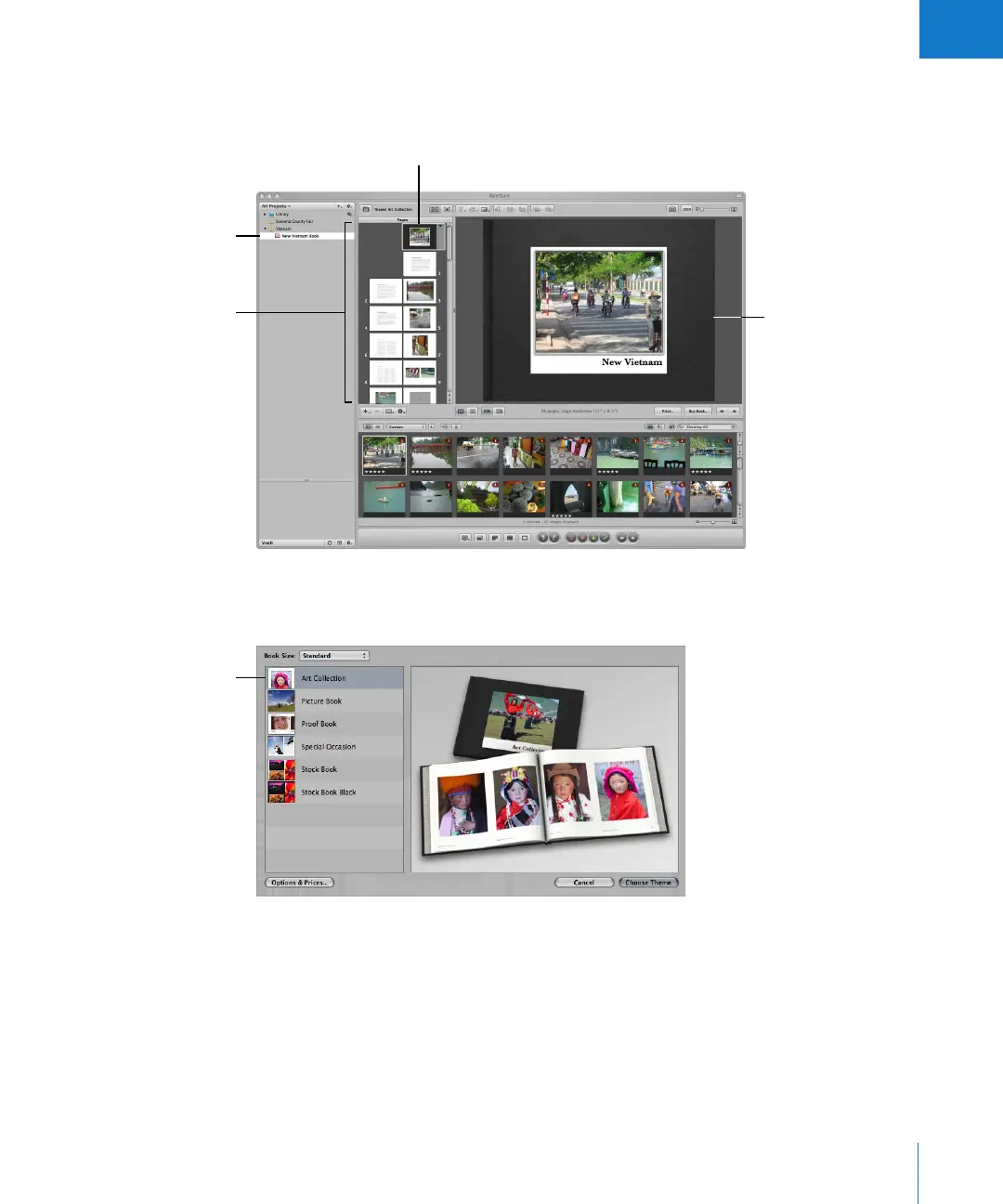
The Pages panel on the left shows thumbnails of your book pages. You can scroll
through the thumbnails and click one to select a page of your book to work on. A
larger view of the selected page appears on the right.
Books are based on a theme, or design, and master page layouts that present your
images in a standardized way. Click the Theme button to see the themes you can choose.
Selected book album
Select the page you want
to work on here.
Selected page
A larger view of the
selected page appears
here.
Select the theme
you want here.





 To Next Page