Chapter 19 Creating Books 367
III
 Pages panel: Click here to see an individual page in the book.
 Add Pages pop-up menu: Choose an option from this pop-up menu to add a page or
pages to the book.
 Delete Pages button: Click this button to delete the selected page or pages from
your book.
 Set Master Page pop-up menu: Choose the master page you want to apply to a
selected page.
 Book Action pop-up menu: Choose options to reflow the images in a book, add an index
and page numbers, or add and change the look of text, metadata, and photo boxes.
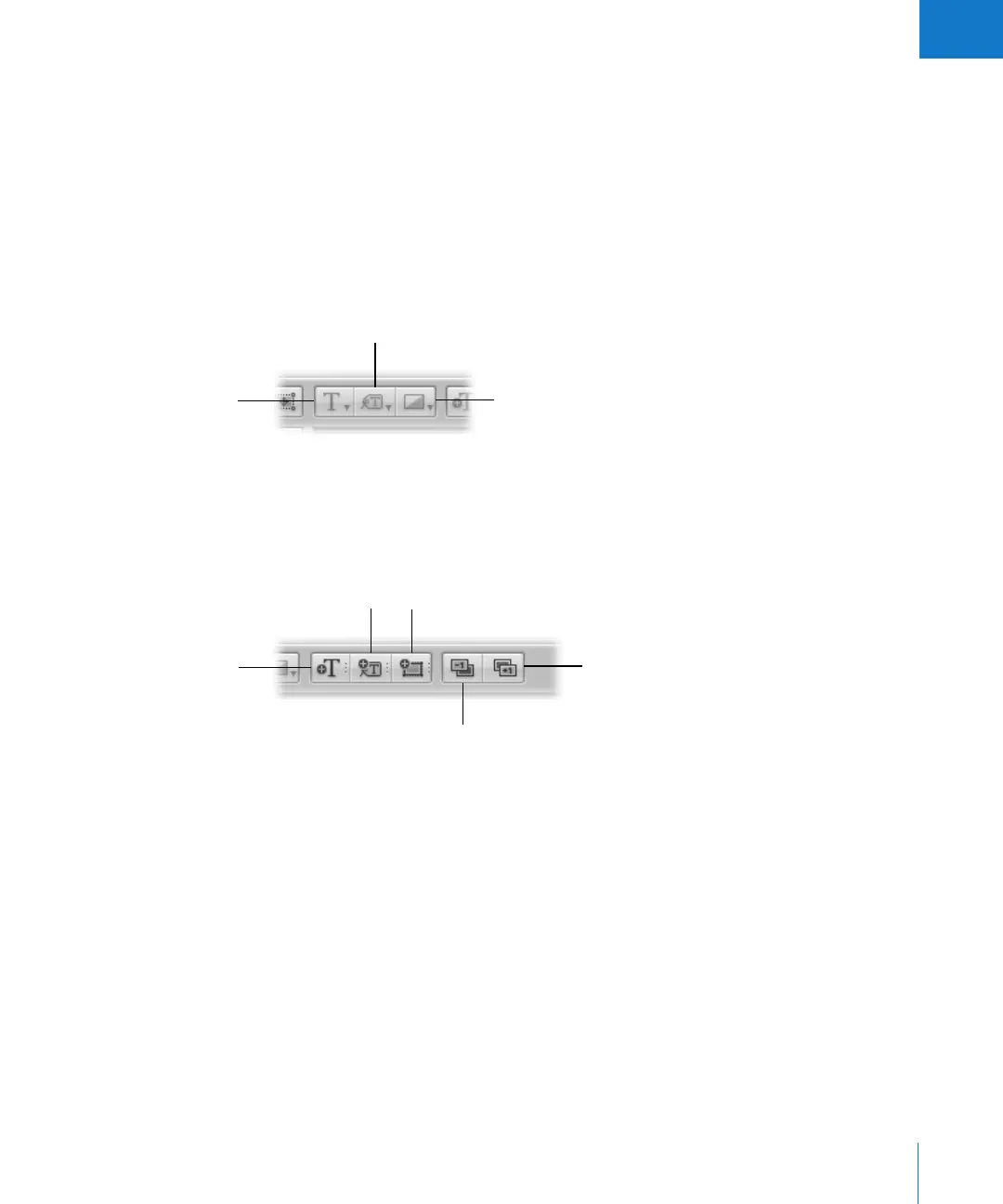
 Text Style pop-up menu: Choose the style of text you want for a selected text box.
 Metadata Format pop-up menu: Choose the type of metadata you want to display
with your images.
 Photo Filter pop-up menu: Choose to apply various filters to an image to change its look.
 Add Text Box button: Click this button to add a text box to the page.
 Add Metadata Box button: Click this button to add a metadata box to the page.
 Add Photo Box button: Click this button to add a photo box to the page to hold
an image.
 Send Backward button: Click this button to move a selected box backward in the
stacking order of overlapping text or image boxes.
 Bring Forward button: Click this button to move a selected box forward in the
stacking order of overlapping text or image boxes.
Photo Filter
pop-up menu
Metadata Format
pop-up menu
Text Style
pop-up menu
Add Text Box button
Send Backward button
Bring Forward button
Add Photo Box
button
Add Metadata
Box button





 To Next Page