4 Firmware version 5.2.x
Please note that these instructions are only valid for the MICROBEAST PLUS
firmware version 5.2.x!
The firmware version can be detected by connecting the device to a computer using the
USB2SYS interface (optional) or tablet/smartphone using the BLE2SYS interface (optional)
together with the StudioX App. During initialization also you can directly read from the
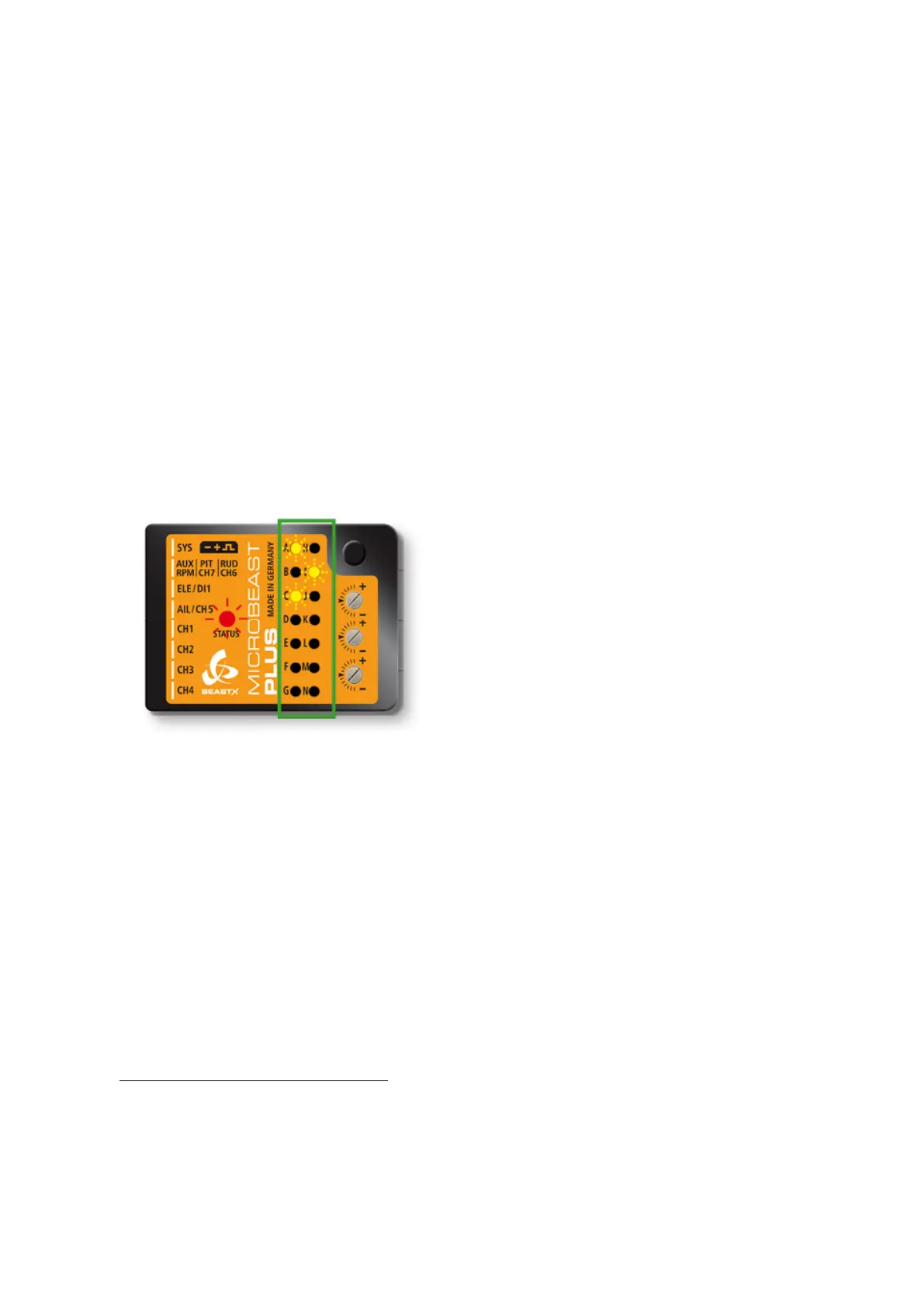
display of the device what firmware version it is running: After power up when the Status-
LED lights red, for a few seconds the Menu-LEDs A to G display the first digit of the
firmware version and the LEDs H to N the second digit.
Figure 2
Firmware version 5.2.x
In the left row menu LEDs A and C indi-
cate major version ”5”.
In the right row LED I lights up which
stands for minor version ”2”.
(Click here
1
to see what's new with MICROBEAST Version 5.2.x compared to older
firmware versions.)
1
https://wiki.beastx.com/./index.php/Help:FAQ:General/en#Differences_between_firmware_
versions_.28changelog.29
9



 To Next Page