30 SETUP MENU A - Device
orientation
This page is a translated version
1
of the page Manuals:MBPlusFblV52:Setupmenu A
2
and
the translation is 100% complete.
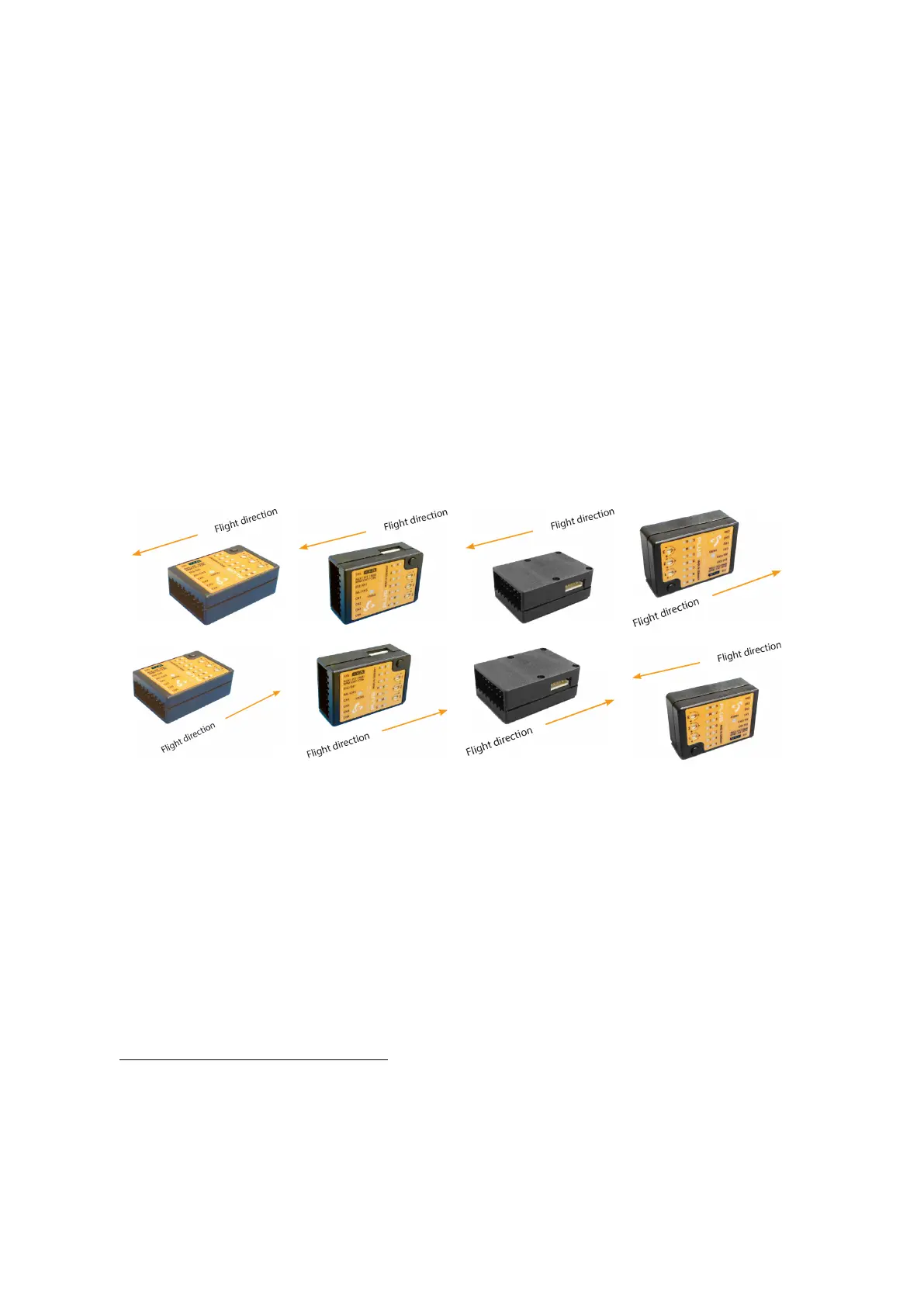
MICROBEAST PLUS can be mounted in nearly all possible orientations. The only
restriction is that the main connection terminal has to point in or against flying direction
and the egdes of the unit must be parallel to the rotation axis.
Figure 82
Status LED off
Figure 83
Status LED purple flashing
Figure 84
Status LED purple
Figure 85
Status LED red flashing
Figure 86
Status LED red
Figure 87
Status LED blue flashing
Figure 88
Status LED blue
Figure 89
Status LED red/blue
1
https://wiki.beastx.com/index.php?title=Special:Translate&group=page-Manuals%
3AMBPlusFblV52%3ASetupmenu+A&action=page&filter=&language=en
2
https://wiki.beastx.com/./index.php/Manuals:MBPlusFblV52:Setupmenu_A
73



 To Next Page