Connecting the USB2SYS with your BEASTX device
In case the drivers did not install correctly please see the USB2SYS driver installation
guide
3
.
126.2 Connecting the USB2SYS with your BEASTX device
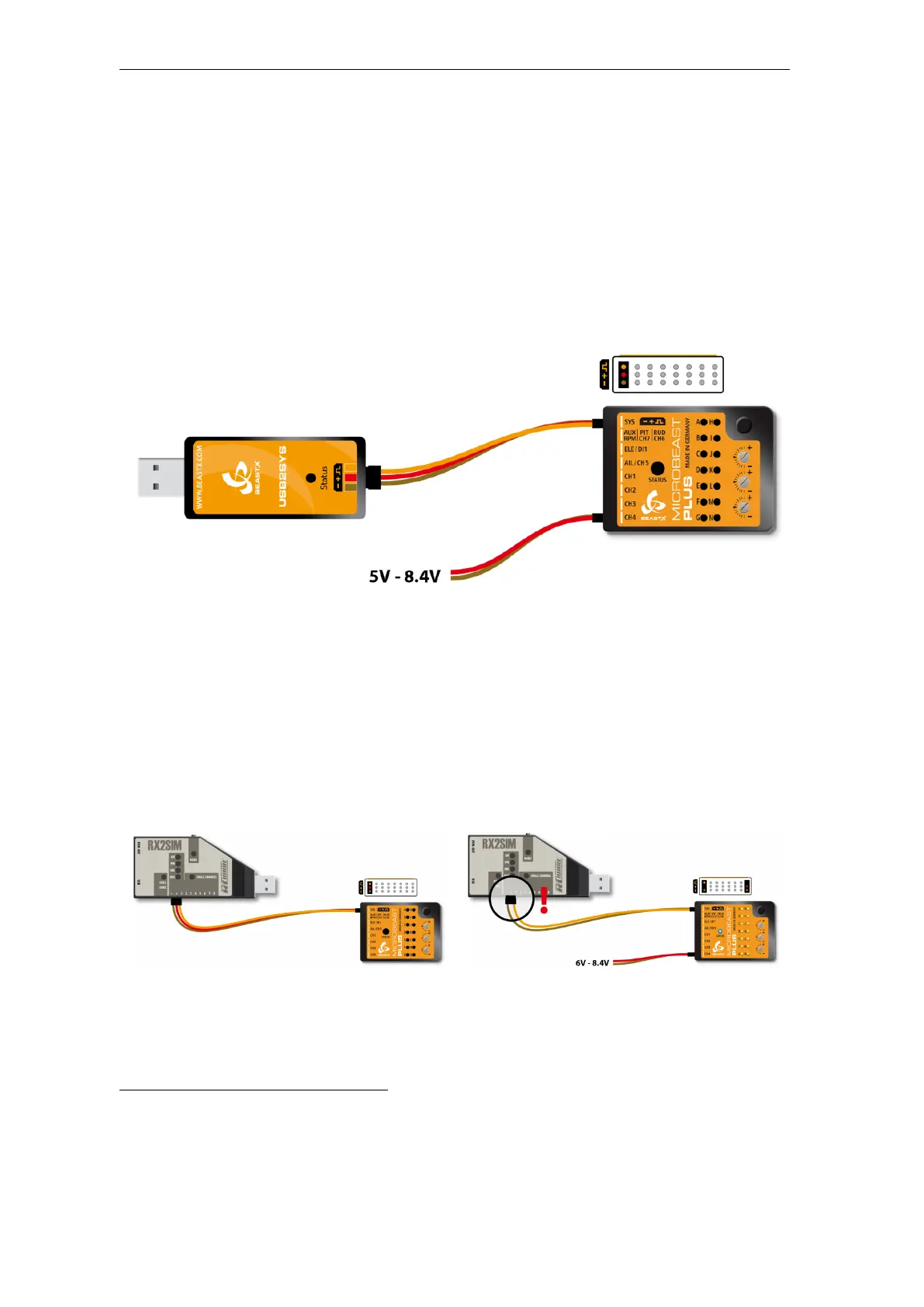
All BEASTX gyros come with a serial communication port which typically is marked with
the letters SYS. Connect the servo wire coming from your USB interface to this port.
Make sure to connect the wire in correct polarity on both sides!
Figure 169
When using the USB2SYS interface you have to power the device with a separate power supply, i.e.
receiver battery or BEC of the R/C model. It will not be powered from the USB port.
Also you can use a RX2SIM Wireless Multi-Sim Adapter instead of the USB2SYS interface.
For this you can switch the RX2SIM into an USB2SYS emulation mode (push button on
the RX2SIM several times until the LED lights up in orange color).
Figure 170
Figure 171
In this configuration the BEASTX gyro will be powered from the USB port.
Anyhow, this only will work when receiver and servos are not connected to the
gyro! Otherwise the power of the USB port will not be sufficient to supply all
consumers. In this case you have to power the device from the receiver battery
as well.
But here when using more than 6 Volts (i. e. using a 2s Lipo battery as receiver
power supply) you must disconnect the red wire (plus pole) from the servo wire
going to the interface. Otherwise you will damage the RX2SIM and/or
USB port of your computer!
3
https://wiki.beastx.com/./index.php/USB2SYS/SPMA3030_driver_installation/en
303



 To Next Page