134 Reset all settings
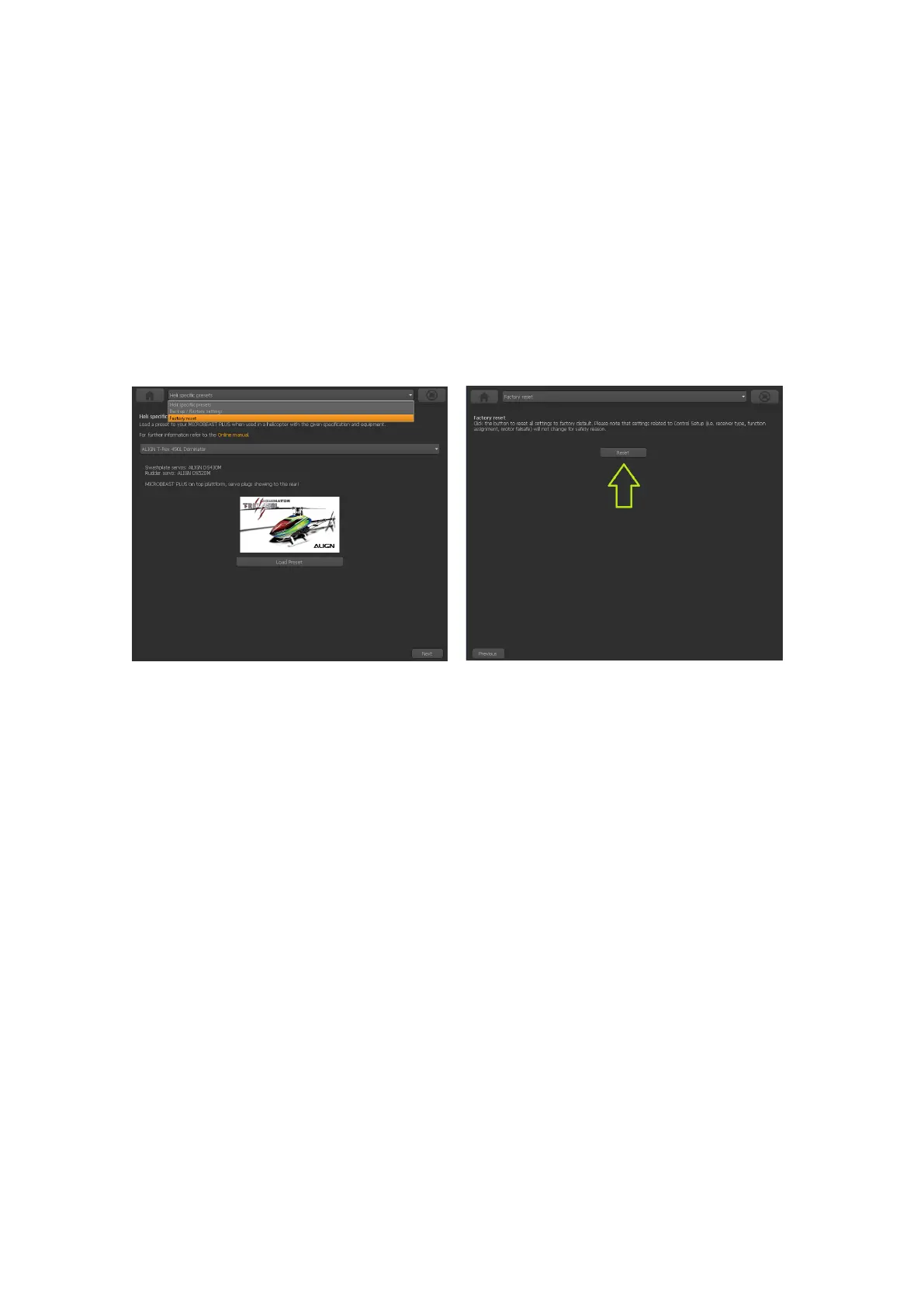
You will find the reset option by choosing ”Backup/Restore” from the overview screen in
StudioX (which opens when connection is established to your BEASTX device). From
there click the ”Next” button two times or directly choose ”Factory reset” from the selection
box above to open the reset screen.
Figure 187
Figure 188
Click
the ”Reset” button and confirm the question ”Are you really sure?”. Now all
settings are set to default and you have to perform the basic setup again, in
order to fly the helicopter.
Please note: The factory reset will not change your receiver settings (receiver type,
function assignments, failsafe settings). This simply can be changed by doing the receiver
setup procedure in RECEIVER MENU.
321



 To Next Page