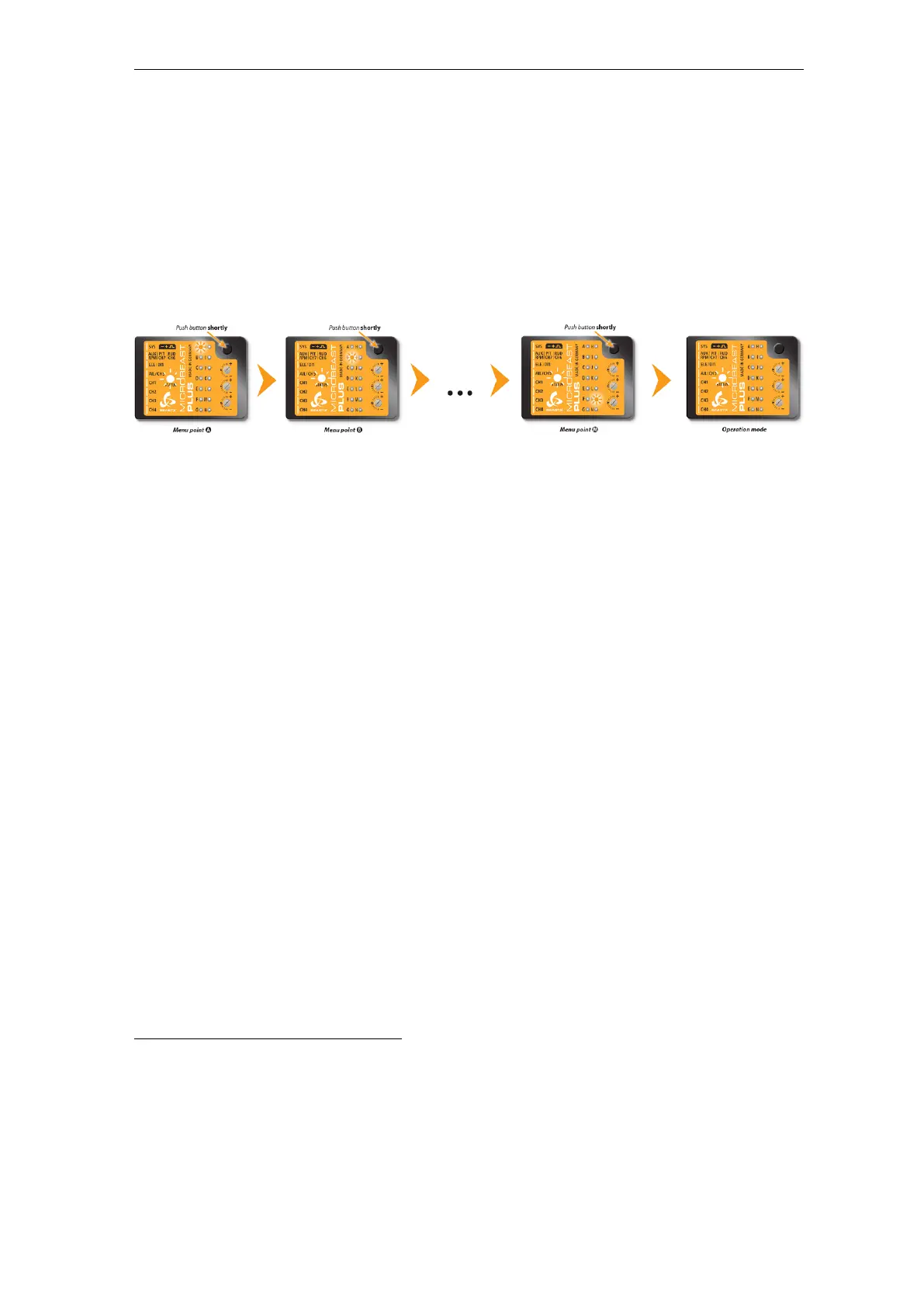
Adjustment on the device
28.1 Button control
Proceed step by step through the different menu points reaching from A to N and perform
the basic adjustment as described in the following. By briefly pushing the button at each
step you will save the current setting and proceed to the next step. To leave the SETUP
MENU you have to go through all menu points. After pushing the button at the last
menu point (depending on installed firmware features and receiver type this either can be
SETUP MENU point M
2
or N
3
or GOVERNOR MENU point F
4
or H
5
) you will exit the
SETUP MENU and the system is ready for operation again.
Figure 79
If you need to change some specific setting later onwards you can enter the SETUP MENU
again as described above and skip menu points by only pressing the button without changing
anything at these points. So you can navigate to the desired menu point by simply pressing
the button several times until you reach this point. Then after you have finished the
adjustment, again press the button repeatedly to proceed to the end of the menu and to
get back into operation mode.
• In operation mode no MENU LED is glowing!
• Just for your info at this step: There is another menu called PARAMETER MENU.
This is entered by just briefly pressing the button from operation mode. Here the Menu
LEDs are flashing quickly. If you see this condition you've entered the wrong menu.
Skip through the menu by repeatedly pressing the button until back in operation mode
and then retry to enter SETUP MENU, this time holding the button longer so that
Menu LED A lights solid!
When in SETUP MENU you can reset all settings of the device to their factory default
value. To do so hold down the button at any menu point of SETUP MENU for at least
10 seconds, then release. After doing so you will not be able to fly anymore! You have to
do all the basic heli setup again and also all the other settings from PARAMETER MENU
will be reset!! There are 2 exceptions:
2
https://wiki.beastx.com/./index.php/Manuals:MBPlusFblV52:Setupmenu_M
3
https://wiki.beastx.com/./index.php/Manuals:MBPlusFblV52:Setupmenu_N
4
https://wiki.beastx.com/./index.php/Manuals:MBPlusFblV52:Governormenu_F
5
https://wiki.beastx.com/./index.php/Manuals:MBPlusFblV52:Governormenu_F
68



 To Next Page