Preparing the radio system
channel/servo output (except for thrust stick which typically controls collective pitch and
motor). Note when using MICROBEAST PLUS you do not directly control the servos
of the helicopter. By moving a stick you give a control command to the system which
then performs the necessary servo movements to move the helictoper in the commanded
direction. Each control command is bound to one servo output channel of the transmitter.
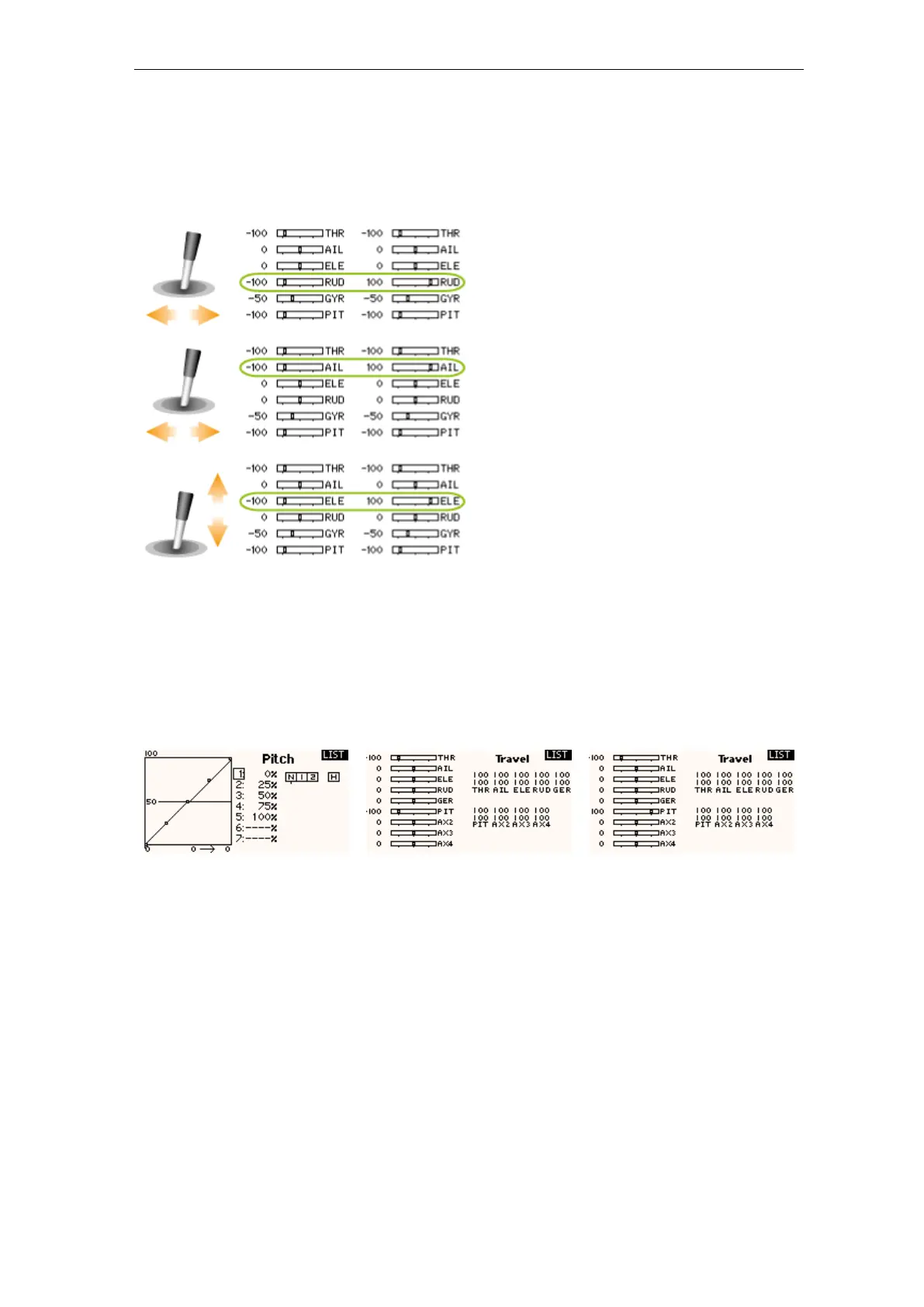
Figure 61
• Also do not adjust the collective pitch curve at the moment. For the setup procedures it
has to be set as a straight line reaching from -100% to +100% (or 0 to 100% depending
on radio brand).
Figure 62 Figure 63 Figure 64
• Other functions such as throttle curves, ESC switches or auxiliary functions can be ad-
justed as usual. But especially for the throttle make sure you can disable the throttle
channel and separate it from the collective stick movement for performing the setup. You
can do this by using the HOLD switch on the radio or by setting the throttle curve to
a flat 0% line. Also it is advisable to create different flight modes for different flight
states/rotor headspeeds.
46



 To Next Page