5
Adding Toner
5-11
Routine Maintenance
4
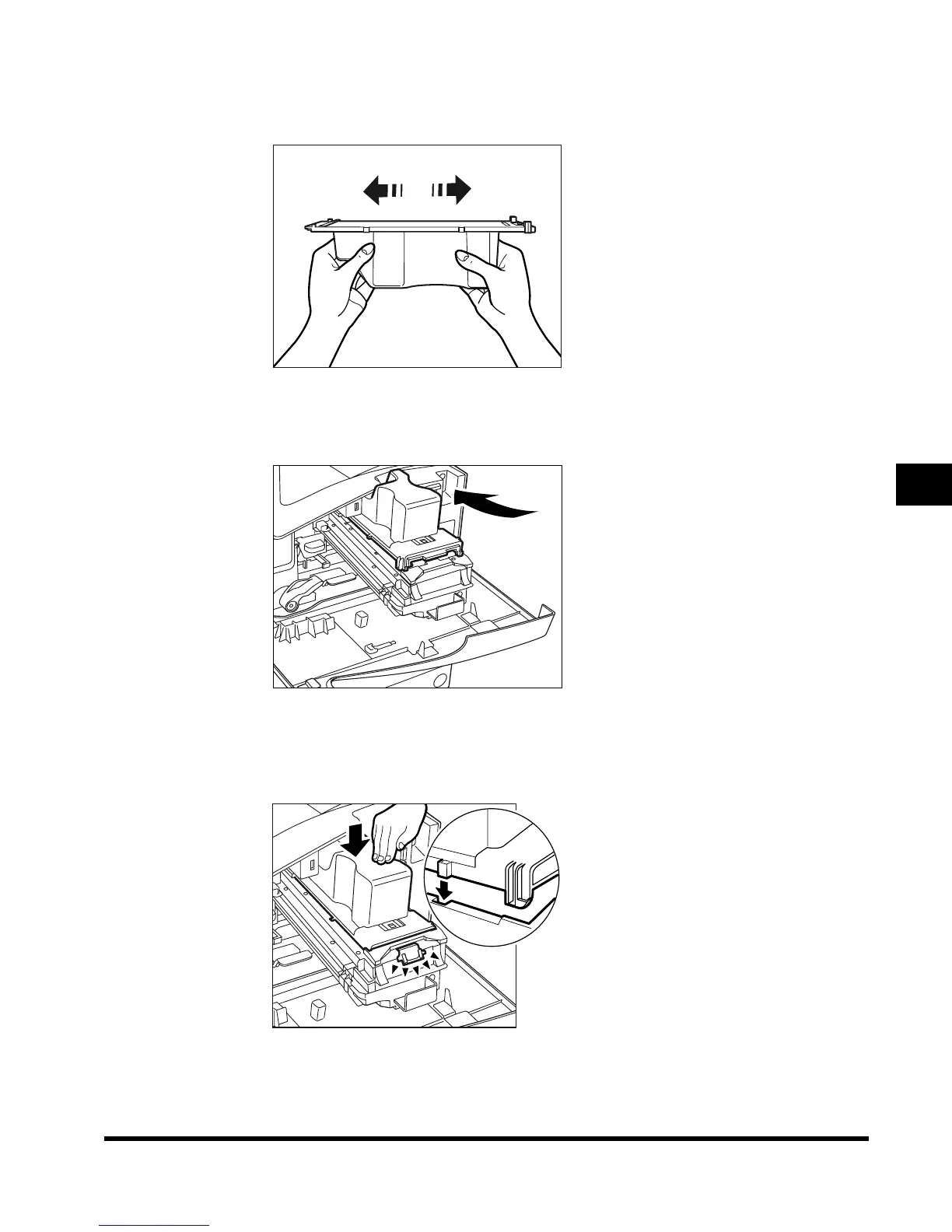
Hold the new toner cartridge in your hands, as shown below, and
rock it several times to the left and right.
5
Place the toner cartridge on the toner box, as shown below, and
push it in as far as possible.
6
Push the toner cartridge down, to lock it in place on the toner box.
Make sure that the black cartridge knob protrudes towards you.
E1L_US_U_.book-INDEX Page 11 Wednesday, May 23, 2001 11:40 PM












 To Next Page