7
Envelope Feeder Attachment-B1
7-24
Handling Options
3
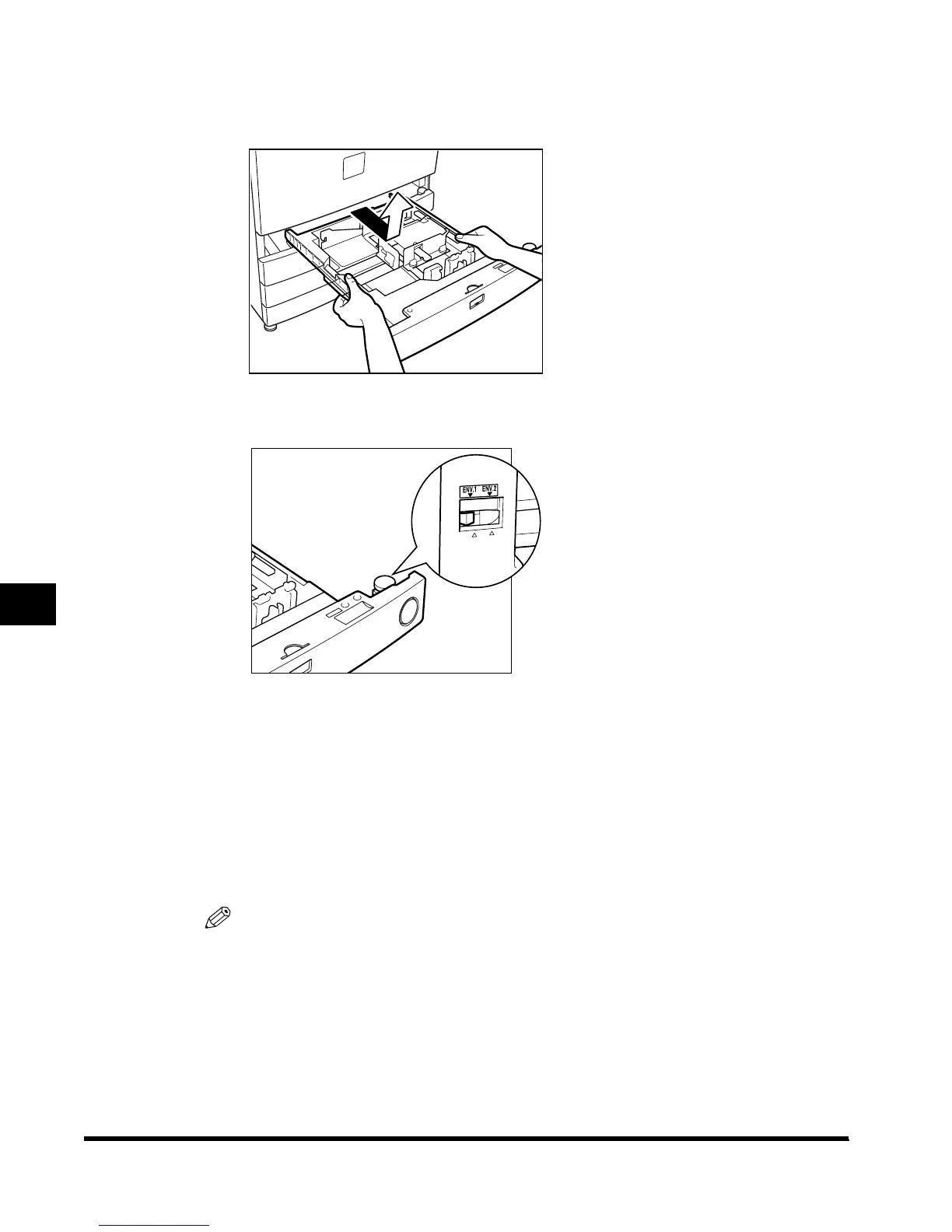
Pull out the paper drawer by lifting it, holding the left and right sides
of the paper drawer with both hands.
4
Select either <ENV.1> or <ENV.2> for the envelope cassette.
● When selecting <ENV.1>:
Set the size switch to <ENV.1>.
- This allows the envelope stored to <ENV.1> in the Set Envelope Cassette setting in the
Additional Functions screen to be loaded.
● When selecting <ENV.2>:
Set the size switch to <ENV.2>.
- This allows the envelope stored to <ENV.2> in the Set Envelope Cassette setting in the
Additional Functions screen to be loaded.
NOTE
•
The default settings are as follows:
- ENV.1: COM 10
- ENV.2: COM 10
•
To change the stored envelope setting, see ‘Registering the Envelope Feeder Attachment,’ on
p. 3-23.
E1L_US_U_.book-INDEX Page 24 Wednesday, May 23, 2001 11:40 PM












 To Next Page