7
Envelope Feeder Attachment-B1
7-26
Handling Options
8
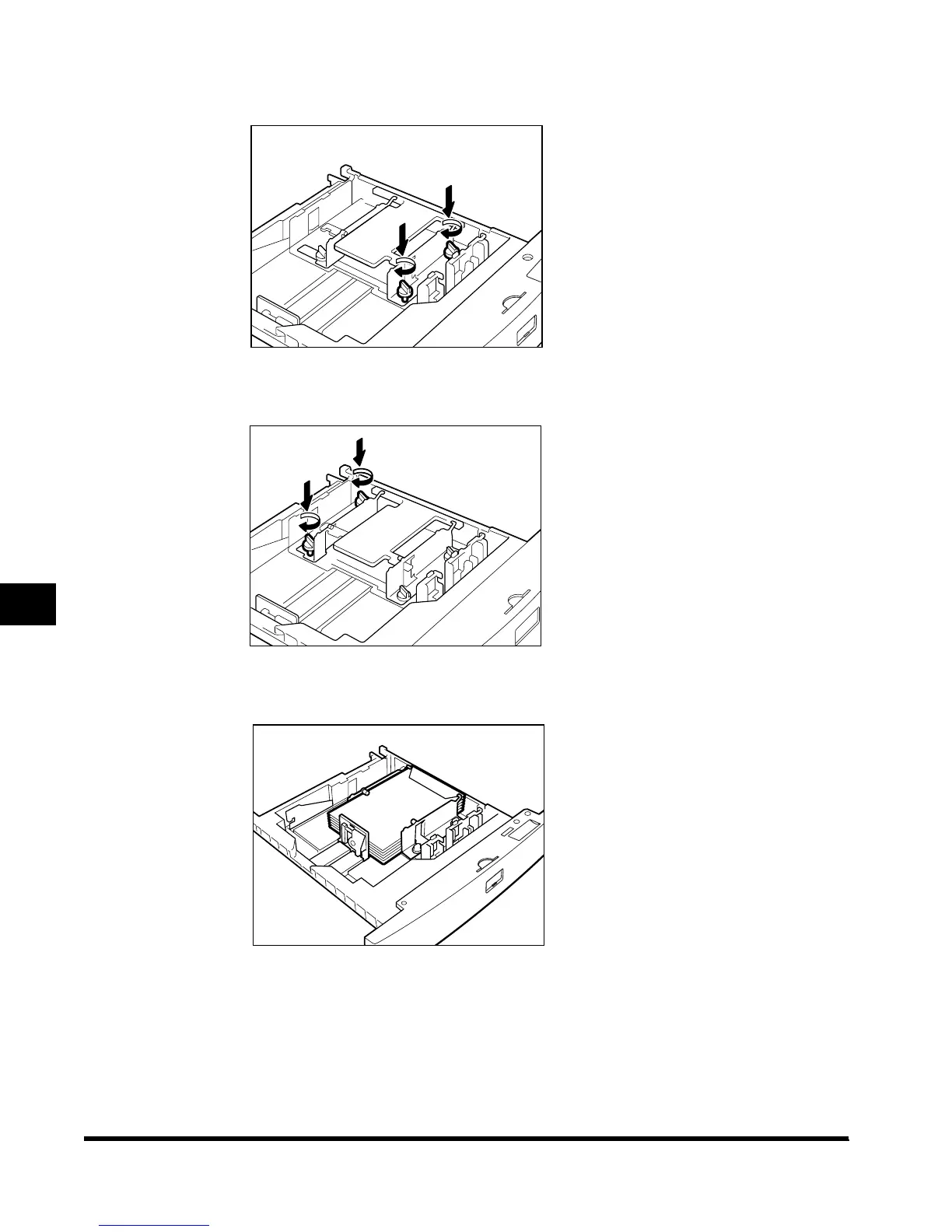
Fix the front width guide of the cassette in place, using the screws.
9
Adjust the back width guide of the cassette, as in steps 7 and 8.
10
Load the envelopes.
11
After checking the size switch, store the envelope type on the
Additional Functions screen.
For details on how to do this, see ‘Registering the Envelope Feeder Attachment,’ on p. 3-
23.
E1L_US_U_.book-INDEX Page 26 Wednesday, May 23, 2001 11:40 PM












 To Next Page