7
Saddle Finisher-G1/Puncher Unit-K1
7-69
Handling Options
4
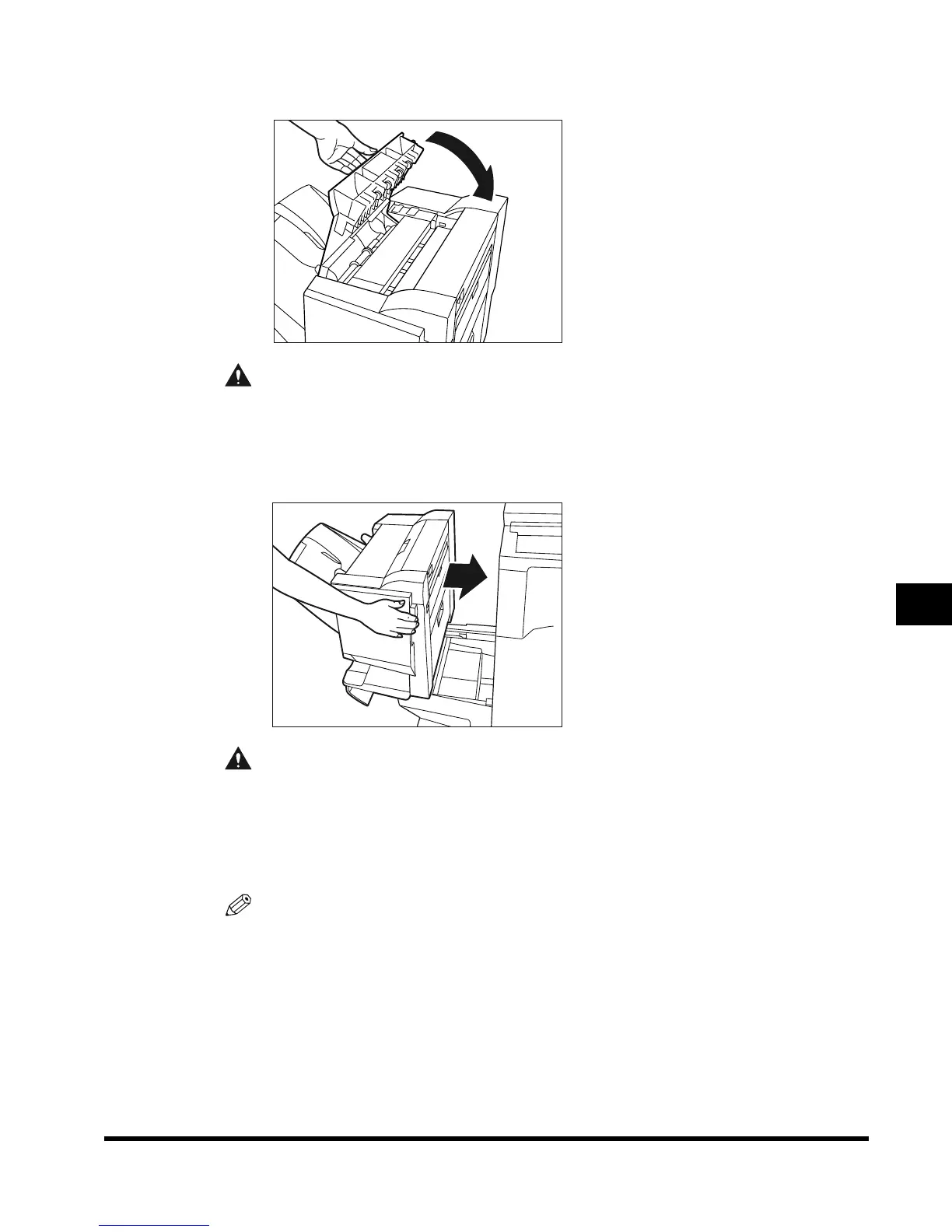
Close the top cover of the finisher.
CAUTION
• When closing the cover, be careful not to get your fingers caught, as this may result
in personal injury.
5
Connect the finisher to the main unit.
CAUTION
• When returning the finisher to its original position, be careful not to get your fingers
caught, as this may result in personal injury.
6
Follow the instructions on the touch panel display.
NOTE
•
For details of the screen indicating how to clear the paper jam, see ‘Screen Shown When
There Is a Paper Jam,’ on p. 6-2.
E1L_US_U_.book-INDEX Page 69 Wednesday, May 23, 2001 11:40 PM





 To Next Page