7
Card Reader-C1
7-88
Handling Options
Erasing Print Totals
The following instructions describe how to delete the print totals made so far, for all
departments. It is also possible to delete print totals for a particular department.
1
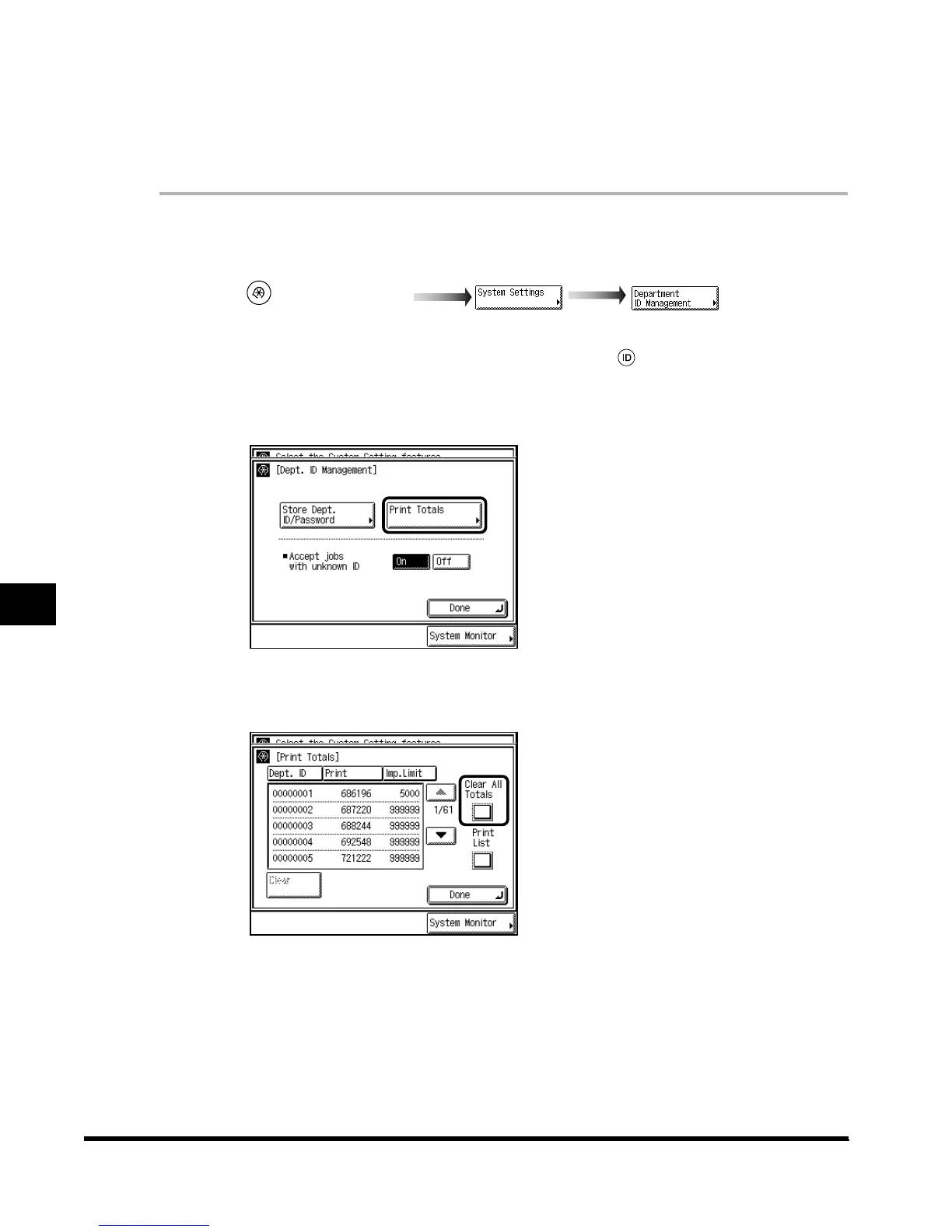
Call up the desired screen as follows:
When the System Manager ID/Password is set, enter the System Manager ID and System
Password after pressing “System Settings.” Then, press (ID).
2
Press “Print Totals.”
3
Press “Clear All Totals.”
To delete one print total at a time, press “▼” or “▲” to display the desired department, and
press “Clear.”
(Additional Functions)
E1L_US_U_.book-INDEX Page 88 Wednesday, May 23, 2001 11:40 PM












 To Next Page