✂ ✂ ✂ ✂ ✂ ✂
System Management Mode of the imageRUNNER 3300/2800/2200
XXII
4
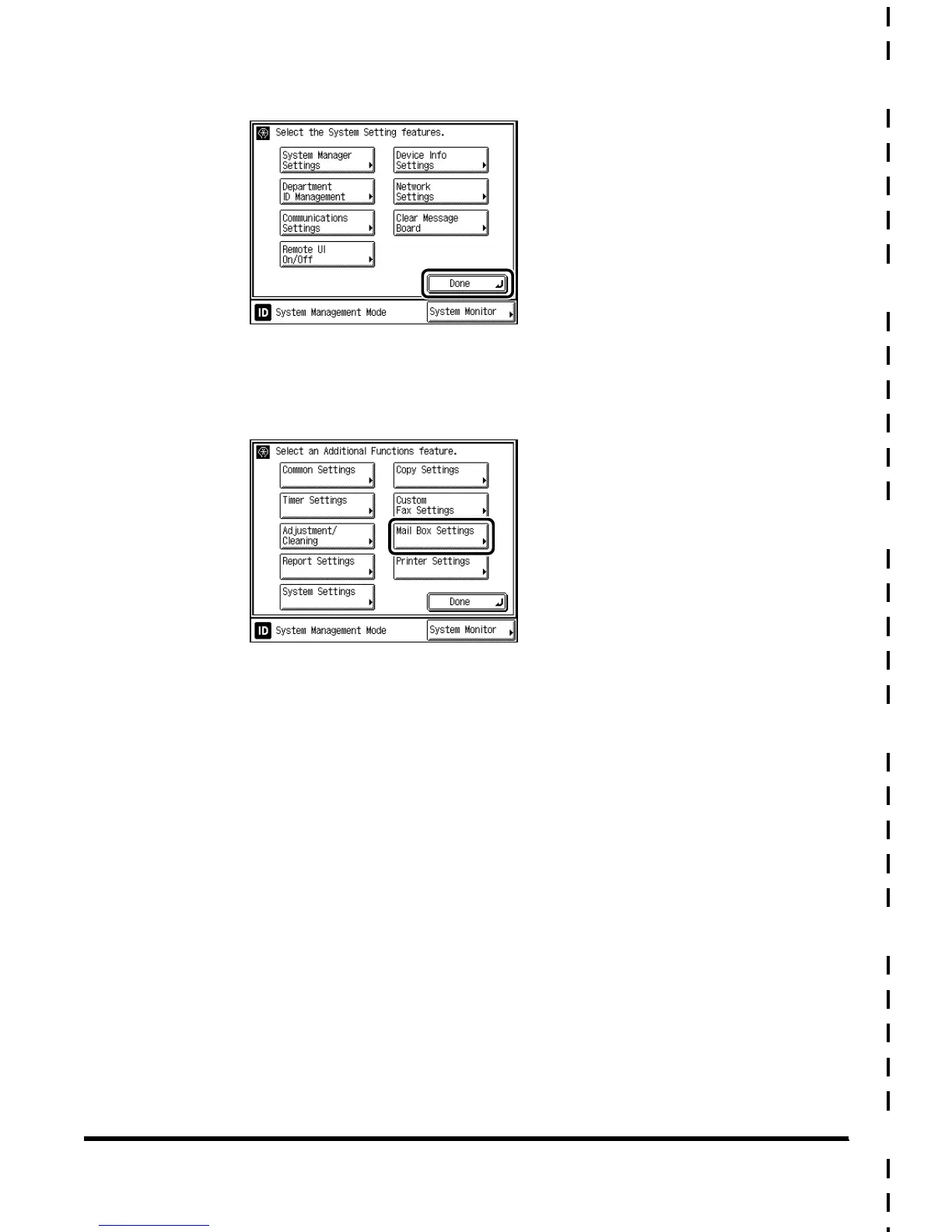
Press “Done.”
The display returns to the Additional Functions screen.
5
Press “Mail Box Settings,” and change the settings.
To specify the Mail Box Settings, see the Mail Box Function Guide.
E1L_US_U_.book-INDEX Page XXII Wednesday, May 23, 2001 11:40 PM





 To Next Page