1
Making Prints Using the Stack Bypass
1-49
Before You Start Using This Machine
● Loading envelopes in the stack bypass.
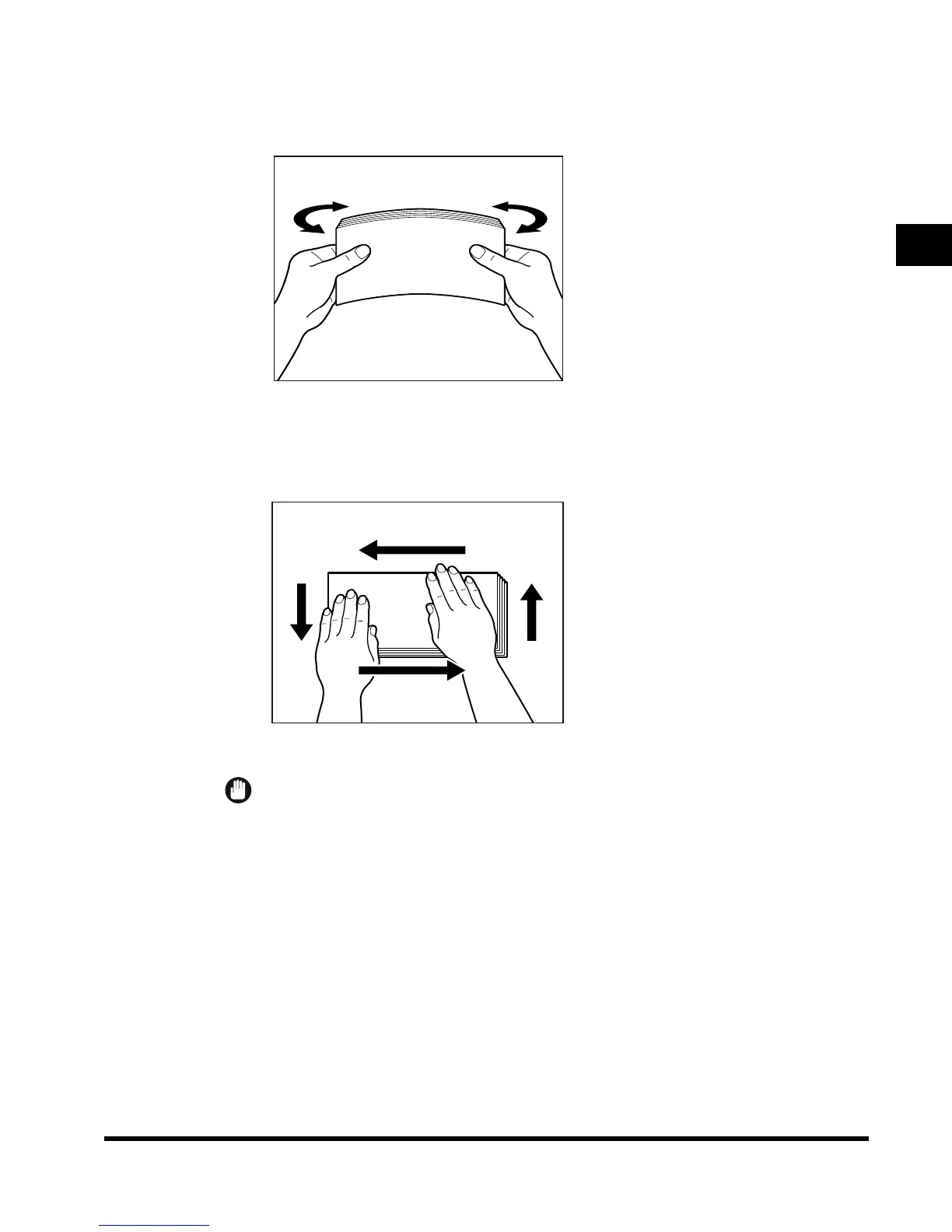
Take five or so envelopes, and loosen them as shown, then stack them together.
Repeat this step 5 times.
Place the envelopes on a clean, level surface and spread them out by hand in the
direction of the arrows.
Repeat this step 5 times.
IMPORTANT
•
Take particular care to spread the envelopes out in the direction they will be fed.
E1L_US_U_.book-INDEX Page 49 Wednesday, May 23, 2001 11:40 PM












 To Next Page