1
Making Prints Using the Stack Bypass
1-56
Before You Start Using This Machine
NOTE
•
The specified paper size is displayed when its turn comes to print.
•
Even when setting reserved print settings, if paper is loaded in the stack bypass, specify the
same paper size and type as selected in steps 2 and 3. Otherwise, the machine does not start
printing.
7
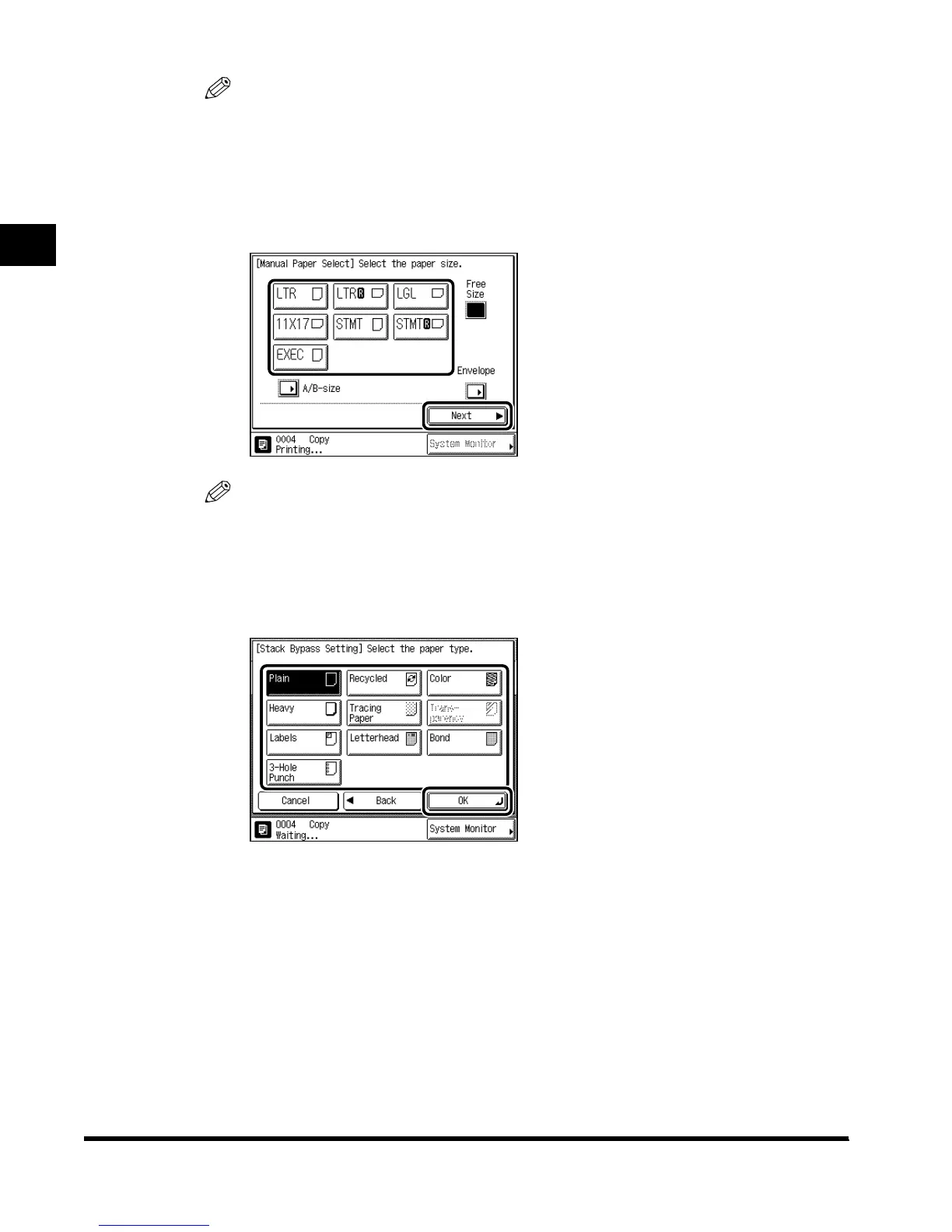
Select the paper size, and press “Next.”
NOTE
• To select free size paper, press “Free Size.”
•
To select envelopes, press “Envelope.”
•
To select A or B series paper size, press “A/B-size.”
8
Select the paper type, and press “OK.”
The machine starts printing.
E1L_US_U_.book-INDEX Page 56 Wednesday, May 23, 2001 11:40 PM












 To Next Page