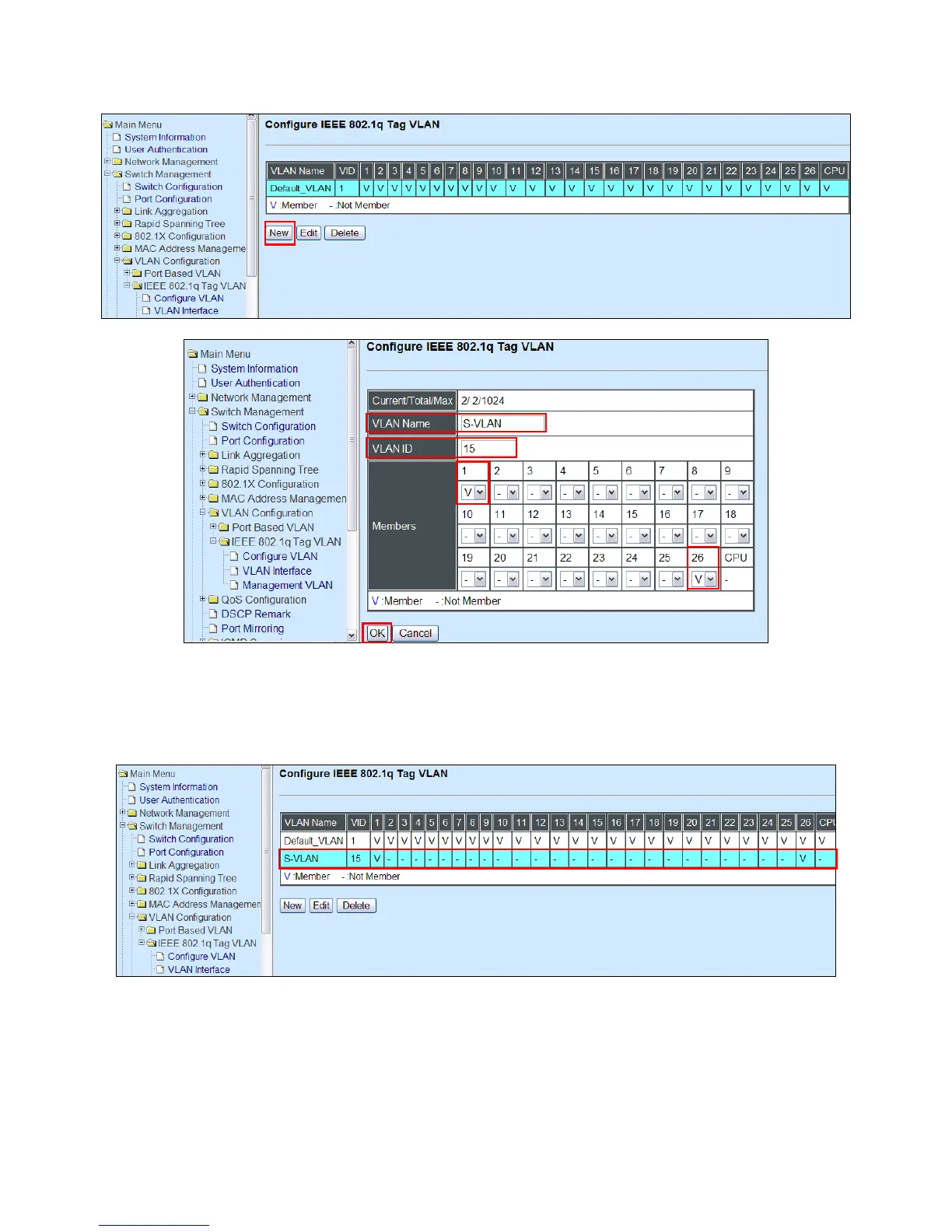
2. Create a new Service VLAN 15 that includes Port 1 and Port 26 as member ports.
Switch Management>VLAN Configuration>IEEE 802.1q Tag VLAN>Configure VLAN
3. Check S-VLAN 15 settings.
Switch Management>VLAN Configuration>IEEE 802.1q Tag VLAN>Configure VLAN
NOTE: By default, all ports are member ports of the Default_VLAN. Before removing the
Deafult_VLAN from the VLAN table, make sure you have correct management VLAN and PVID
configurations, otherwise, incorrect configurations may disconnect your management PC to the
Managed Switch immediately when you enter the command.


 To Next Page
 Loading...



