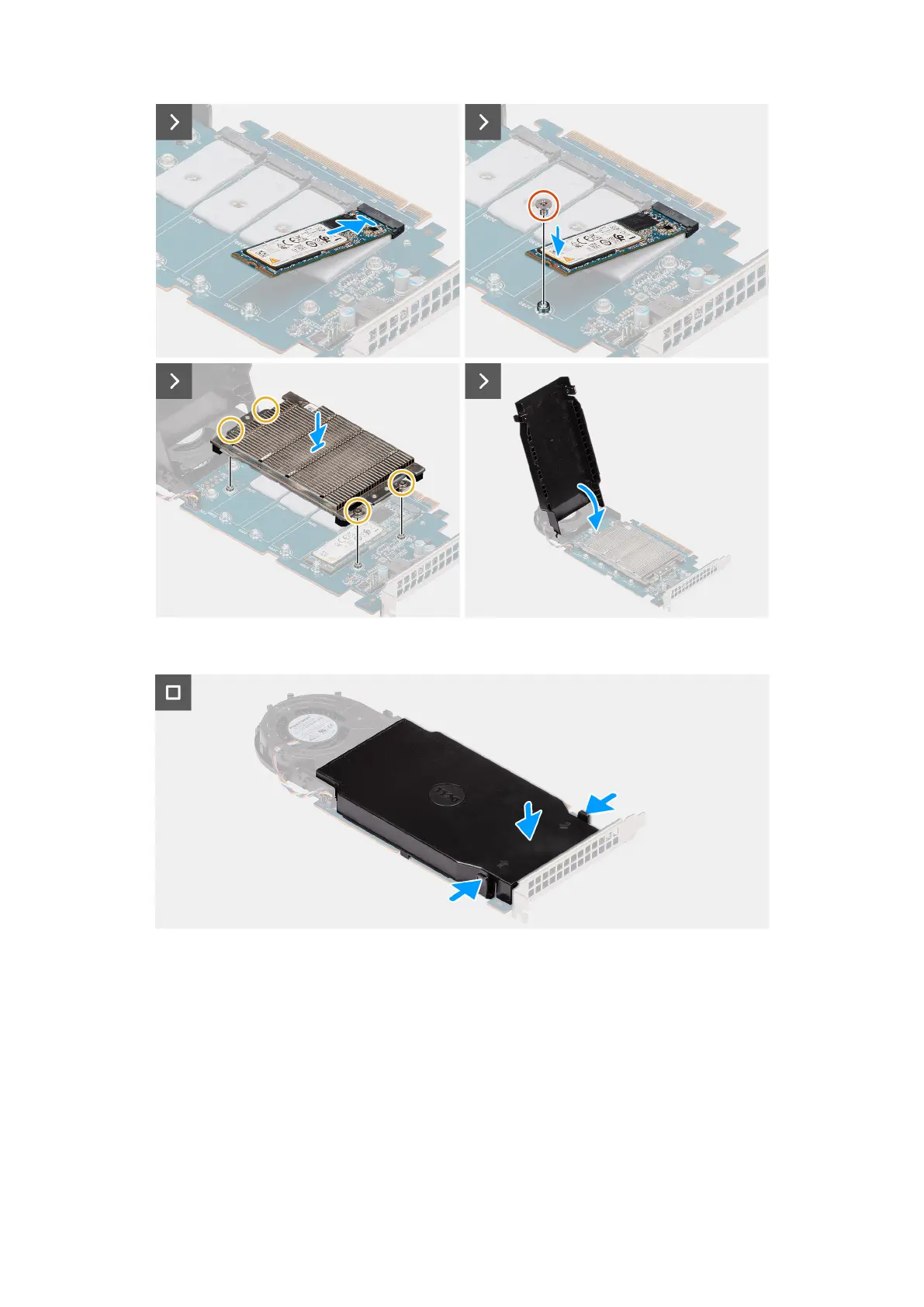
Figure 61. Installing the UltraSpeed Quad M.2 2280 solid-state drive
Figure 62. Installing the UltraSpeed Quad M.2 2280 solid-state drive
Steps
1. Press the release latches to open the fan shroud.
2. Loosen the four captive screws and lift the heat sink away from the UltraSpeed Quad card.
3. Remove the screw (M2x3) from the UltraSpeed Quad card.
4. Peel the protection film that covers the thermal pad on the M.2 solid state drive slot.
5. Remove the screw (M3) from the UltraSpeed Quad card.
6. Align the notch on the M.2 2280 solid state drive with the tab on the solid state drive slot.
7. Slide the M.2 2280 solid state drive into the M.2 2280 solid state drive slot on the UltraSpeed Quad card.
8. Replace the screw (M2x3) on the UltraSpeed Quad card to secure the M.2 2280 solid state drive.
Removing and installing Customer Replaceable Units (CRUs)
87














 To Next Page