About this task
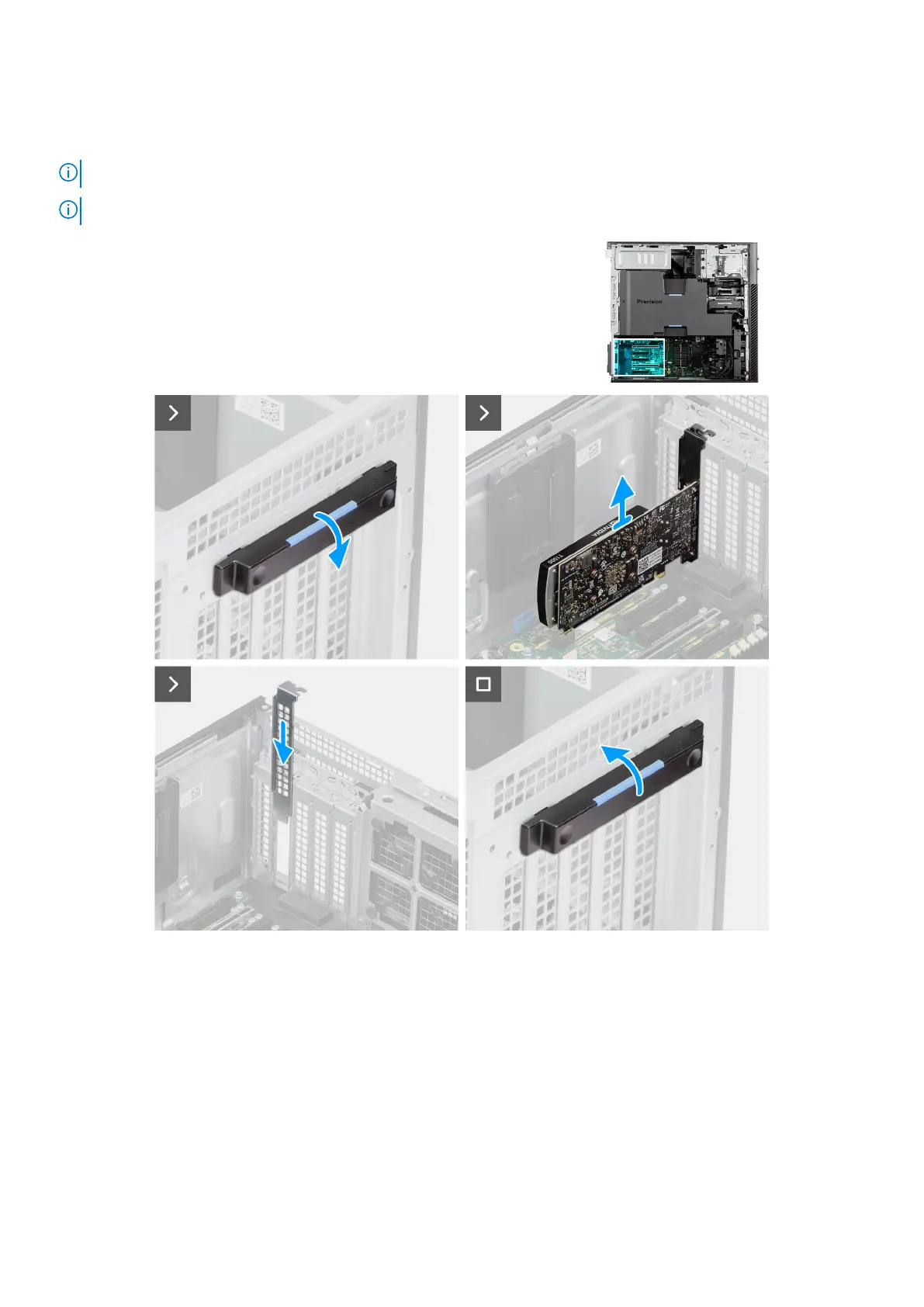
The following images indicate the location of the non-powered graphic card and provide a visual representation of the removal
procedure.
NOTE: Precision 7875 Tower supports only two graphic cards in slots 2 and 5.
NOTE: NVIDIA GeForce RTX 4090 can only be installed in slot 2 due to installation limitations.
Figure 70. Removing the non-powered graphic card
Steps
1. Push the PCIe latch down and open the PCIe door.
2. Lift and remove the non-powered graphic card away from the expansion-card slot.
3. Slide the PCIe door down and push the PCIe latch to close the PCIe door.
Removing and installing Customer Replaceable Units (CRUs)
97














 To Next Page