50
EBS Ink Jet Systeme 20140704#1.0
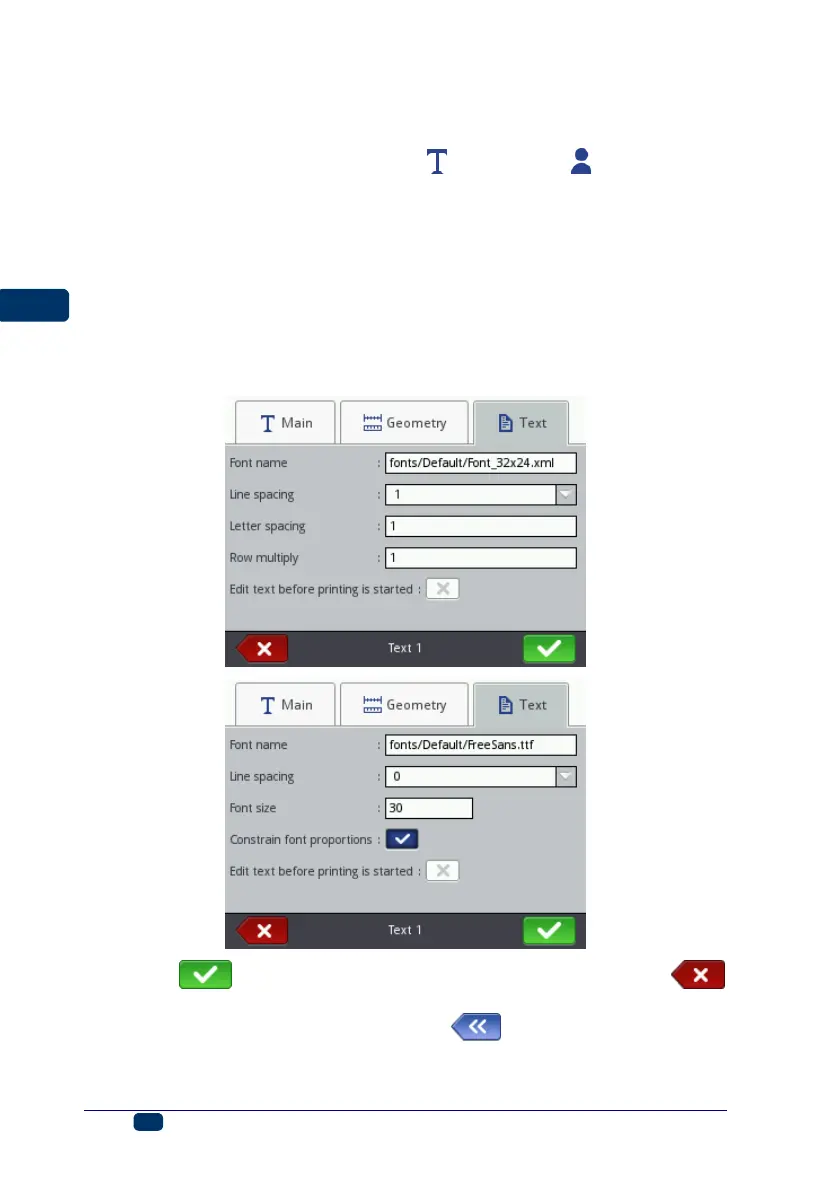
grainy structure. The Letter spacing parameter defines the space between
object characters. The space is given as a number of vertical rows (up to
1000 rows).
For the True Type fonts (default fonts and user fonts ) you can modify
the Font size parameter (given as a number of pixels). The parameter is
linked with the Constrain font proportions parameter. The Font size (the
font width and height) can be modified proportionally (when the check box
of the Constrain font proportions parameter is ticked) or either of the
components, the width (Font width) and the height (Font height) can be
modified independently (the check box of the Constrain font proportions
parameter is unticked).
With the Line spacing parameter you can add spaces between lines of
text. The spaces are measured in pixels (dots). Up to 20 pixel spaces can
be added. The space is added after every end-of-line character.
Touch the button in order to confirm the modifications or the
button in order to abandon any changes. If no changes have been made, you
can return to the previous screen by touching button.



 To Next Page