80
EBS Ink Jet Systeme 20140704#1.0
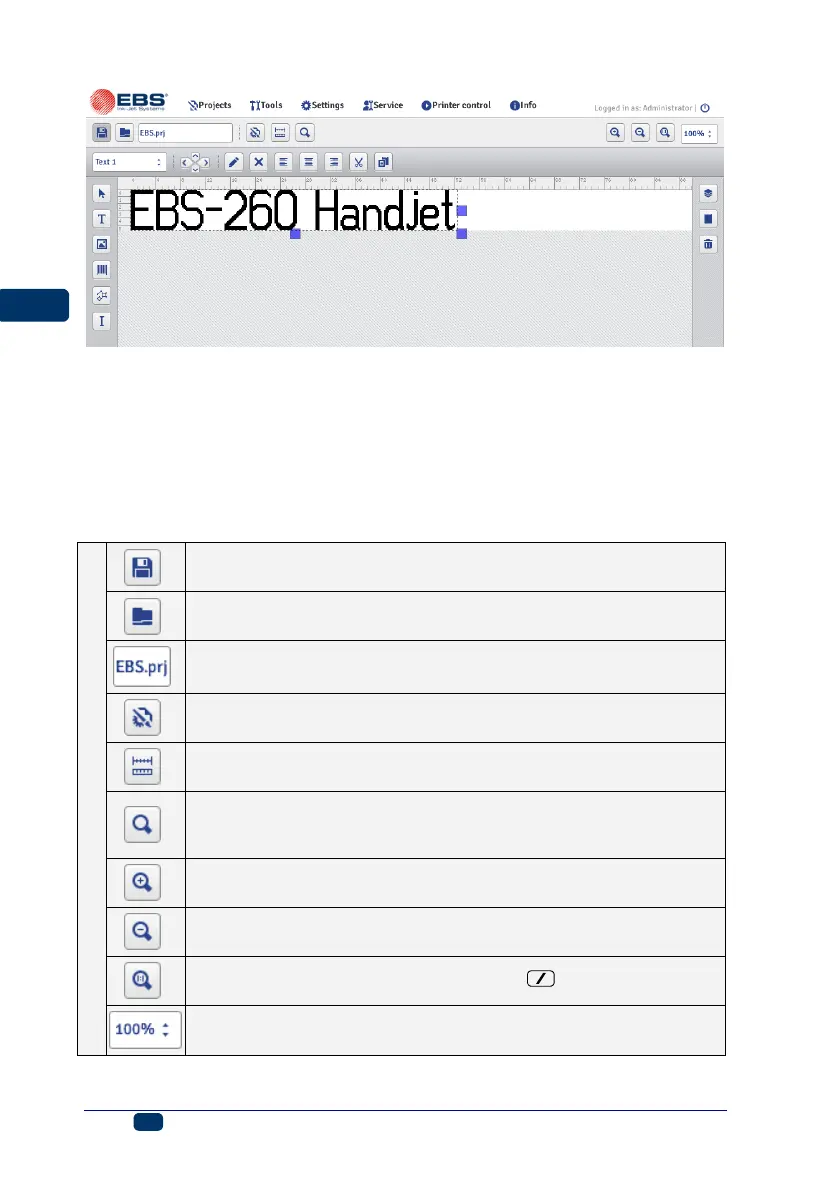
The edit area height is adjusted to the type of print head to be used and fits a
maximum print height. The edit area width can be modified. Touch and hold the
re-sizing marker, which is on the right-hand tool bar, and move it right or left.
The edit area width can also be modified with the Workspace width (p. 111)
function that is available in the Tools menu.
Tool bars:
printing parameters for project – see Printing Parameters
(p. 82)
edit area width – see Workspace width (p. 111)
print preview (hot keys: «+0, successive print:¡, return
to first printout: ¢, re-scaling of print preview (real size /fit to
window width): :)
zoom in edit area (hot key: P)
zoom out edit area (hot key: Q)
restore original size of edit area (hot key: )



 To Next Page