RESTRICTED USE ONLY Fargo Electronics, Inc.
DTC400e Card Printer User Guide (L001172 Rev. 1.1)
4-50
Resolving the Image Placement problems (continued)
Step Procedure
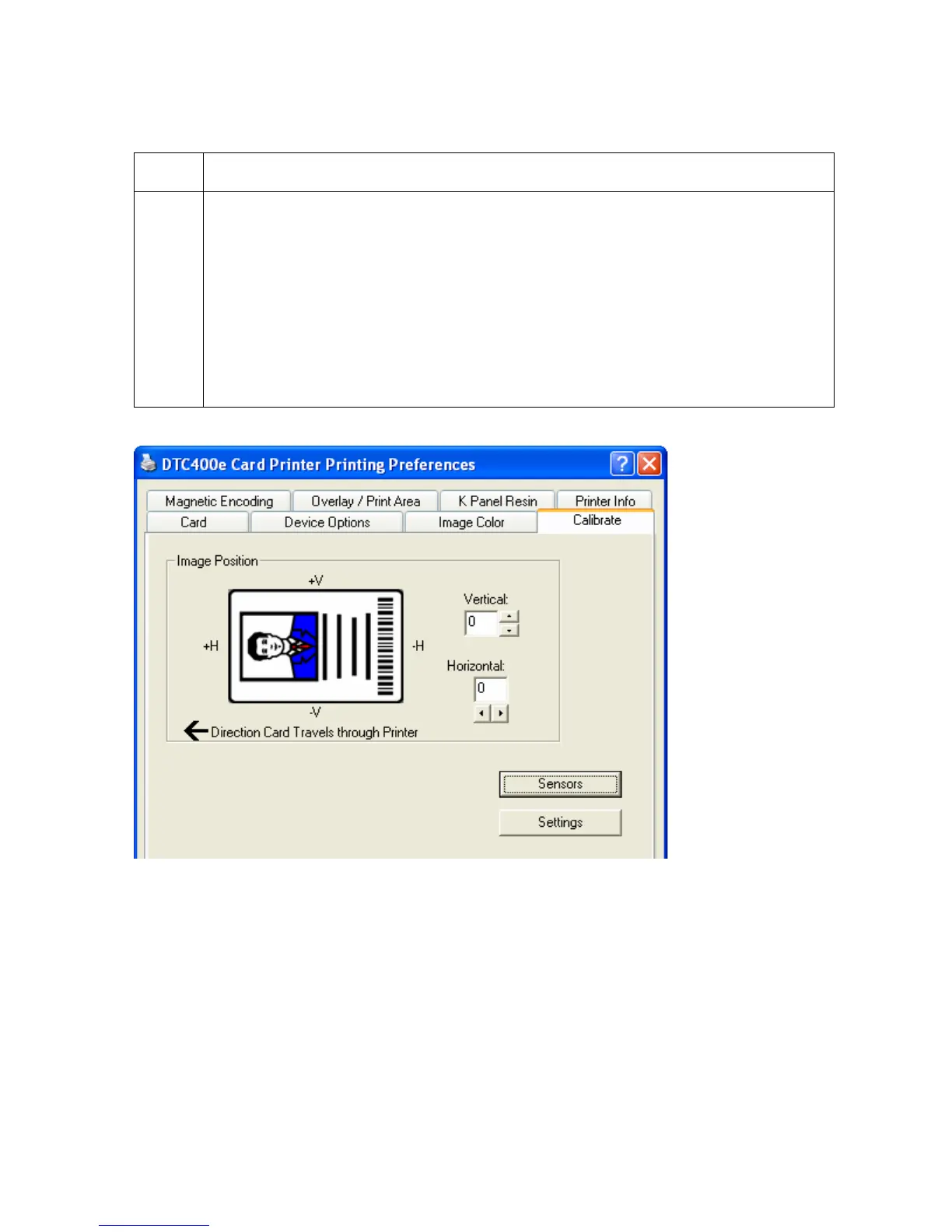
2 Verify if the Image Position option within the Calibrate tab is set correctly or
incorrectly.
a. Open the Printer Control Panel from the Computer.
• If using Windows 2000/XP, right click on the DTC400e Card Printer and
select Printing Preferences.
b. Click on the Calibrate tab.
c. Adjust the Vertical and/or Horizontal Image Position settings based on
where the white border is on the card.



 To Next Page