Operating Procedures: Stage Control
C O N F I D E N T I A L – FEI Limited Rights Data 5-35
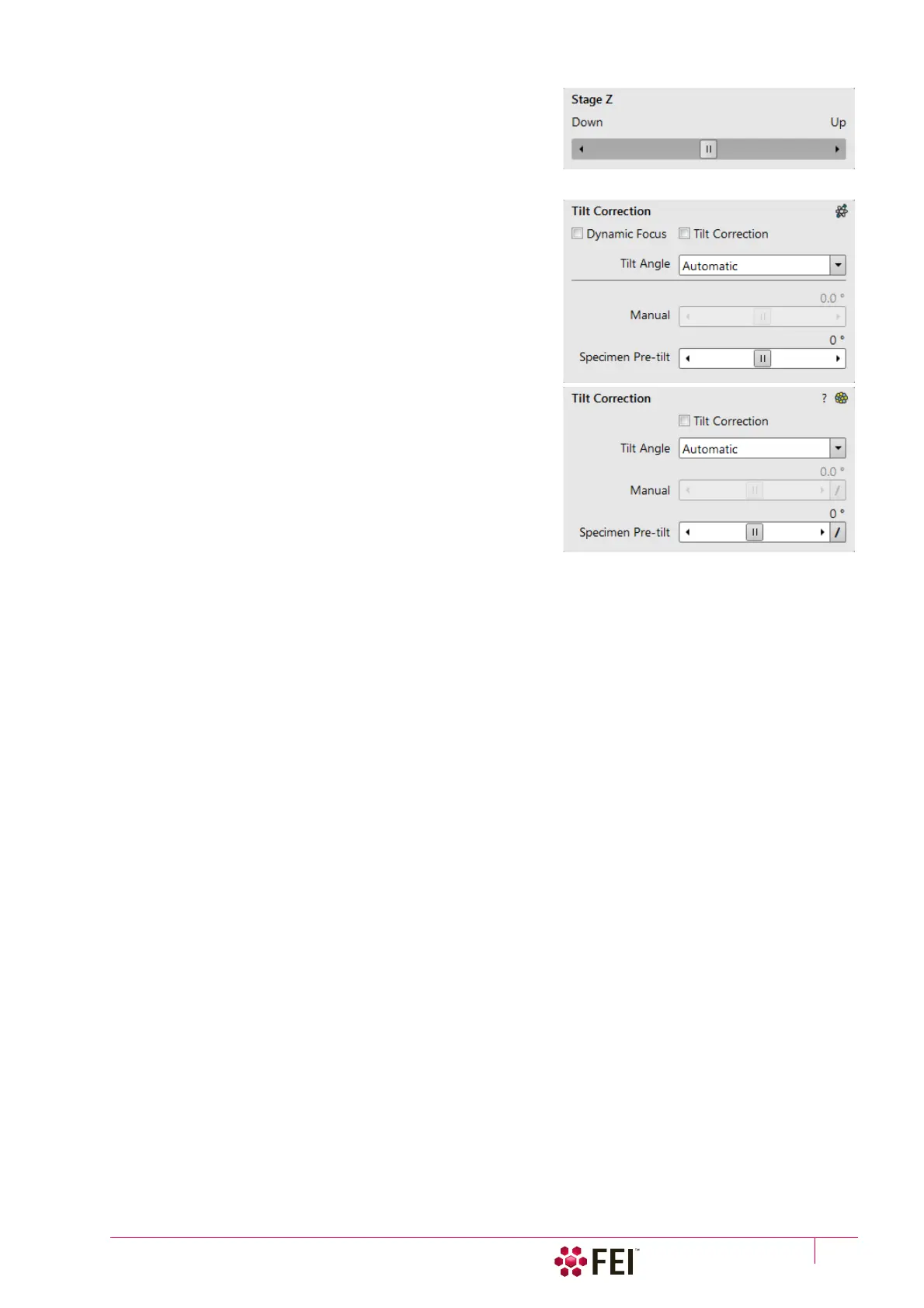
Stage Z Module
This module enables to slowly move the stage in the Z-axis
direction. The more the slider is pushed to the each side, the
faster is the stage motion. Clicking on the slider bar moves the
stage by a small step.
Tilt Correction Module
When the appropriate and available check box is ticked, the
function becomes active.
• Dynamic Focus check box ticked – the focus automatically
changes as the beam scans from the image top to its bottom,
trying to follow the tilted specimen working distance change.
• Tilt Correction check box ticked – the flat specimen
foreshortening compensation is on (in one direction, at a
known tilt angle, when the tilt axis is parallel to the stage XY
plane).
Because the image is a two-dimensional representation of a
three-dimensional object, certain distortions occur. For
instance, a square grid image appears rectangular when you tilt
the specimen. This function corrects the aspect ratio and
restores the square appearance.
• Tilt Angle list box – enables to choose among 3 modes.
In the Automatic mode the Tilt Angle is equal to the stage tilt
plus the Specimen Pre-tilt adjuster value (a Tilt Angle
correction in case the specimen is not parallel to the stage XY
plane).
In the Automatic (Cross Section) mode 90° is added to enable
observing of the cross section perpendicular to the sample surface.
When in the Manual mode, the adjuster enables to manually set the Tilt Angle from -90° to +90°. It is useful
when the Dynamic Focus with Automatic Tilt Angle does not give satisfactory results (or cannot be used at all
because the specimen is tilted in direction different from the stage Tilt).
When switching from Automatic to Manual mode, the actual Tilt Angle is not changed. When switching to
Automatic mode, the Tilt Angle is set to the actual stage tilt.
Note
Both Dynamic Focus and Tilt Correction work properly only if the specimen (scanned area) is tilted around the X-axis (in
the same direction as the stage Tilt). Therefore they cannot be used with Automatic Tilt Angle in combination with a non-
zero Scan Rotation. If the specimen is tilted in a different direction, you have to align the tilt axis horizontally using the Scan
Rotation and then optimize the image focus by tuning the Manual Tilt Angle.
Both functions are also disabled (check box cleared) in the Crossover mode.
Due to the limited range of the dynamic focusing, the overall conditions should be in certain limits. If the dynamic focus
would be out of the range, an information sign next to the check box becomes visible. Leaving the mouse over this sign calls
up a tool tip giving advice with information what must be done to enable it again (usually increase dwell time or
resolution).



 To Next Page