Software Control: Microscope Control Software
C O N F I D E N T I A L – FEI Limited Rights Data 3-13
This is used mostly for fast scanning to reduce imaging noise. During averaging, the image is updated continuously
and actions such as focusing, moving the stage, etc. can still be performed.
Note
The Average is set independently also for the optical window, but using averaging with more than 4 frames is not
recommended, especially when moving the stage.
Integrate
Filter allows accumulative noise reduction by true integration over a specified number (2 or more) of frames. This
process continues until the selected number of frames is reached and then pauses the imaging automatically.
This can be used as an alternative to slow scanning to obtain high quality images of slightly charging specimens.
Note
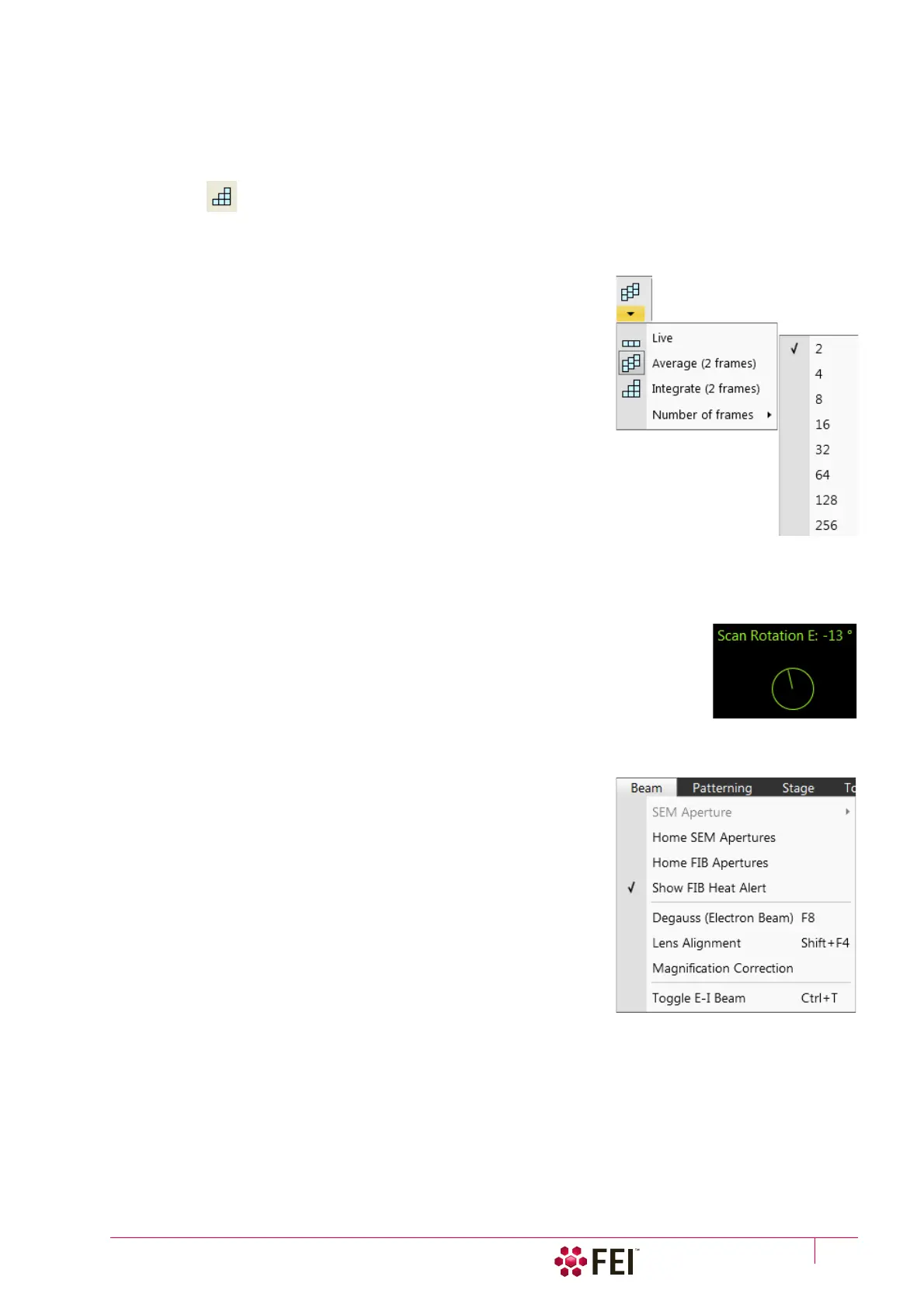
Clicking on the down arrow below the toolbar icon shows menu items Live /
Average (# frames) / Integrate (# frames) / Number of frames enabling to
select number of averaged or integrated images (depending on the actually
active filter indicated by the icon for the selected display). Clicking on the
toolbar icon itself changes the Live / Average / Integrate filter in cycle.
The Number of frames is set and remembered independently for the
Average and Integrate filters. Both the filter and Number of frames is set
and remembered per display, so live and filtered imaging can run at the
same time. Settings are particular for the Reduced Area, Full Frame and for
the Line scan also. The Photo / Snapshot function uses the Integrate and
Number of frames pre-set (see the Preferences / Scanning section).
As the scanning can take a significantly long time period, one can restart
scan from its beginning by pressing the Ctrl + R keys.
Alternate Electron/Ion scanning (Ctrl + Shift + A)
When ticked, the scanning alternates between the electron and ion imaging in two separate displays after
completion of each frame. A label is shown in affected displays.
Scan Rotation (Shift + F12)
The on-screen tool is activated to rotate the scan field. It has no effect on the stage
movements and is solely a scan coil/electrode function used to orient the imaging relative
to a specimen feature and/or detector direction.
A non-zero scan rotation is indicated by an icon in the Status bar, and its value can be also
shown in the optical displays.
Preferences (Ctrl + O – letter)
See further.
Beam Menu
opens the Beam menu functions:
SEM Aperture
This item is not available for the user / supervisor accounts, it is intended
for a service interventions.
Home SEM Apertures
This function sends the SEM final lens aperture (Automatic Aperture
System – see Chapter 2) to its home position in case of troubles.
Home FIB Apertures
This function sends the FIB automatic aperture system to its home
position in case of troubles.
Show FIB Heat Alert
When ticked, the system informs a user 1 minute prior to the automatic
FIB Heat procedure (started when ion emission beam is lower then approx. 2 µA) and enables to stop it.
Degauss (Electron Beam) (F8)
This feature triggers the procedure which puts all actually used electron lenses to a normalized state by removing
their hysteresis effects. For a few seconds while the procedure is running all live imaging disappear or turn fuzzy,
and then return back.
Use this function with (almost) focused imaging to obtain the most accurate Magnification, Horizontal Field Width
(HFW) and Working Distance (WD) readouts.



 To Next Page