Software Control: Preferences Dialog
C O N F I D E N T I A L – FEI Limited Rights Data3-44
Slow (large green sector) / Fast (small green sector) preset icon indicates the matching dwell-time value. To
change it move an icon up or down just by clicking on & dragging it.
Snapshot (camera with small green sector) / Photo (camera) preset icon indicates the matching dwell-time value.
Set all possible properties in the Property editor.
The Default button restores the default dwell-time list and preset settings.
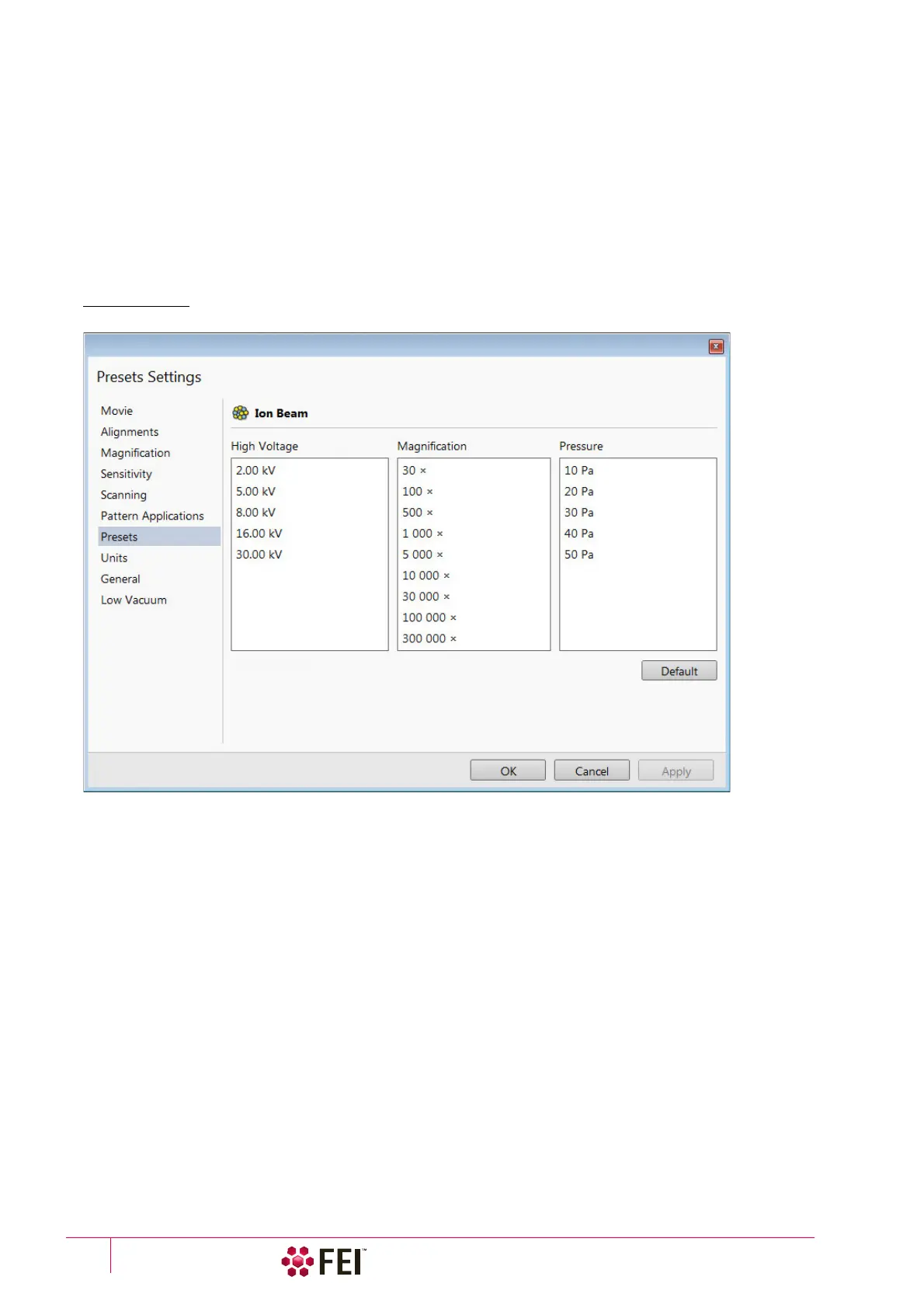
Presets
allows a user to change the pre-set values in the High Voltage and Magnification drop-down lists. The configuration
and available items differ for the beam selected (electron / ion) for the selected display. Any value can be changed
by clicking on it in the list and entering a new one. The new value replaces old one and is immediately sorted into
the list. The number of entries in the list remains fixed.
FIGURE 3-24 Presets Preferences
The High Voltage list can be changed to span any values from 350 V / 500 V to 30 kV for the electron / ion beam.
The values must be entered in kilovolts (0.5 means 500 V).
The Magnification list can be changed to hold frequently used magnifications. Values that are in the pre-set list but
cannot be applied to the actual SEM conditions are not shown in the toolbar / Magnification list box. Magnification
range is from 20× to 1 000 000×.
Note
Alternatively the Magnification could be shown as the Horizontal Field Width (see the Preferences… dialog / General
section / Image dimensions control item).
The Pressure list can be changed to hold specific values frequently used in the Low Vacuum mode in the range from
10 to 500 Pa (from 0.08 to 4 Torr).



 To Next Page