Software Control: Preferences Dialog
C O N F I D E N T I A L – FEI Limited Rights Data3-46
General
contains variety of user settings of both UI behaviour and microscope operation, which do not logically belong to
other Preferences section.
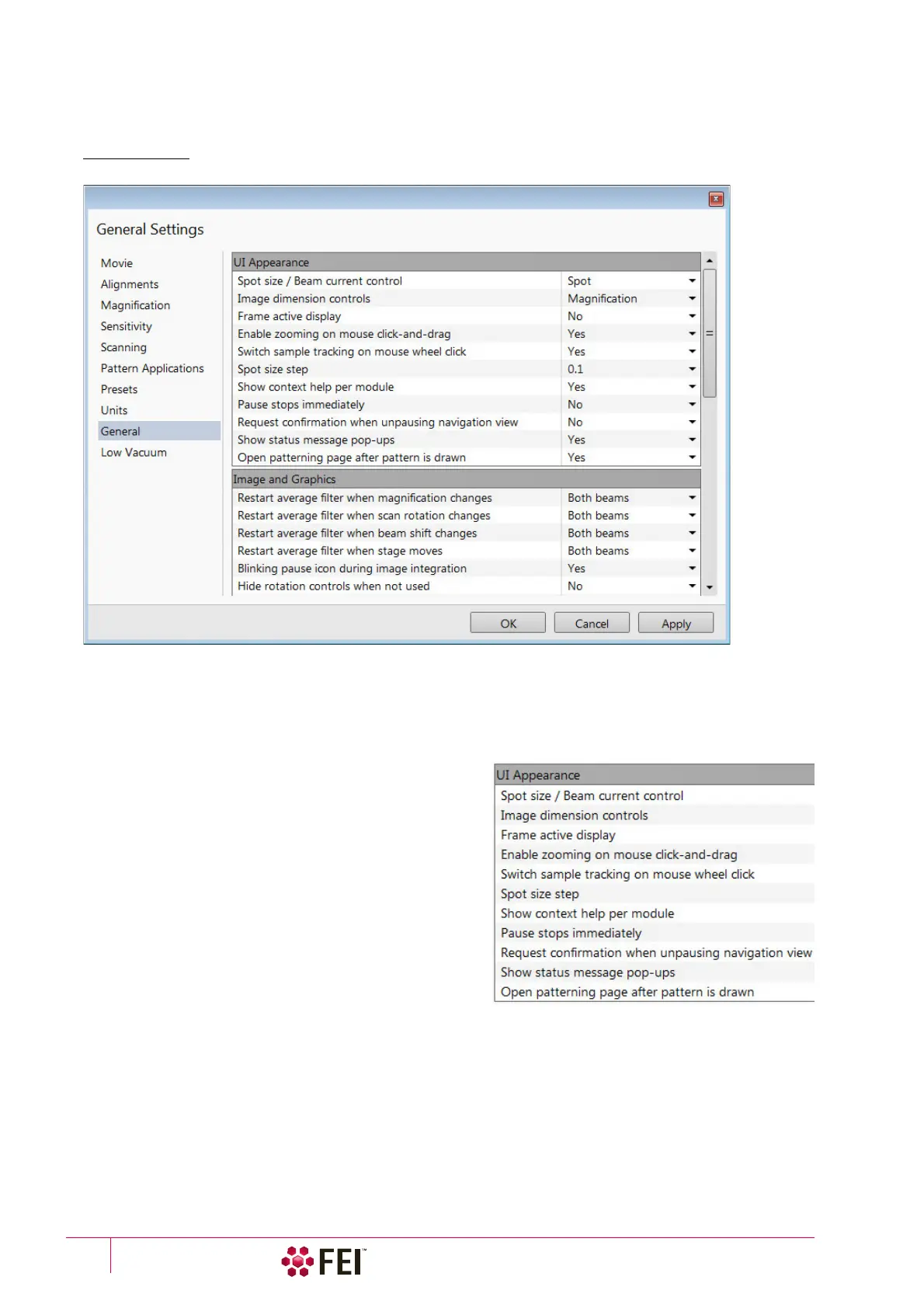
FIGURE 3-26 General Preferences
Each item of the General Preferences is represented by single line shown in the property editor. Clicking on the
corresponding Value shows a drop-down list with the settings available for that item.
Note
Some of the items are model dependent and some of them are intended for options.
To make navigation among the number of preferences easier, they are divided into three groups:
UI Appearance
• Spot size / Beam current control (Spot / Current)
Choice of way of representation values in the toolbar list
box and Column module.
• Image dimensions control (Magnification / HFW)
Selects a way of the magnification representation and
control.
• Frame active display (Yes / No)
Switches on / off additional highlighting of the active
display.
• Enable zooming on mouse click-and-drag (Yes / No)
Set an option of mouse zooming.
• Switch sample tracking on mouse wheel click on (Yes / No)
Switches the stage movement (tracking) control between
the wheel-click on and move and wheel-click on & drag modes.
• Spot Size Step: (0.1 / 0.01 / 0.001)
This enables to set the accuracy of the spot size setting.
• Show context help per module (Yes / No)
Shows / hides the question mark button in the module header.
• Pause stops immediately (Yes / No)
The Pause function acts instantly / waits for the complete scan.



 To Next Page