Software Control: Preferences Dialog
C O N F I D E N T I A L – FEI Limited Rights Data 3-49
Low Vacuum
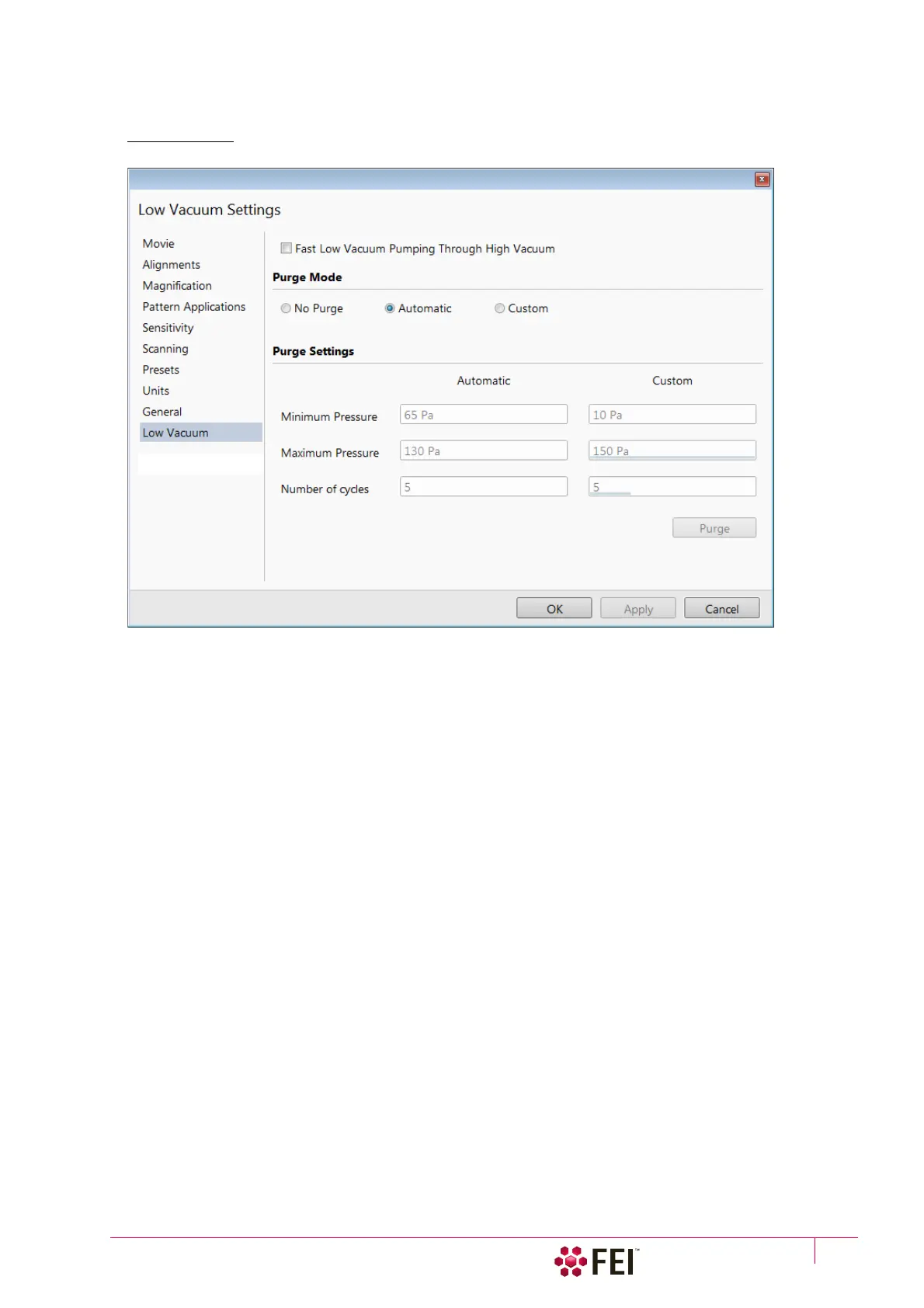
The specimen chamber purging procedure (see Chapter 2) can be customized at this section.
FIGURE 3-27 Low Vacuum Preferences
For highly outgassing samples the procedure can take very long time. In this case the Fast Low Vacuum Pumping
Through High Vacuum check box must be cleared; the specimen chamber is then pumped to a pressure slightly
lower then a desired LoVac pressure (see custom settings bellow) and proper purging ensures good water vapor or
gaseous atmosphere in the chamber.
Purge Mode area contains following radio buttons:
• No Purge – the purging is switched off and the chamber pressure goes directly to the set Low Vacuum mode
value. The gas mixture in the chamber slowly changes to the new gas type.
• Automatic – all purging parameters are set automatically, according to the mounted Low Vacuum detector
(Cone).
• Custom – custom settings (see below) are used.
Purge Settings area contains following Automatic / Custom settings and controls:
• Minimum Pressure
• Maximum Pressure
• Number of cycles
Set above three parameters desired values for the procedure.
• The Purge button enables to start the purging (using the actual Purge Settings) manually when the system is
already pumped to the Low Vacuum; otherwise, the button is disabled. When the purging is running, the Purge
button becomes highlighted. Clicking on the highlighted button stops the actual purging procedure and returns
the system to operation in Low Vacuum.
Note
During the purging procedure, the chamber pressure is not ready for SEM operation (the vacuum status is Pumping).
Therefore, clicking the Purge button automatically switches off the accelerating voltage.
The Purge Settings is not remembered separately for each user. If it is of any importance, please check these Preferences
before starting the Low Vacuum operation.



 To Next Page