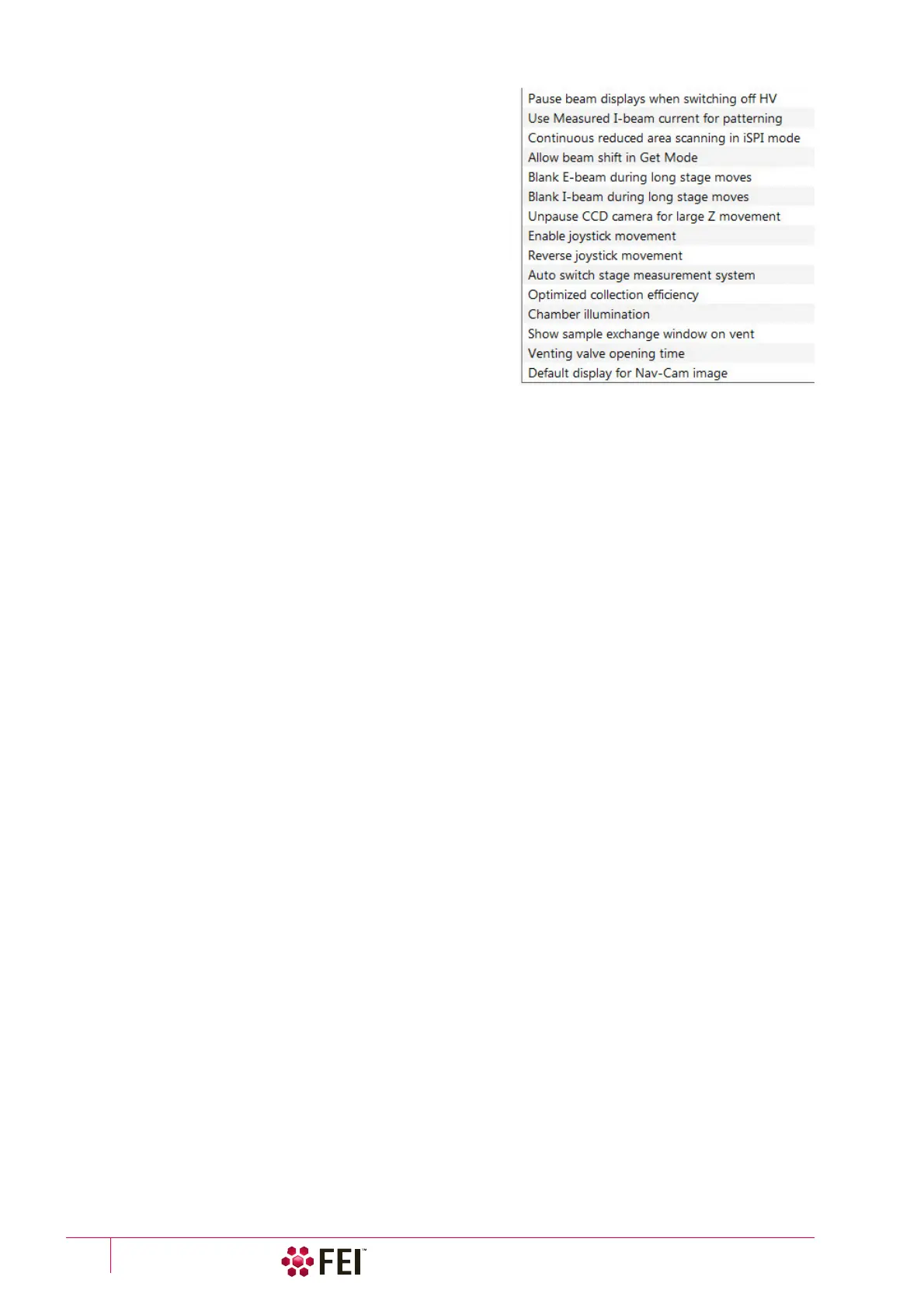
Software Control: Preferences Dialog
C O N F I D E N T I A L – FEI Limited Rights Data3-48
• Pause beam displays when switching off HV (Yes / No)
Specifies if the electron and ion imaging should be
automatically paused when switching the High Voltage off.
• Use measured I-beam current for patterning (Yes / No)
If yes, calculates the total patterning process time based on
the actual measured ion beam current no matter what the
nominal beam current value is for the selected aperture. This
feature should prevent patterning inaccuracies caused by
aperture wear. If the measured beam current differs from the
nominal value by more than 20%, a dialog box appears to ask
if you want to recalculate.
• Continuous reduced area scanning in iSPI mode (Yes / No)
If yes is selected, the iSPI tab module / On check box is ticked,
the Paterning menu / Auto-Start/Stop Electron Acquisition for
iSPI item is checked and the reduced area is defined in the
electron imaging display, the electron scanning of the reduced
area after the iSPI tab module / preset Time (or CCS Line)
Interval continues until a user pauses it. At this point the
system switches to a ion beam and continues patterning for another preset interval. If no is selected, normal iSPI
functionality is in operation either for full screen or defined reduced area.
• Allow Beam Shift in Get mode (Yes / No)
Enables / disables automatic using of Beam Shift when a user requires very small point-to-point movements
(double-click on the sample point at high magnifications).
• Blank E / I beam during long stage moves (Yes / No)
Specifies if the electron and ion beams should be automatically blanked during long software controlled stage
movements. This may protect extremely sensitive samples from exposure to the beam in undesired areas.
• Unpause CCD camera for large Z movement (Yes/No)
Specifies if the optical camera should be automatically released during large Z-axis stage movements. This may
prevent a collision between the stage and final lens pole.
• Enable Joystick movement (Yes/No)
Enables a possibility to control stage movements by the joystick.
• Reverse Joystick movement (Yes / No)
Normally the joystick movement direction corresponds to the stage movement, so the imaging moves in the
opposite direction. This setting changes the stage response to the joystick movement direction.
• Auto switch stage measurement system (Yes / No)
Automatically switches the stage measurement systems off when not used to avoid light interference with 3rd
party equipment (EDS detectors etc.).
• Optimized collection efficiency (Yes / No)
If yes, the inactive (paused) SE detector is prevent from taking the SE signal to the active one (related to the ETD
and ICE detectors). This is not recommended to use while patterning, which can cause image quality decrease in
SPI and iSPI mode.
• Chamber illumination (Yes / No)
If Yes and the in-chamber Nav-Cam is installed, inner chamber illumination is on when the chamber is vented.
• Show sample exchange window on pump/vent (Yes / No)
When starting to pump or vent the chamber, the Sample exchange window opens automatically.
• Venting valve opening time (value)
prolongs the venting time (default value is 180 s) to eliminate residual vacuum which makes impossible to open
the chamber door or shortens the venting time.
• Default display for Nav-Cam image (Display 1 / Display 2 / Display 3 / Display 4 / Active)
This option sets the default Nav-Cam imaging display, which is automatically selected when taking the Nav-
Cam photo.



 To Next Page