Analog Noise Setup
To
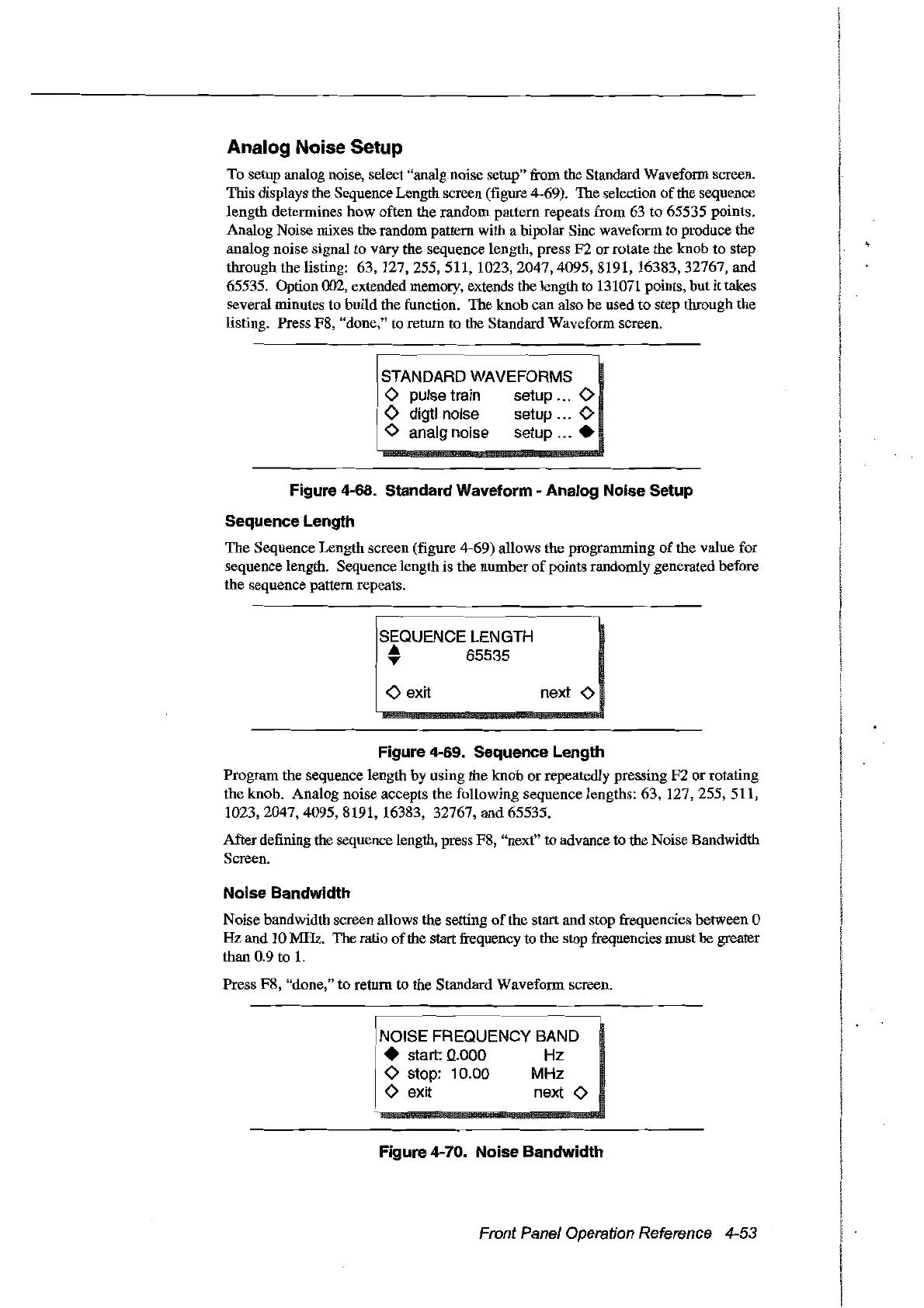
setup analog noise, select "analg noise setup" from the Standard Wavefonn screen.
This displays the Sequence Length sereen (figure 4-69). The selection
of
the sequence
length detennines how often the random pattern repeats from 63 to 65535 points.
Analog Noise mixes the random pattern with a bipolar Sinc wavefonn to produce the
analog noise signal to vary the sequence length, press F2 or rotate the knob to step
through the listing:
63,127,255,511,1023,2047,4095,8191,16383,32767,
and
65535. Option 002, extended memory, extends the length to 131071 points, but it takes
several minutes to build the function. The knob ean also be used to step through the
listing. Press F8, "done," to return to the Standard Wavefonn screen.
STANDARD WAVEFORMS
o pulse train setup
'"
0
<>
digtl noise setup ... 0
o analg noise setup
...•
Figure 4-68. Standard Waveform - Analog Noise Setup
Sequence Length
The Sequence Length screen (figure 4-69) allows the prograrnming
of
the value for
sequence length. Sequence length is the number
of
points randomly generated before
the sequence pattern repeats.
r
~Q~~NCE
LEN~TH
---
• 65535
<>
exit next 0
Figure 4-69. Sequence Length
Program the sequence length by using the knob
or
repeatedly pressing F2 or rotating
the knob. Analog noise accepts the following sequence lengths: 63,
127,255,511,
1023,2047,4095,8191,
16383, 32767, and 65535.
After defining the sequence length, press F8, "next" to advance
to
the Noise Bandwidth
Screen.
Noise Bandwidth
Noise bandwidth sereen allows the setting
of
the start and stop frequencies between 0
Hz
and 10 MHz. The ratio
of
the start frequeney to the stop frequencies musthe greater
than 0.9 to L
Press F8, "done," to retum to the Standard Wavefonn sereen.
NOISE FREQUENCY BAND
• start:
0..000
Hz
o stop: 10.00 MHz
o exit next 0
Figure 4-70. Noise Bandwidth
Front Panel Operation Reference 4-53
Artisan Technology Group - Quality Instrumentation ... Guaranteed | (888) 88-SOURCE | www.artisantg.com



 To Next Page