<black> An IEEE 488.2 Definite Length Arbitrary Black Dataparagraph
5.8. For a DSO driver, the sire portion
of
the block header is the
number
of
bytes in the textdefinition
ta
be downloaded.
The Model 395 can store as many additional DSO driver files as the unit's memory will
allow.
Once loaded into the Model 395, a DSO driver remains
until
either the remote commands
~
"MMEMory:DELete:DSO <name>"
or
"MMEMory:INITialize"
are
sent. Also, press
the front panel RESETkey and select "delete setup, DSOs
....
"
F.S
DSa
DRIVER EXAMPLES
Following are examples
ofDSO
Driver files. Use these examples as references when
creating drivers for your DSO. Where possible, the example files have been annotated
Example 1
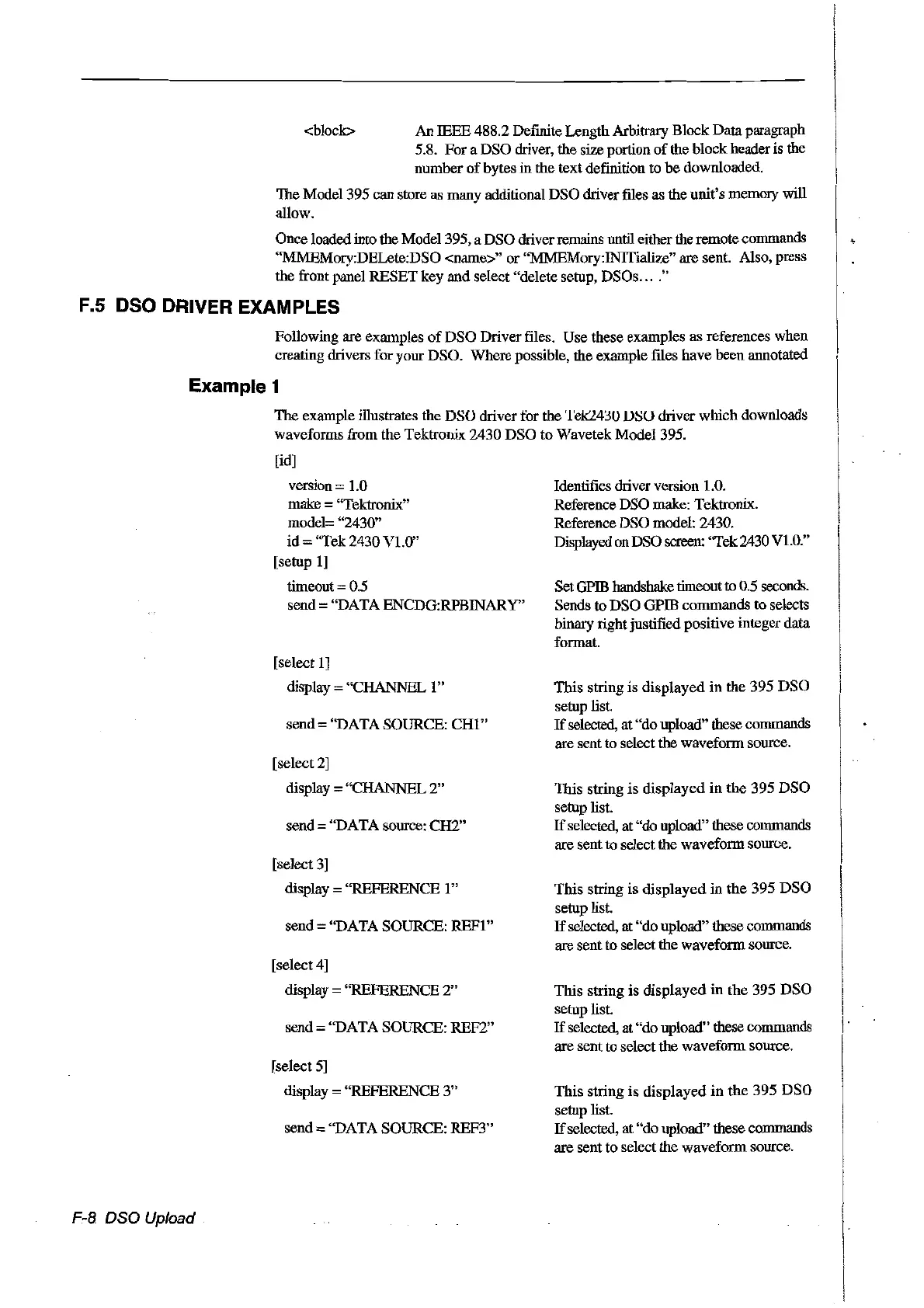
The
example illustrates the DSO driver for the
'1'ek24~U
VSU driver wmch downloads
waveforms from the Tektronix 2430 DSO
to
Wavetek Model 395.
[id]
F-8 osa Upload
version 1.0
make
="Tektronix"
model= "2430"
id = "Tek 2430 V1.0"
[setup
1]
timeout = 0.5
send = "DATA ENCDG:RPBINARY"
[select
1]
display = "CHANNEL 1"
send "DATA SOURCE:
CHI"
[select
2]
display = "CHANNEL
2"
send=
"DATA source: CH2"
[select
3]
display "REFERENCE 1"
send = "DATA SOURCE:
REFI"
[select4]
display = ''REFERENCE
2"
send = "DATA SOURCE: REF2"
[select
5]
display ="REFERENCE
3"
send "DATASOURCE: REF3"
Identifies driver version 1.0.
Reference DSO make: Tektronix.
Reference DSOmodel: 2430.
Displayed onOSO screen: "Tek2430V1.0."
SetGPffi handshake timeout
ta
0.5 seconds.
Sends
ta
OSO GPffi commands
ta
selects
binary rightjustified positive integer data
format.
This string is displayed in the 395
OSO
setup list.
If
selected, at "do upload" these commands
are sent to select the waveform source.
This string is displayed
in
the
395
OSO
setup list.
If
selected, at"do upload" these commands
are
sent to select the waveform source.
This string
is
displayed
in
the
395
DSa
setup list.
If
selected, at "doupload" these commands
are sent to select the waveform source.
This string is
displayed
in
the
395
osa
setup list.
If
selected, at "do upload" these commands
are sent to select the waveform source.
This string
is
displayed
in
the
395
DSa
setup list.
If
selected, at
"do
upload" these commands
are sentto selectthe waveform source.
Artisan Technology Group - Quality Instrumentation ... Guaranteed | (888) 88-SOURCE | www.artisantg.com



 To Next Page