<>
power-on settings ...
<>
system info .
<>
calibration .
<>
osa
upload ...
Press F3 to select "calibration." The
Model395
displays the CALIBRATION screen:
CALIBRATION MENU
o cal procedure
...
.0
default cal
ou
o calibration: on
Select "Perform Calibration" ( F2).
G.3.3.2 Amplitude Zero
The
screen displays:
1: Amplitude Zero
Main Out <20mVpp
.0
cal:202.Q
o stop
prey
0
next 0
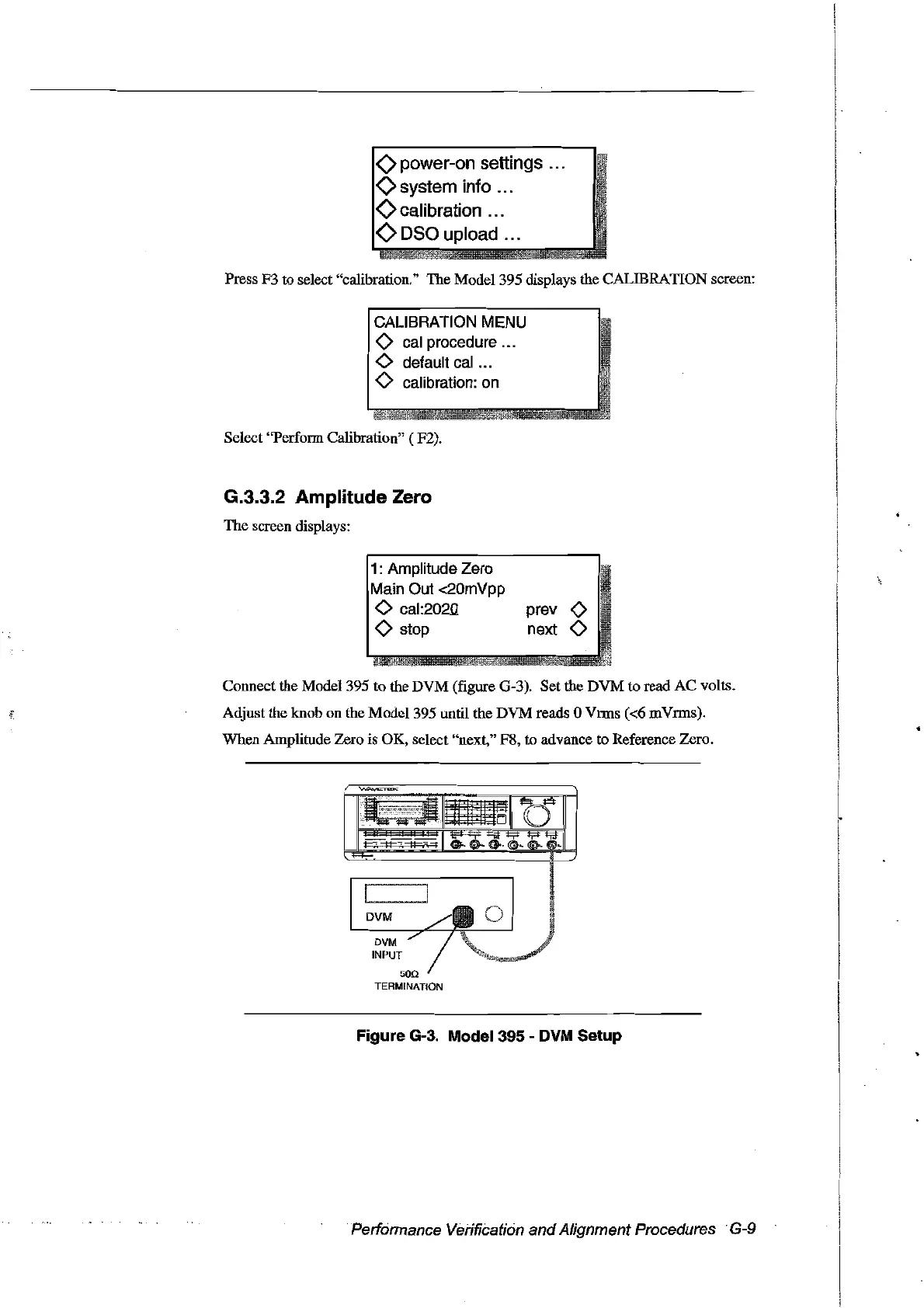
Connect the Model395 to the DVM (figure G-3). Set the DVM to read AC volts.
Adjust the knob on the
Model395
until the DVM reads 0 Vrms
«6
rnVrms).
When Amplitude Zero is OK, select "next," F8, to advance
to
Reference Zero.
DVM
INPUT
500
TERMINATION
Figure G-3. Model 395 - DVM Setup
Performance Verification
and
Alignment Procedures .G-9
Artisan Technology Group - Quality Instrumentation ... Guaranteed | (888) 88-SOURCE | www.artisantg.com



 To Next Page