G.3.3.6
OC
Offset, Negative
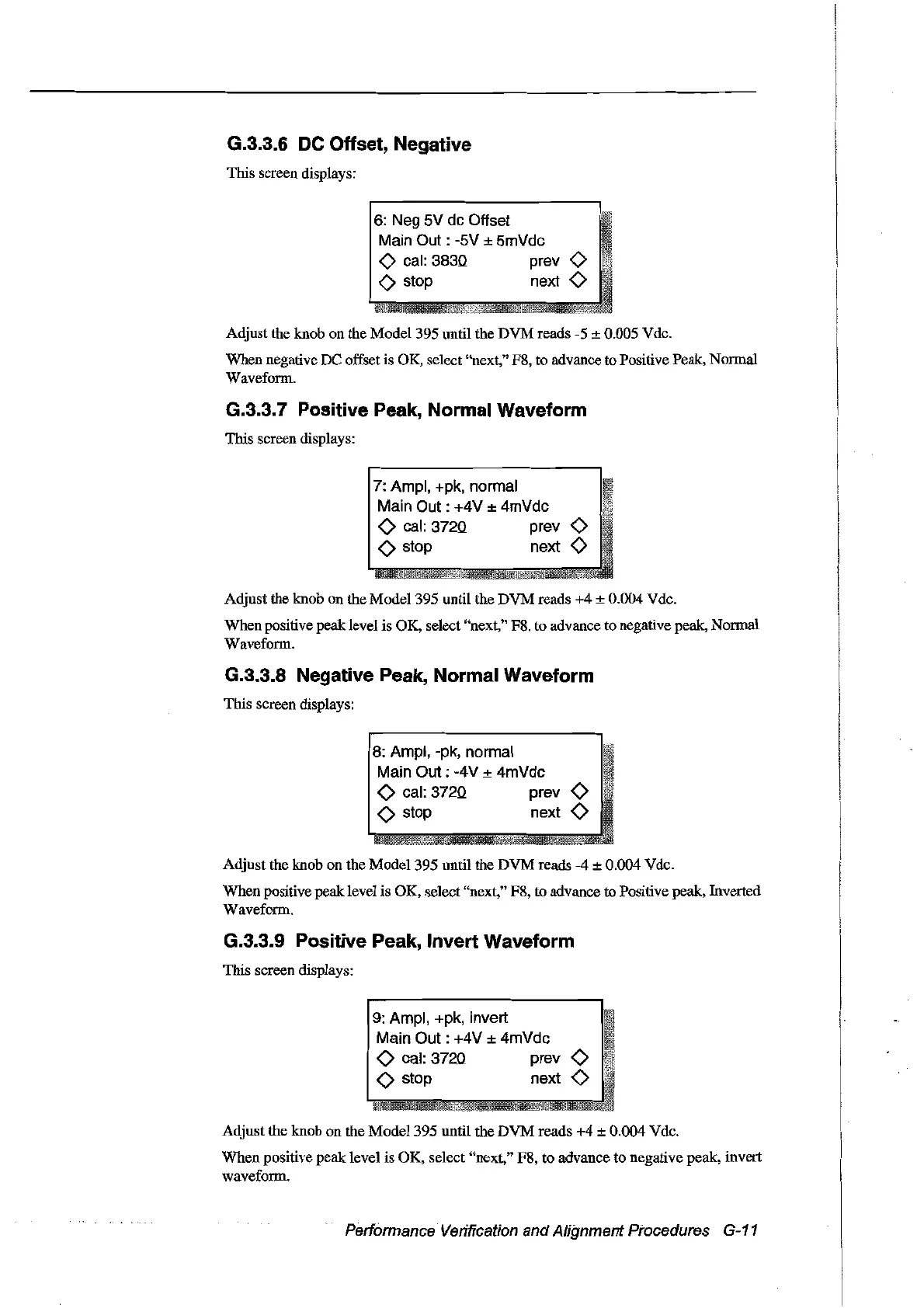
This screen displays:
6:
Neg
sv
dc Offset
Main
Out:
-SV
±
SmVdc
<>
cal:
3830 prev
<>
<>
stop next
<>
Adjust the knob on the
Model395
until the
DVM
reads -5 ± 0.005 Vdc.
When negative
De
offset is OK, select "next," F8, to advance to Positive Peak, Normal
Waveform.
G.3.3.? Positive Peak, Normal Waveform
This sereen displays:
7:
Ampl, +pk, normal
Main
Out:
+4V ± 4mVdc
<>
cal:
3720 prev
<>
<>
stop next
<>
Adjust the knob
on
the
Model395
until the
DVM
reads
+4
± 0.004 Vde.
When positive peak level is OK, select "next," F8, to advance to negative peak, Normal
Waveform.
G.3.3.8 Negative Peak, Normal Waveform
This screen displays:
8:
Ampl, -pk, normal
Main
Out:
-4V ± 4mVdc
<>
cal:
3720 prev
<>
<>
stop next
<>
Adjust the knob on the
Model395
until
the
DVM
reads
-4
± 0.004 Vde.
When
positive peaklevel is OK, select "next," F8, to advanee to Positive peak, Inverted
Waveform.
G.3.3.9 Positive Peak, Invert Waveform
This screen displays:
9:
Ampl, +pk, invert
Main
Out:
+4V ± 4mVdc
<>
cal: 3720 prev
<>
<>
stop next
<>
Adjust
the knob on the
Model
395 until the
DVM
reads
+4
± 0.004 Vde.
When
positive
peak
level is
OK,
select "next," F8, to advance to negative peak, invert
waveform.
Performance Verification
and
Alignment Procedures G-11
Artisan Technology Group - Quality Instrumentation ... Guaranteed | (888) 88-SOURCE | www.artisantg.com



 To Next Page