1.
C~~ATE:
IIgr8.}(~··_···
-
:0 size: 2540
(max: 61972) Fa
1
<>
cancel create-0 ( )
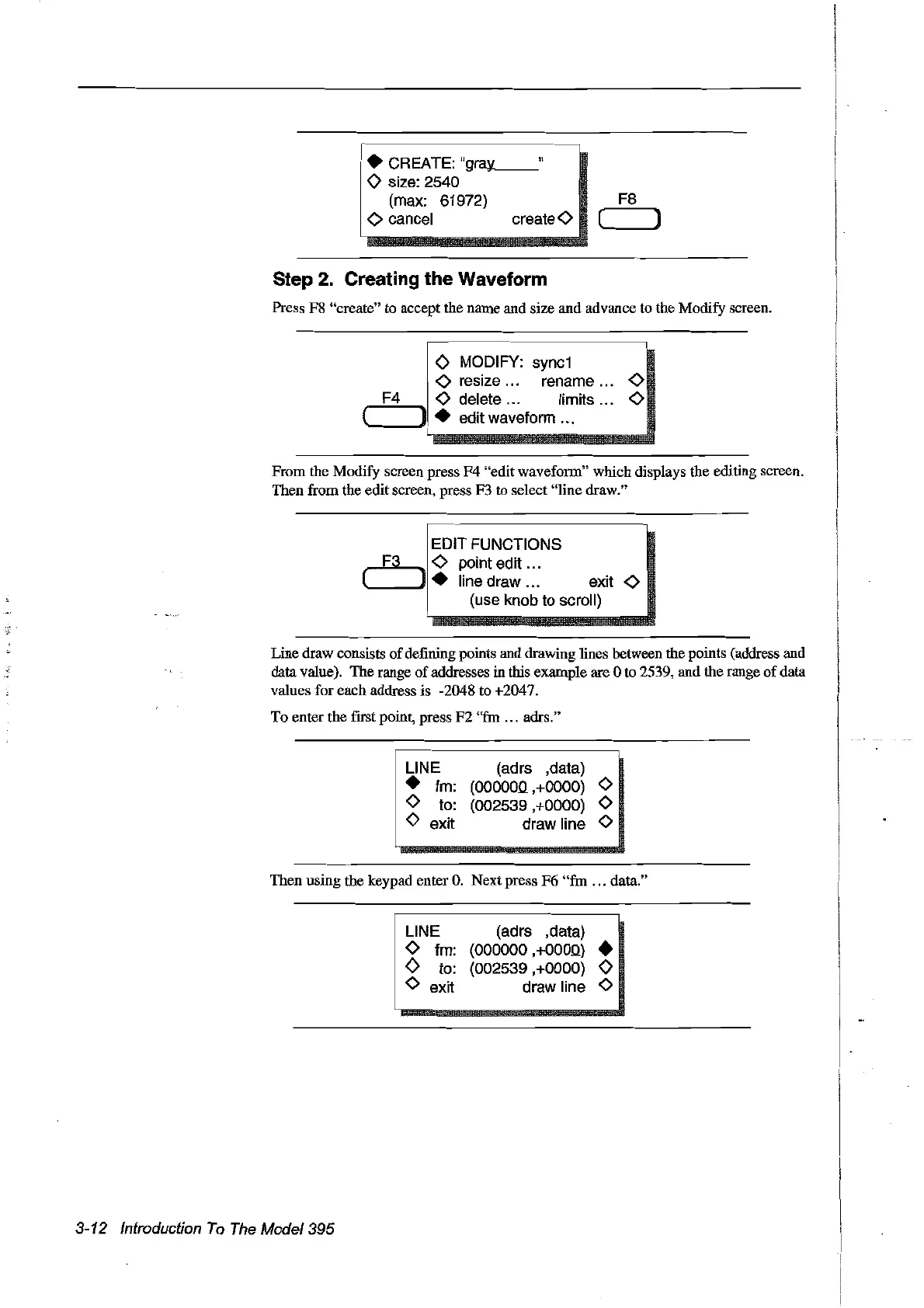
Step 2. Creating the Waveform
Press F8 "create" to accept the name and
sire
and advance to the Modify screen.
! 0 MODIFY:
syne1
l
i -0
resize...
rename -0
,......:..F...:.4--..
-0 delete ... Iimits -0
(
.....
_--'1 • edit waveform ...
From the Modify screen press
F4
"edit waveform" which displays the editing screen.
Then from the edit screen, press F3 to select "Hne draw."
EDIT FUNCTIONS
~
-0 point edit .
L.-J.
line draw exit -0
(use knob to seroll)
Line draw consists
of
defining points and drawing tines between the points (address and
data value). The range
of
addresses in this example are 0 to 2539, and the range
of
data
values for each address is -2048 to +2047.
To enter the frrst point, press
F2
"fin
... adrs."
UNE
• fm:
o to:
o exit
(adrs ,data)
(OOOOOQ,+OOOO)
0
(002539,+0000) 0
draw line 0
Then using the keypad enter
O.
Nextpress F6
"fin
... data."
3-12 Introduction
To
The
Mode/395
i
UNEm
o fm:
o to:
. 0 exit
(adrs ,data)
(000000 ,
+OOOQ)
•
(002539,+0000)
0
draw line 0
Artisan Technology Group - Quality Instrumentation ... Guaranteed | (888) 88-SOURCE | www.artisantg.com



 To Next Page