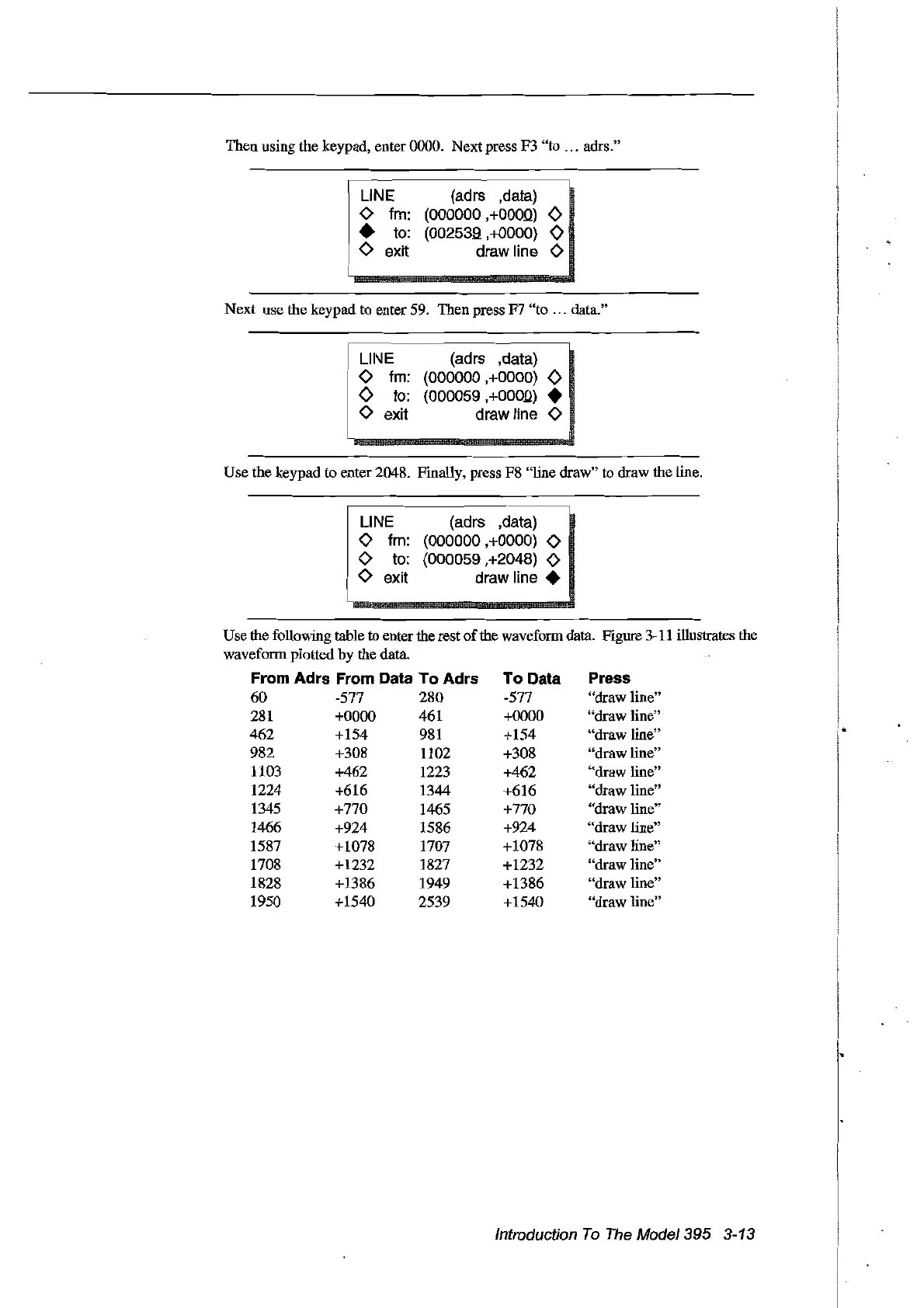
Then using the keypad, enter 0000. Next press F3 "to ... adrs."
UNE
<>
fm:
•
to:
<>
exit
(adrs ,data)
(000000
,+OOQQ)
0
(002539,+0000)
0
drawline
<>
Next use the keypad
to
enter
59.
Then press F7 "to ... data."
n
··~···_···_····
__
···
__
···
LII\JE
(adrs ,data)
,
<>
fm: (000000
,+OOOO)
0
o
to:
(000059,+000Q)
•
<>
exit draw line
<>
Use the keypad to enter 2048. Finally, press F8 "tine draw" to draw the tine.
~
....
~
....
_~
....
~
....
UNE
(adrs ,data)
<>
fm: (000000
.+OOOO)
<>
<>
to:
(000059 ,+2048)
<>
<>
exit draw line •
Press
"draw
Hne"
"draw
Hne"
"draw
Hne"
"draw
Hne"
"draw
Hne"
"draw tine"
"draw tine"
"draw
Hne"
"draw tine"
"draw
Hne"
"draw
Hne"
"draw tine"
To Data
-577
+0000
+154
+308
+462
+616
+770
+924
+1078
+1232
+1386
+1540
Use
the following table to enter the rest ofthe waveform data. Figure
3-11
illustrates the
waveform plotted by the data.
From Adrs From Data To Adrs
60 -577 280
281
+0000 461
462 +154
981
982 +308 1102
1103 +462 1223
1224 +616 1344
1345 +770 1465
1466 +924 1586
1587 +1078 1707
1708 +1232 1827
1828 +1386 1949
1950 +1540 2539
Introduction
To
The
Mode/395 3-13
Artisan Technology Group - Quality Instrumentation ... Guaranteed | (888) 88-SOURCE | www.artisantg.com



 To Next Page