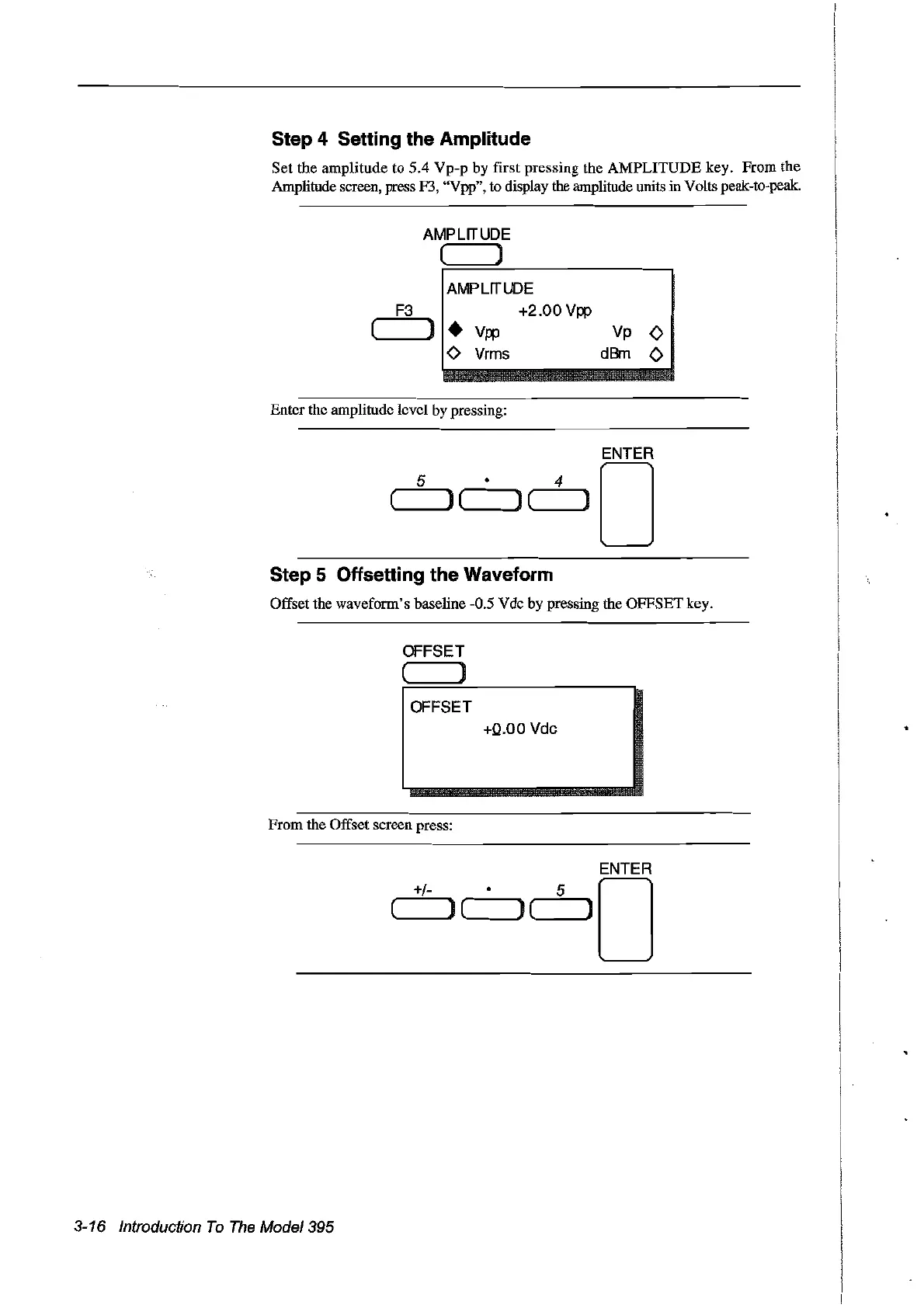
Step 4 Setting the Amplitude
Set
the amplitude to 5.4
Vp-p
by first pressing the
AMPLITUDE
key. From the
Amplitude screen, press F3, "Vpp", to display the amplitude units in Volts peak-to-peak.
AMPLITUDE
( )
F3
AMPLITUDE
+2.00
Vpp
( ] •
Vpp
-0
Vrms
Enter the amplitude level by pressing:
Vp 0
dBm 0
Step 5 Offsetting the Waveform
Offset the waveform's baseline -0.5 Vdc by pressing the OFFSET key.
OFFSET
( )
OFFSET
+0.00
Vdc
From
the Offset screen press:
ENTER
+/- • 5 0
( )
("-~]
(---.---]
3-16 Introduction
To
The
Model395
Artisan Technology Group - Quality Instrumentation ... Guaranteed | (888) 88-SOURCE | www.artisantg.com



 To Next Page