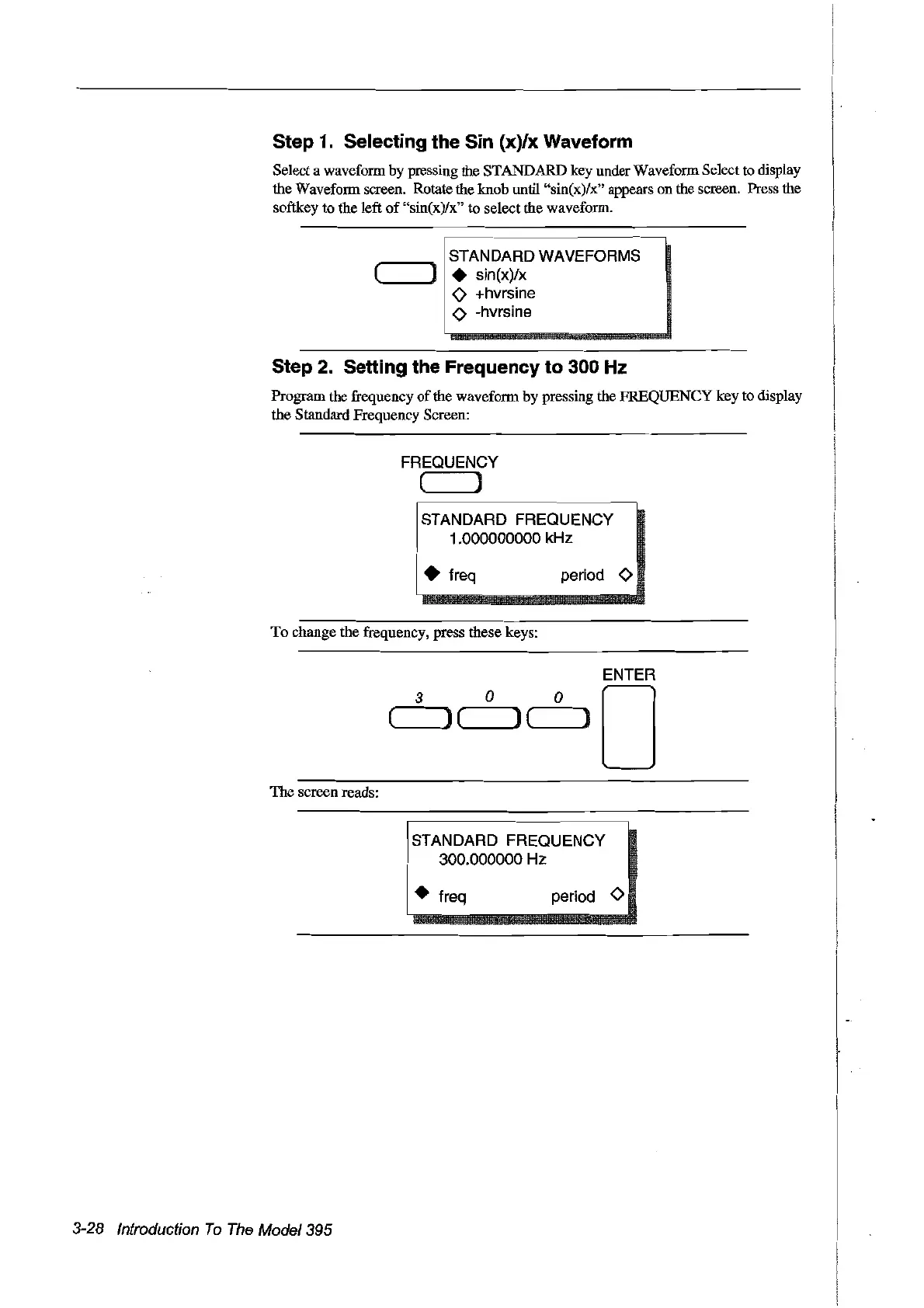
Step 1. Selecting the Sin (x)/x Waveform
Select a waveform
by
pressing the STANDARD key under Waveform Select
ta
display
the Waveform screen. Rotate the knob until "sin(x)/x" appears onthe screen. Press the
softkey
ta
the left
of
"sin(x)/x"
ta
select the waveform.
STANDARD WAVEFORMS
(
).
sin(x)/x
o +hvrsine
<>
-hvrsine
Step 2. Setting the Frequency
to
300 Hz
Program the frequency
of
the waveform
by
pressing the FREQUENCY key
ta
display
the Standard Frequency Screen:
FREQUENCY
( )
ISTANDARD FREQUENCY
1.000000000 kHz
: • freq
To
change the frequency, press these keys:
period
<>
ENTER
3
0
0
0
(
J(
)(
)
The
screen reads:
FT;:~~~ob~~~UENCY
-
1 • freq period
<>
3-28 Introduction
To
The
Model395
Artisan Technology Group - Quality Instrumentation ... Guaranteed | (888) 88-SOURCE | www.artisantg.com



 To Next Page