Step 1. Selecting Continuous Mode
To
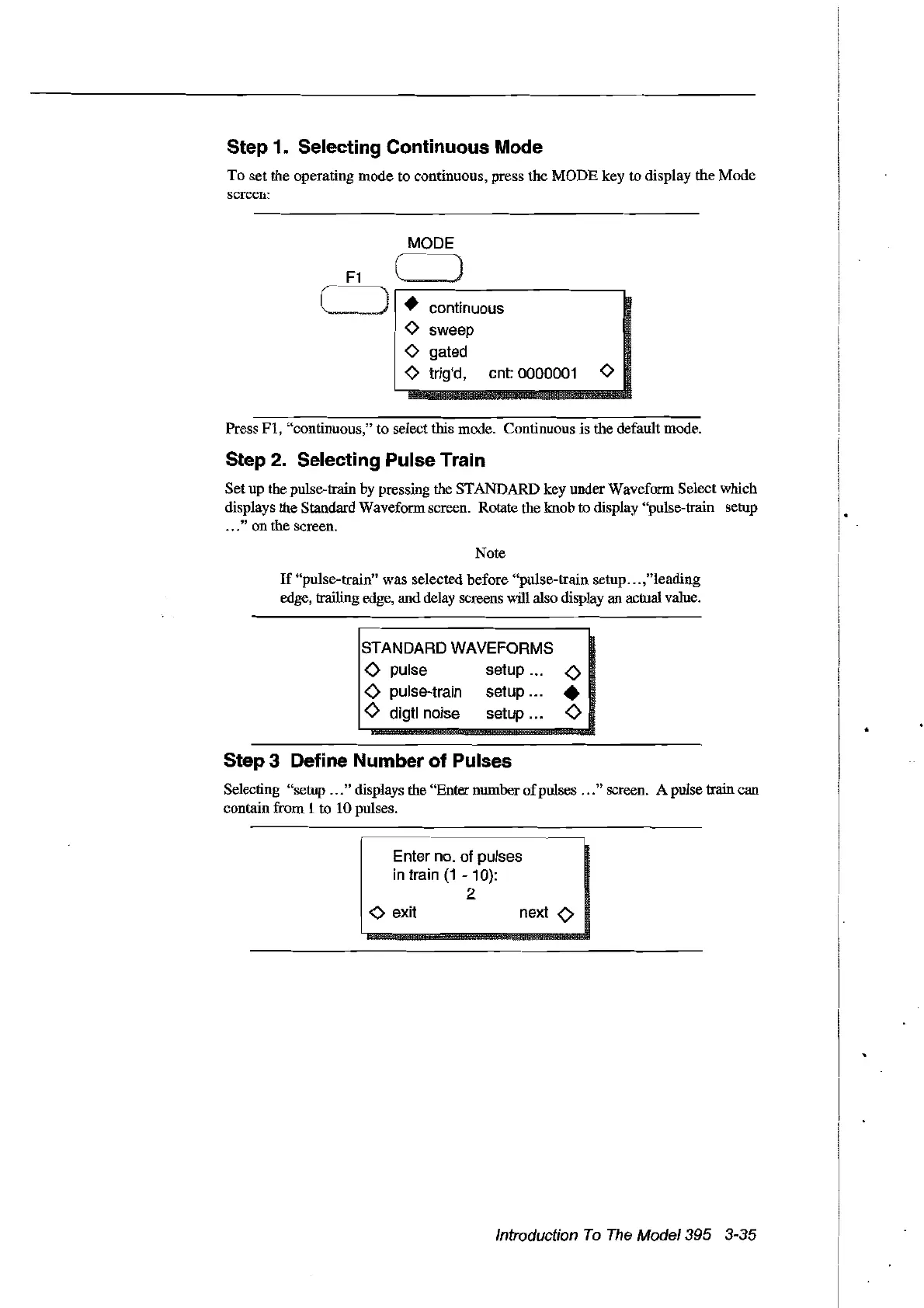
set the operating mode to continuous, press the
MODE
key to display the Mode
screen:
MODE
)
• continuous
o sweep
o gated
o trig'd, cnt:
0000001
0
Press
FI,
"continuous," to select this mode. Continuous
is
the default mode.
Step 2. Selecting Pulse Train
Set up the pulse-train by pressing the STANDARD key under Waveform Select which
displays the Standard Waveform screen. Rotate the knob to display "pulse-train setup
...
" on the screen.
Note
If
"pulse-train" was selected before "pulse-train setup
...
,"leading
edge, trailing edge, and delay screens will also display an actual value.
STANDARD WAVEFORMS
<>
pulse setup
<>
<>
pulse-train setup •
<>
digtl noise setup
<>
Step 3 Define Number of Pulses
Selecting "setup
...
" displays the "Enter number
of
pulses
...
" screen. A pulse train can
contain from 1 to 10 pulses.
Enter
no.
of pulses
in
train
(1
- 10):
2
o exit
next
0
Introduction
To
The
Model395 3-35
Artisan Technology Group - Quality Instrumentation ... Guaranteed | (888) 88-SOURCE | www.artisantg.com



 To Next Page