4
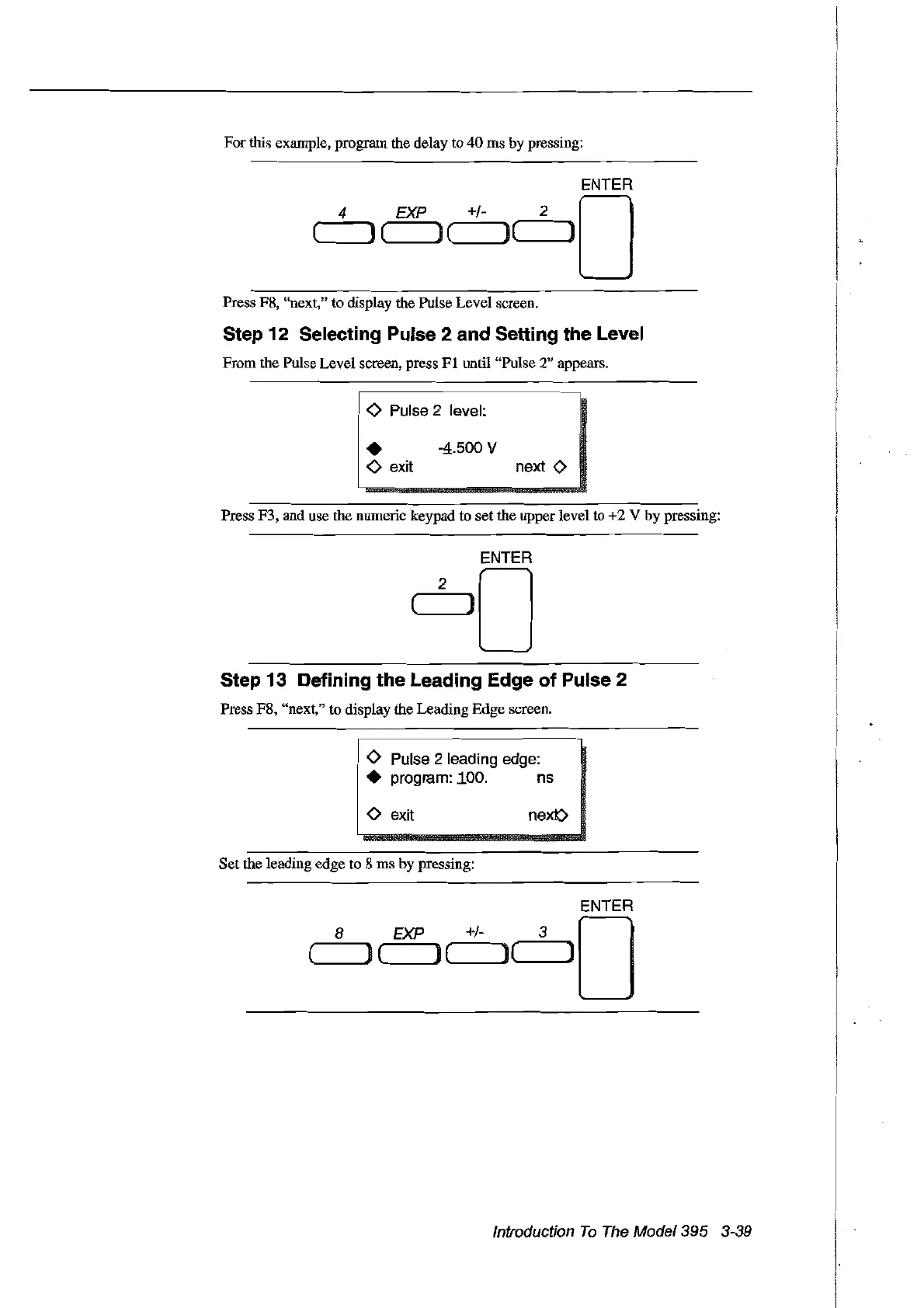
For this exarnple, prograrn the delay to
40
ms by pressing:
ENTER
EXP
+/- 2 0
('----JI)
(
)(
)('-----'1]
Press F8, "next,"
ta
display the Pulse Level sereen.
Step 12 Selecting Pulse 2 and Setting the Level
From the Pulse Level sereen, press
FI
until "Pulse 2" appears.
o Pulse 2 level:
• -4.500 V
o exit next
<>
Press F3, and use the numeric keypad
ta
setthe upper level
ta
+2
V by pressing:
Step 13 Defining the Leading Edge of Pulse 2
Press F8, "next,"
ta
display the Leading Edge screen.
<>
Pulse 2 leading edge:
• program:
100. ns
<>
exit
Set
the leading edge
ta
8
ms
by pressing:
next:>
8
ENTER
EXP
+/- 3 0
(------,,) ( ) ( )(------,,]
Introduction
To
The
Model395 3-39
Artisan Technology Group - Quality Instrumentation ... Guaranteed | (888) 88-SOURCE | www.artisantg.com



 To Next Page