next
<>
1
STANDARDWAVEFORMS
o digtl noise setu p.
..
0
o
an
alg noise setu p... •
o comb setup... 0
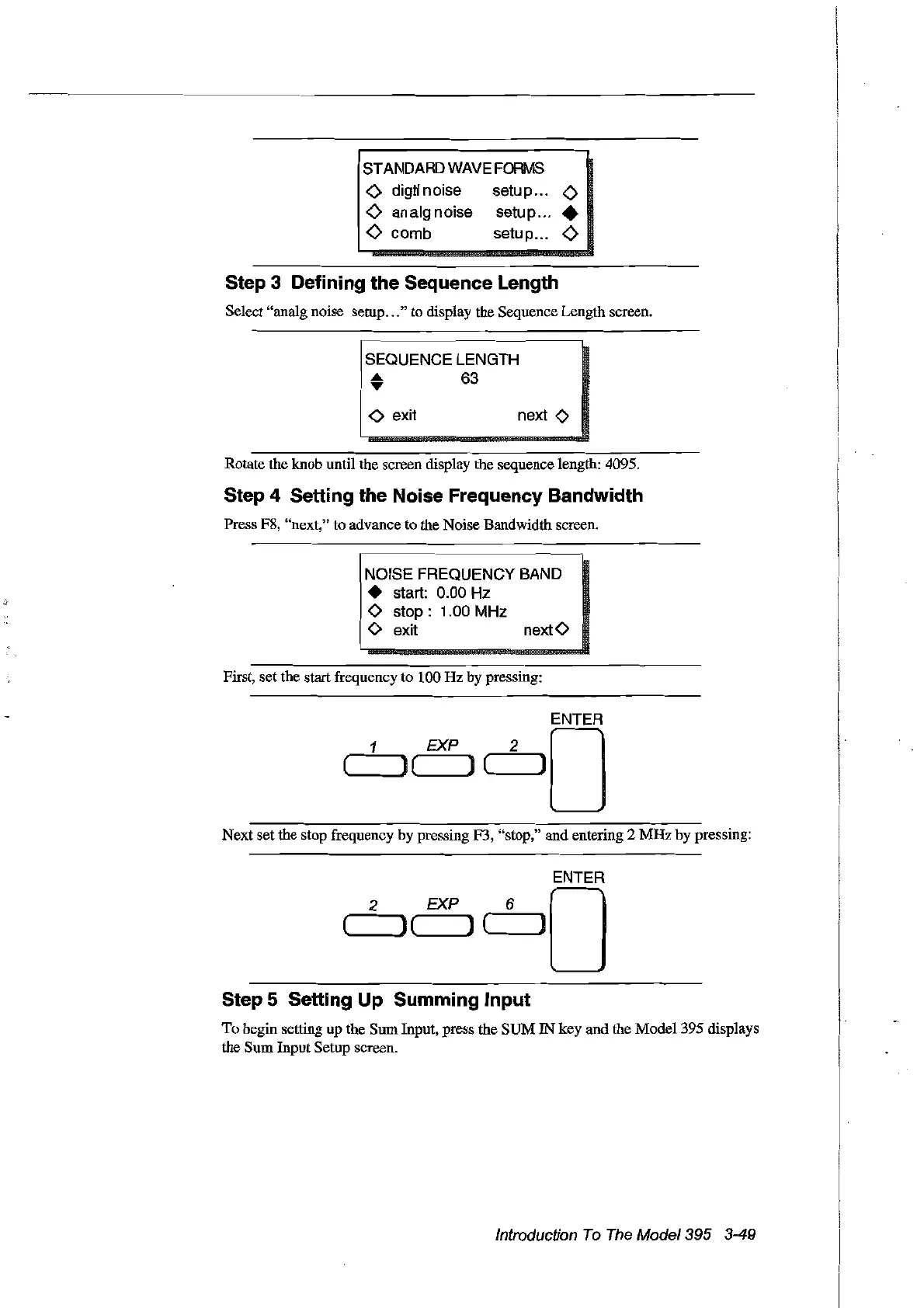
Step 3 Defining the Sequence Length
Select "analg noise setup
...
" to display the Sequence Length screen.
SEQUENCE LENGTH
.....
63
,...
<>
exit
Rotate the knob until the screen display the sequence length: 4095.
Step 4 Setting the Noise Frequency Bandwidth
Press F8, "next," to advance to the Noise Bandwidth screen.
NOISE FREQUENCY BAND
• start:
0.00
Hz
<>
stop:
1.00
MHz
<>
exit next
<>
First, set the start frequency to 100 Hz by pressing:
ENTER
EXP 2 0
('--~)
( ) (,------,]
Next set the stop frequency by pressing F3, "stop," and entering 2
MHz
by pressing:
ENTER
2 EXP 6 0
( )( ) (
__
---Al
Step 5 Setting Up Summing Input
To
begin setting up the SUllInput, press the SUM
IN
key and the Model 395 displays
the SUll Input Setup screen.
Introduction
To
The
Model395 3-49
Artisan Technology Group - Quality Instrumentation ... Guaranteed | (888) 88-SOURCE | www.artisantg.com



 To Next Page