2
3
4
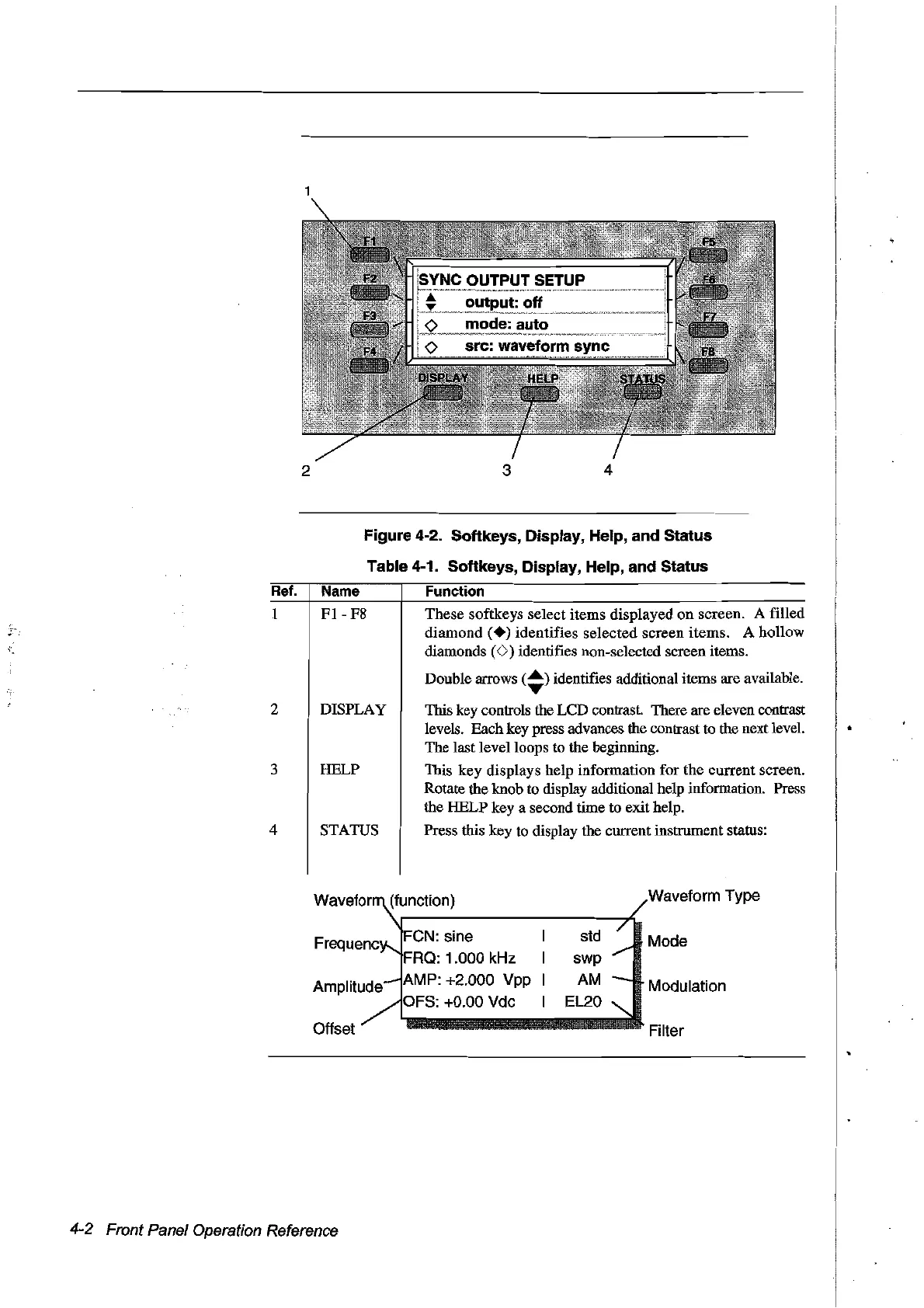
Figure
4-2. Softkeys, Display, Help, and Status
Table 4-1. Softkeys, Display, Help, and Status
Ref.
Name Function
l
FI
-
F8
These softkeys select items displayed on screen. A filled
diamond
(.)
identifies selected screen items. A hollow
diamonds
(v)
identifies non-selected screen items.
Double arrows
(~)
identifies additional items are available.
2 DISPLA
y This key controls the
LeD
contrast. There are eleven contrast
levels. Bach key press advances the contrast to the next level.
The last levelloops to the beginning.
3 HELP This key displays help information for the current screen.
Rotate the knob
to
display additional help information. Press
the HELP key a second time to exit help.
4 STATUS Press this key
to
display the current instrument status:
............
·Filter
Offset
4-2 Front Panel Operation Reference
FeN:
sine
FRQ: 1.000 kHz
AMP: +2.000 Vpp
OFS: +0.00 Vdc
std
swp
AM
EL20
Waveform Type
Mode
Modulation
Artisan Technology Group - Quality Instrumentation ... Guaranteed | (888) 88-SOURCE | www.artisantg.com



 To Next Page