c:;zJ
POWER
/
.c.""
U
OFF
13
7
8 9
10
11
12
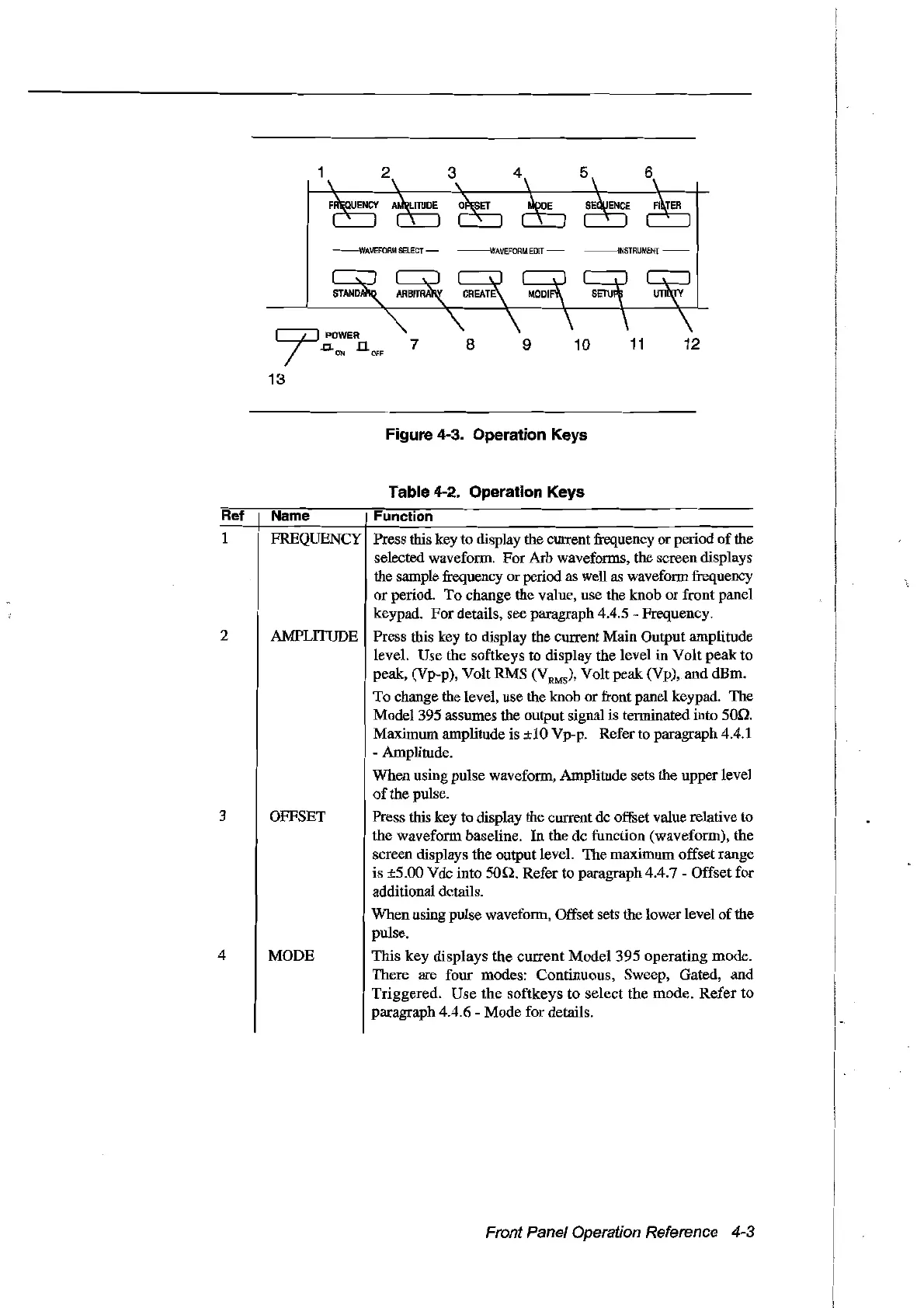
Figure 4-3. Operation Keys
Table 4-2. Operation Keys
Ref
Name
Function
1 FREQUENCY Press this key to display the
CUITent
frequency or period
of
the
selected waveform. ForArb waveforms, the screen displays
the sample frequency orperiod
as
weIl
as
waveform frequency
or
period. To change the value, use the knob or front panel
keypad. For details, see paragraph 4.4.5 - Frequency.
2 AMPLITUDE Press this key to display the current Main Output amplitude
level. Use the softkeys to display the level in Volt peak to
peak, (Vp-p), Volt RMS (V
RMS)'
Volt peak (Vp), and dBm.
To change the level, use the knob or front panel keypad. The
Model 395 assumes the output signal is terminated into 50.0.
Maximum amplitude is
±1O
Vp-p. Refer to paragraph 4.4.1
- Amplitude.
When using pulse waveform, Amplitude sets the upper level
of
the pulse.
3 OFFSET Press this key to display the
CUITent
de
offset value relative to
the waveform baseline. In the de funetion (waveform), the
sereen displays the output level. The maximum offset range
is ±5.00 Vdc into
son.
Refer to paragraph 4.4.7 Offset for
additional dctails.
When using pulse waveform, Offset sets the lower level
of
the
pulse.
4 MODE This key displays the
CUITent
Model 395 operating mode.
There are four modes: Continuous, Sweep, Gated, and
Triggered. Use the softkeys to select the mode.
Refer
to
paragraph 4.4.6 - Mode for details.
Front Panel Operation Reference 4-3
Artisan Technology Group - Quality Instrumentation ... Guaranteed | (888) 88-SOURCE | www.artisantg.com



 To Next Page