9100c
5-8 M1207026
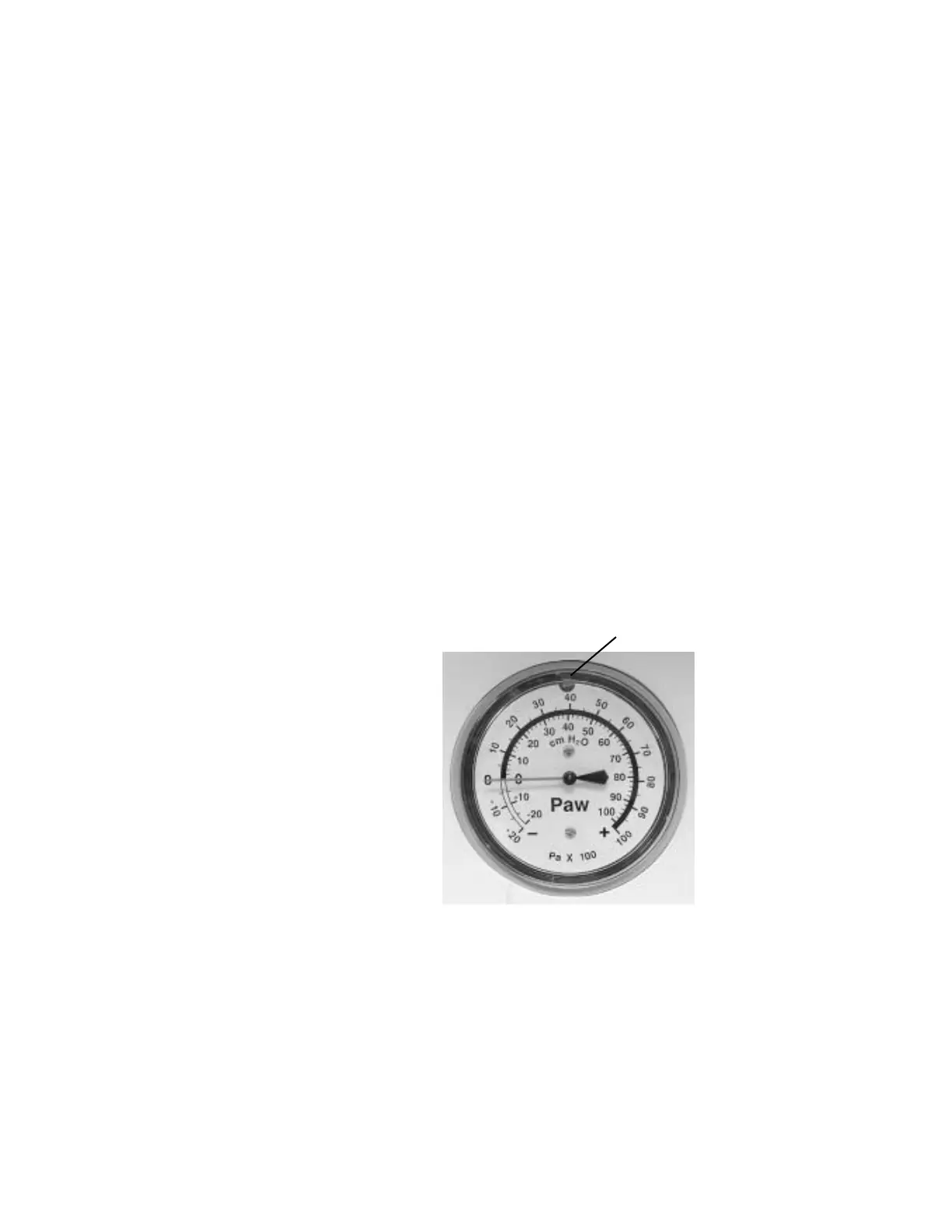
5.4 Airway Pressure Gauge
5.4.1 Zero the
pressure gauge
1. Attach a patient circuit to the Breathing System. Leave the patient
end open.
2. Set the Bag/Vent switch to Bag.
3. Adjust the APL valve to maximum.
4. Remove the lens from the pressure gauge:
• Apply a slight pressure with your thumb and finger tips
around the outer edge of the lens.
• Turn the lens counterclockwise to remove it.
5. Adjust the pressure gauge to zero.
6. Plug the patient circuit.
7. Press and release the O
2
flush button to sweep the needle across
the pressure gauge.
8. Remove the plug from the patient circuit to relieve the pressure in
the circuit and recheck the zero setting of the pressure gauge.
9. If required, repeat zero and span procedure (Section 5.4.1 and
5.4.2).
10. Replace the lens cover.
M1207027 004 MANUAL−DOC, Technical Reference Manual, Technical Reference Manual for 9100c, English−default
Reproduced from the electronic master in MATRIX



 To Next Page