9100c
9-22 M1207026
9.11 Service ACGO switch
9.11.1 Replace ACGO
switch
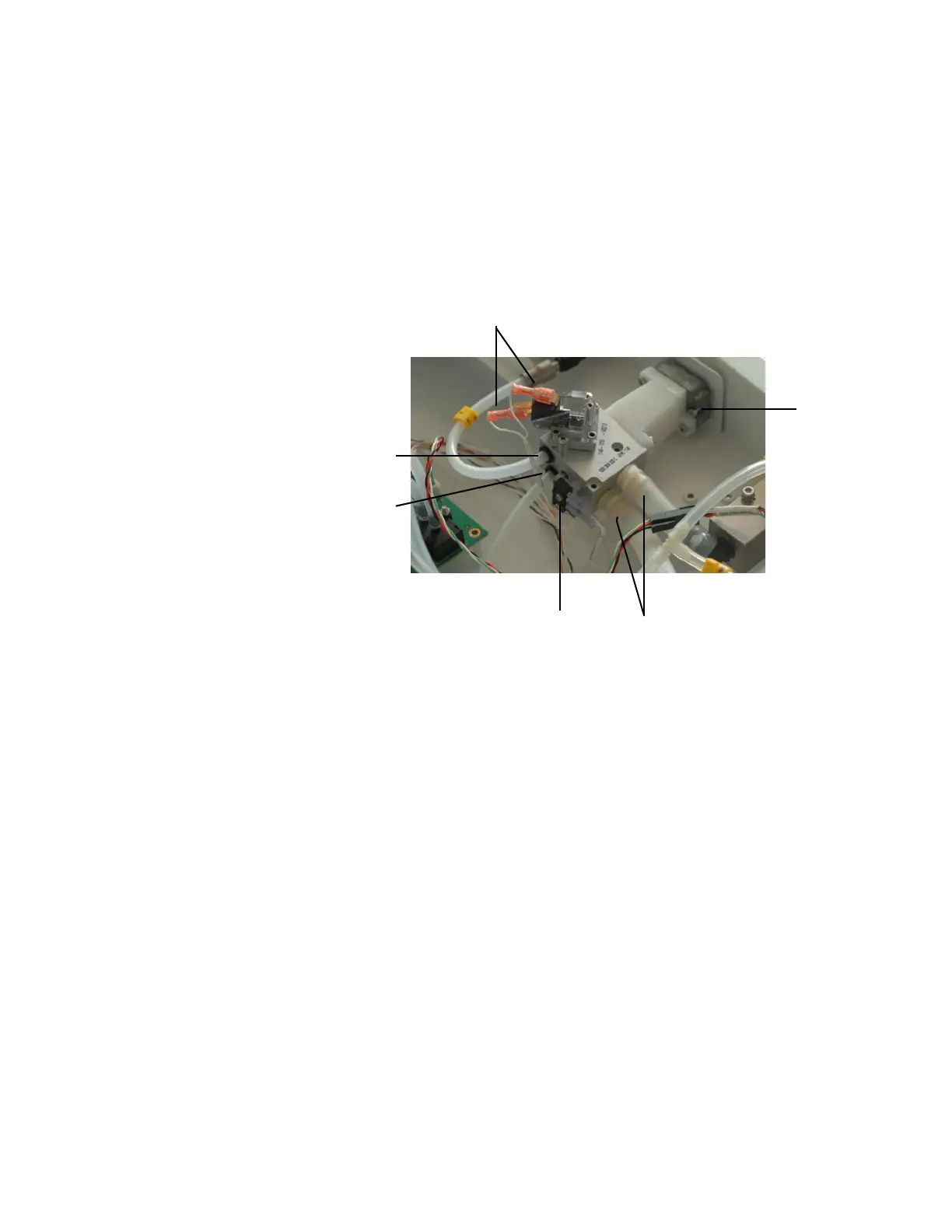
Removal 1. Remove the tabletop (Section 9.3)
2. Clip the tie wraps (1) from the outlet barb fittings at the side of the
switch.
3. Disconnect the fresh gas (2) and flush (3) tubes at the back of the
switch.
4. Disconnect the wires from the ACGO mode microswitch (4) at the
back of the selector switch.
5. Disconnect the wires from the flush pressure switch (5) on top of
the selector switch.
6. Set the ACGO selector switch to Breathing System.
7. Back out the selector switch mounting screws (6) until the tips are
flush with the face of the mounting casting.
8. While pushing the selector knob toward the machine and holding
it steady, push the valve body toward the knob and rotate it
counterclockwise to separate the valve body from the knob
assembly.
9. Remove the knob assembly and protective shroud from the
machine.
10. Remove the valve from the silicone output tubes.
M1207027 004 MANUAL−DOC, Technical Reference Manual, Technical Reference Manual for 9100c, English−default
Reproduced from the electronic master in MATRIX



 To Next Page