9100c
9-32 M1207026
9.15 Replace display and cable
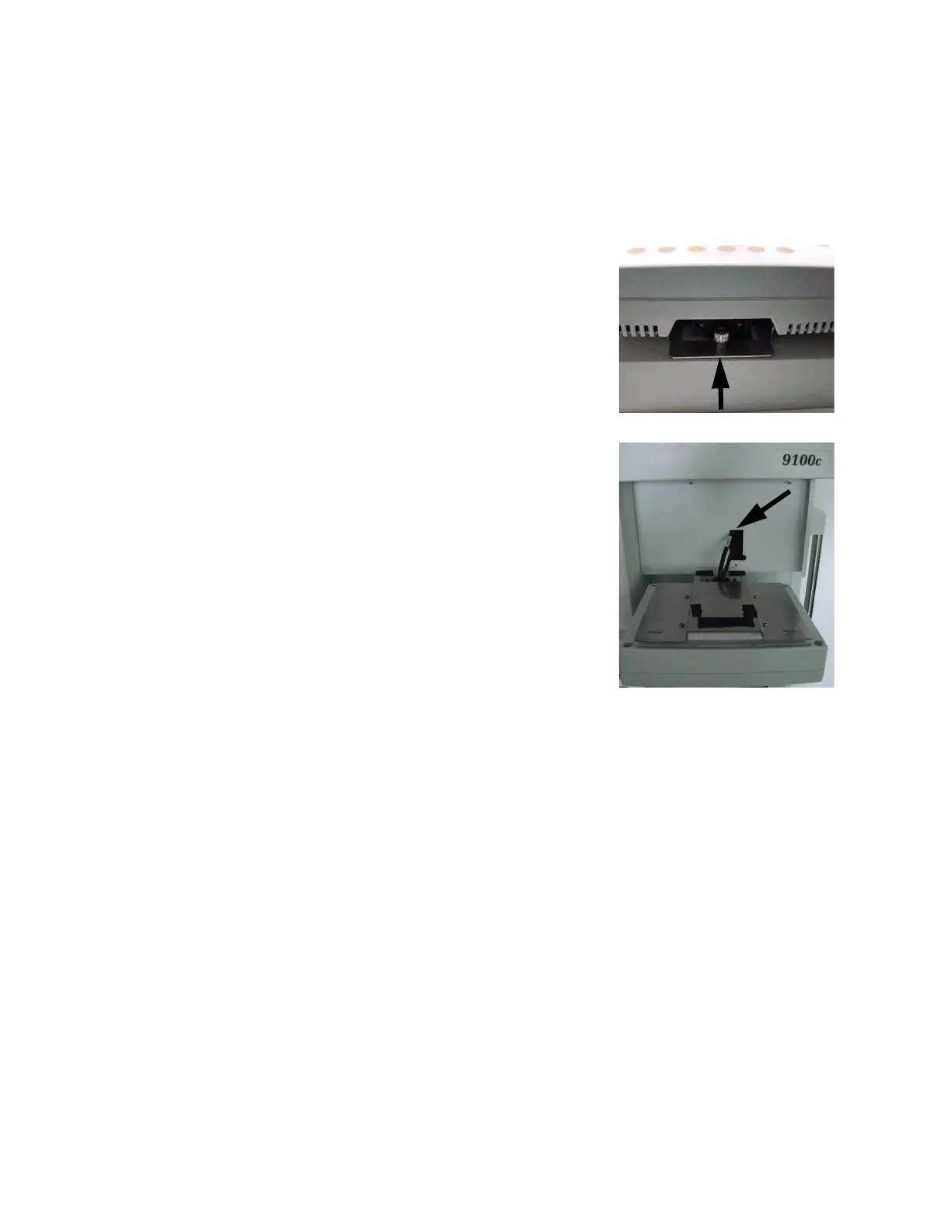
The display module is mounted above the vaporizer manifold. In
addition to the power supply, signals between the DMB and CSB are
sent through one cable that passes through the back of the machine
and connects to the rear of the display module.
1. Remove the thumbscrew that
secures the display mounting
bracket to the no-vap manifold.
2. Move the display slightly right to
disengage the mounting pins.
3. Lower the display face down on
the work surface.
4. Disconnect the cable, replace
the display module and
reassembly in reverse order.
5. To replace the cable, remove
the thumbscrew and feed the
cable to the back of the
machine,
6. As required to access the
particular cable routing for
replacement, remove either (or
all):
• the rear upper panel
(Section 9.2),
• the AC inlet access panel
(Section 9.2),
• the tabletop (Section 9.3).
M1207027 004 MANUAL−DOC, Technical Reference Manual, Technical Reference Manual for 9100c, English−default
Reproduced from the electronic master in MATRIX



 To Next Page