9100c
4-16 M1207026
4.5.3 O
2
Cell The O
2
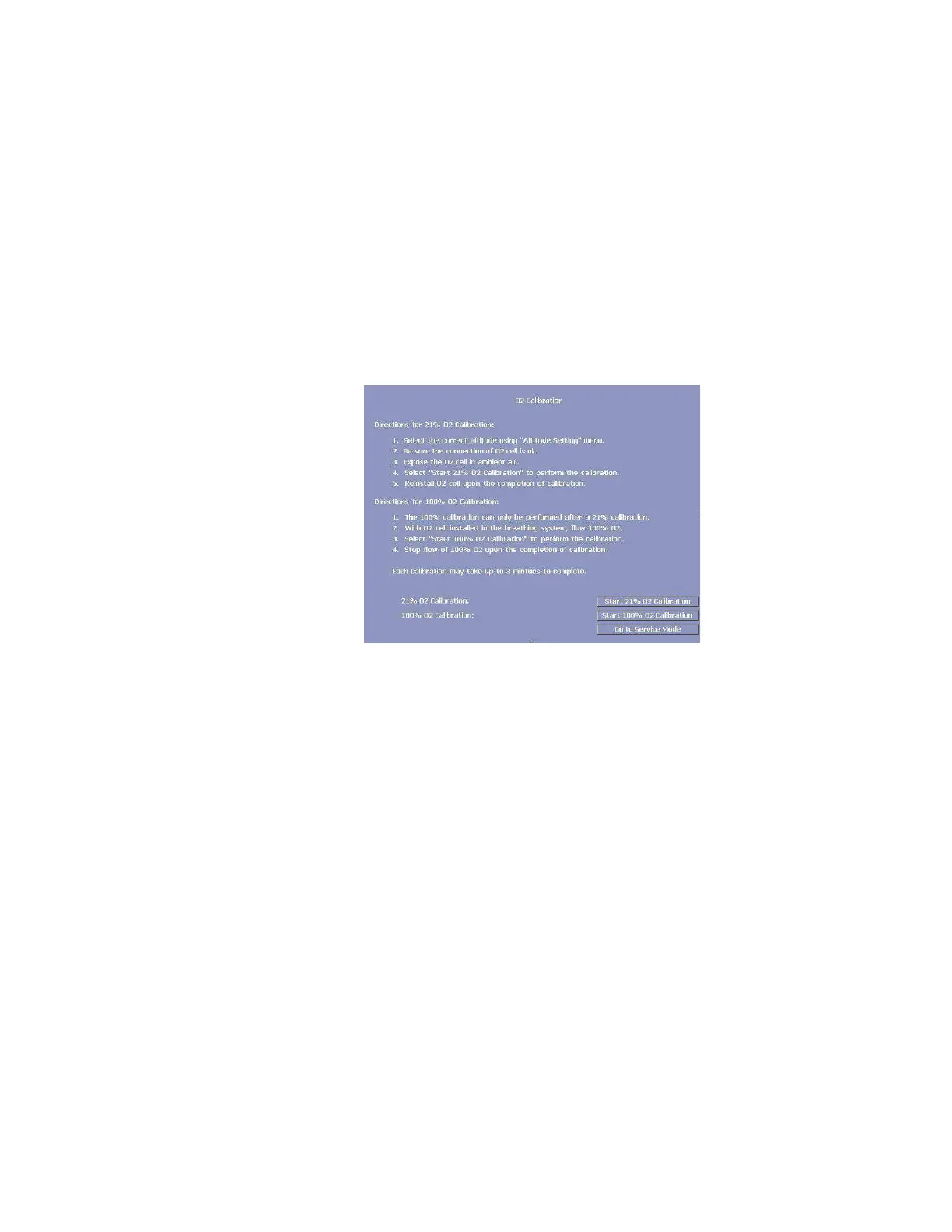
Cell Calibration takes into account the altitude setting.
Before starting the calibration, ensure that the altitude setting (in
“Altitude Setting” menu) is set to the appropriate altitude for the
machine location.
For the “21% O
2
Calibration” software reads the A/D value for the O
2
sensor when the O
2
sensor is exposed to room air (21% O
2
).
• If this A/D value is not within the tolerance, the calibration
fails.
• If the calibration passes, the A/D value can be stored in the
EEPROM.
The sensor must be calibrated at 21% O
2
before calibration at 100%
O
2
.
Remarks Remove the O
2
sensor from the breathing system and expose it to
room air. The displayed reading should be 21% ± 2% to pass the
calibration requirements.
Place the sensor that passed the 21% test in the breathing system
and expose it to 100% O
2
.
“Fail” incidents a problem in the O
2
Cell. Replace if necessary.
M1207027 004 MANUAL−DOC, Technical Reference Manual, Technical Reference Manual for 9100c, English−default
Reproduced from the electronic master in MATRIX



 To Next Page